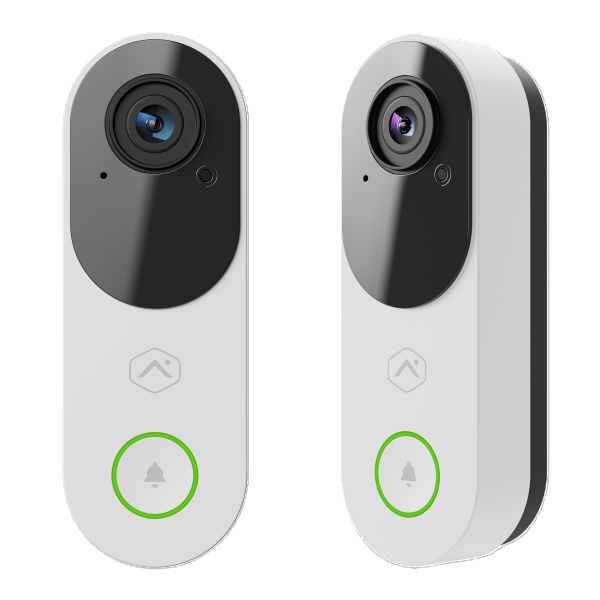
In addition to classic capabilities like Perimeter Guard and Package Alerts, the ADC-VDB775 introduces directional tripwires, plus vehicle and animal detection. Vivid 4 MP video and 150° vertical and horizontal Field of View deliver increased awareness, while upgrades like Bluetooth enrollment reduce installation time. Additionally, a wide range of operating temperatures (-58° to 120°F (-50° to 50°C)) makes it ideal for a diverse range of installation climates.
Features
4 MP Video with high dynamic range
Video Analytics with people, animal, and vehicle detection
Package detection
Battery-less design
3 simultaneous Video Analytics rules
Directional tripwires for Video Analytics rules
Full duplex two-way audio
Perimeter Guard and manually triggered Warning sounds for proactive deterrence
Included accessories
Alarm.com Premium Video Doorbell Camera (ADC-VDB775)
ADC-VDB775 wallplate
Mechanical Chime Dongle (ADC-VDBA-MCD)
Wall anchors (x2) & ST3.5 x 22mm screws (x2)
Installation card with scannable QR code
Specifications
Recording compression
H.264
Ingress protection
IP65
Max resolution
2048 x 2048
Image sensor
1/3.11
Lens/angle of view
150° vertical, 150° horizontal
Low-light sensitivity
0 lux with IR
IR range
Up to 15 feet (5 m)
Wireless connectivity
802.11 b/g/n/ac/ax, 2.4 GHz & 5 GHz
Operating temperature
-58°F to 122°F (-50°C to 50°C)
Operating humidity
<95% (non-condensing) RH
Dimensions (W x L x D)
1.81 x 5.26 x 1.34 (46 x 133.5 x 34 mm)
Power requirements
AC transformer
16-24 VAC, 10-40VA (16VAC, 10VA recommended)
DC transformer
18-24VDC, 12-30W
LED status guide
LED pattern
Description
Off
Power off
Solid green
Connected to Alarm.com
Blinking green
Local network connection
Blinking red
Power on, camera booting
Solid red
No local or internet connection
Blinking white
Wi-Fi Access Point mode (press and hold the reset button for 30-35 seconds)
Blinking blue
WPS mode (press and hold button for 35-40 seconds)
Blinking yellow
Power cycling (press and hold button for 40-45 seconds)
Blinking red and green
Camera resetting to factory default (press and hold button for 45-50 seconds)