What could be the causing sensors to stop working after a while examples.
Daily I open my patio door to let the dog out. Last time it was opened was last Friday no issues. Went out of town and I am now back opened patio door this am no “patio door open trigger” opened and closed the door 6 times before it finally realized it was open and now it is working again as it should.
Same happened with front door last month or maybe the month before. I do not use that door often but I was out of town for a week came back went to get a package and notice the system did not speak open and closed the door multiple times no acknowledgment took the sensor off and it triggered tamper put it back. It’s been working ever since.
Can you perform a daughter card test by swiping down from the main page > Settings > Advanced Settings > Installer/Dealer Code > Daughter Cards Test > Run the 319.5 Card
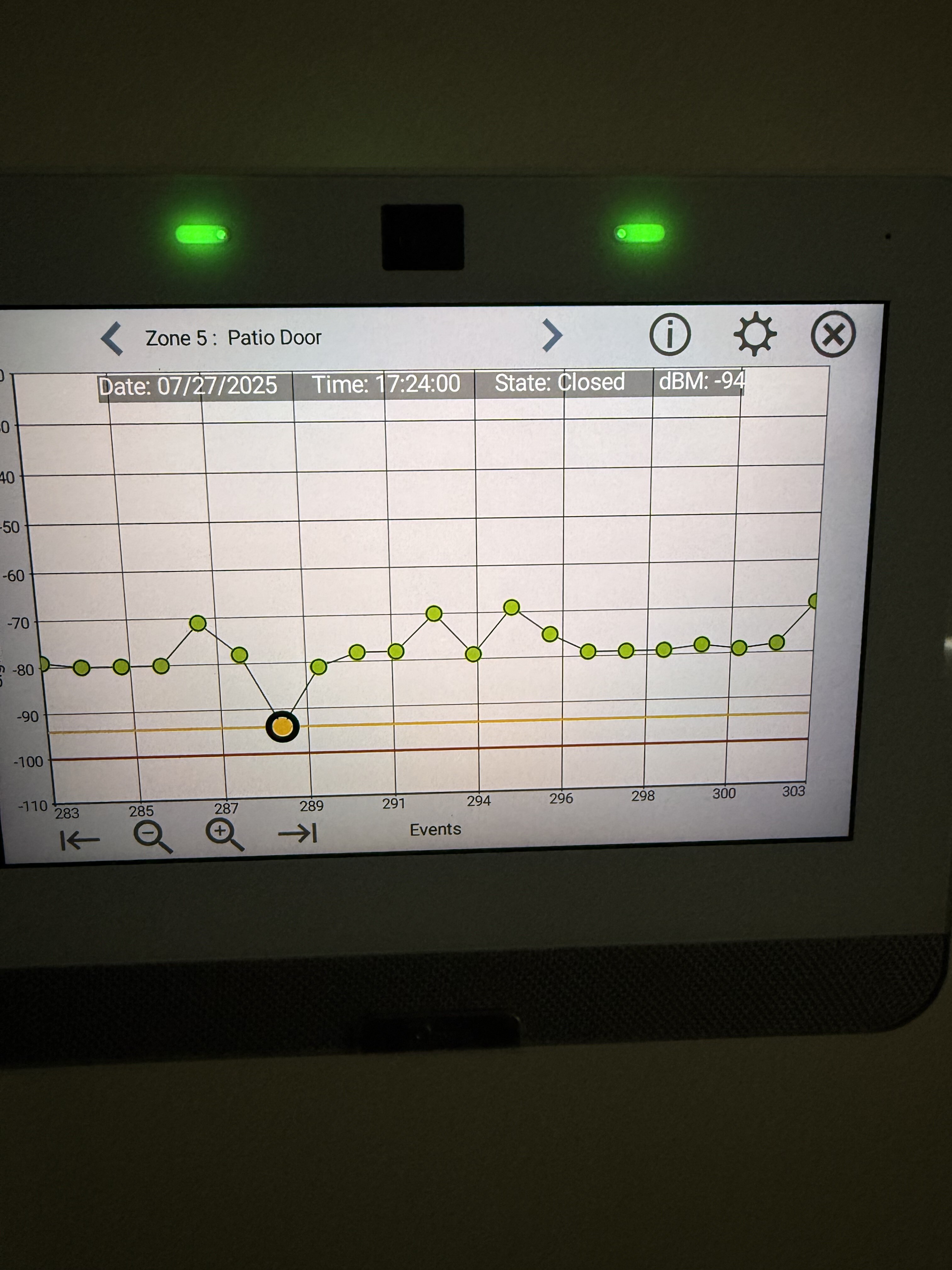
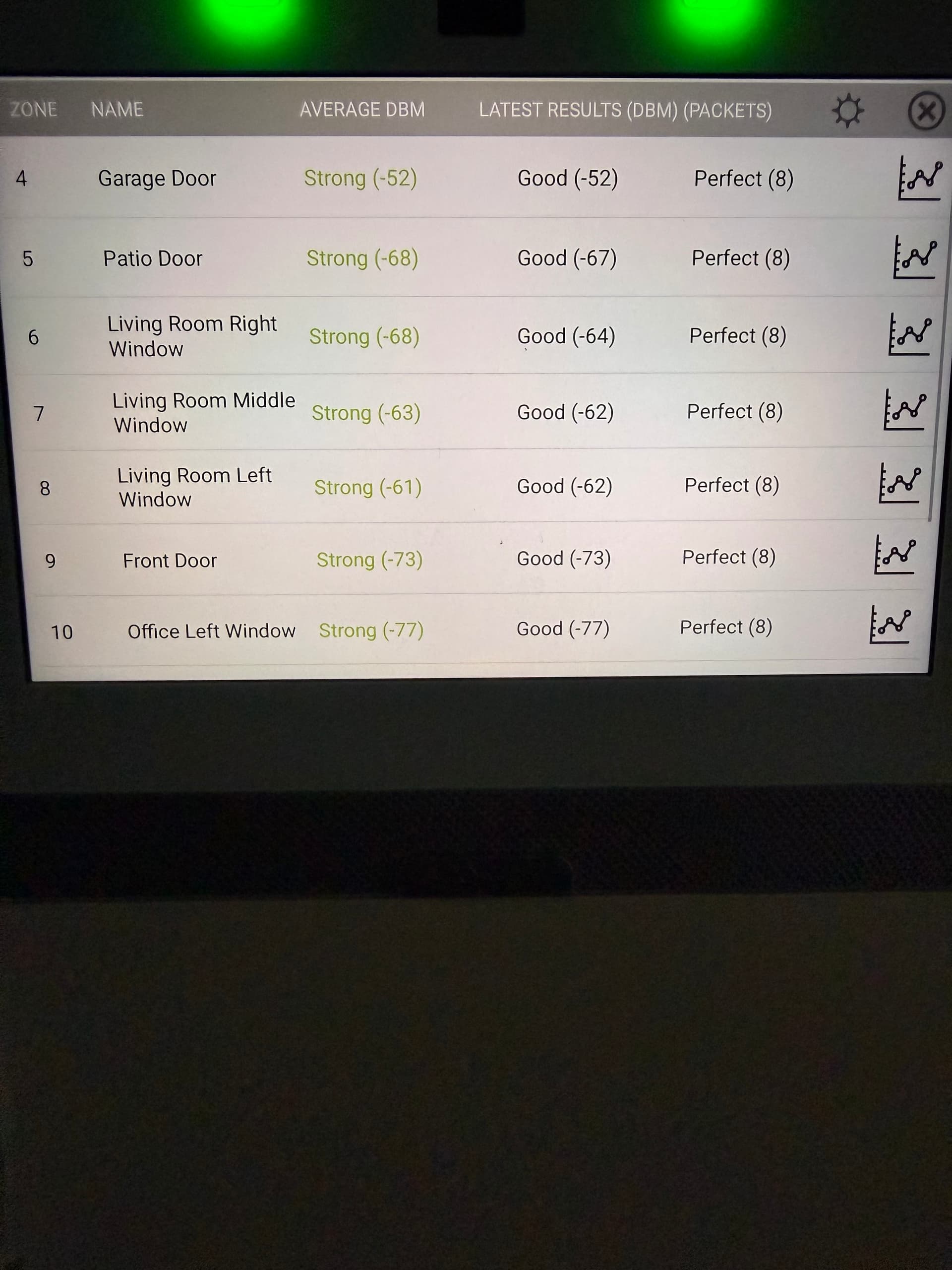
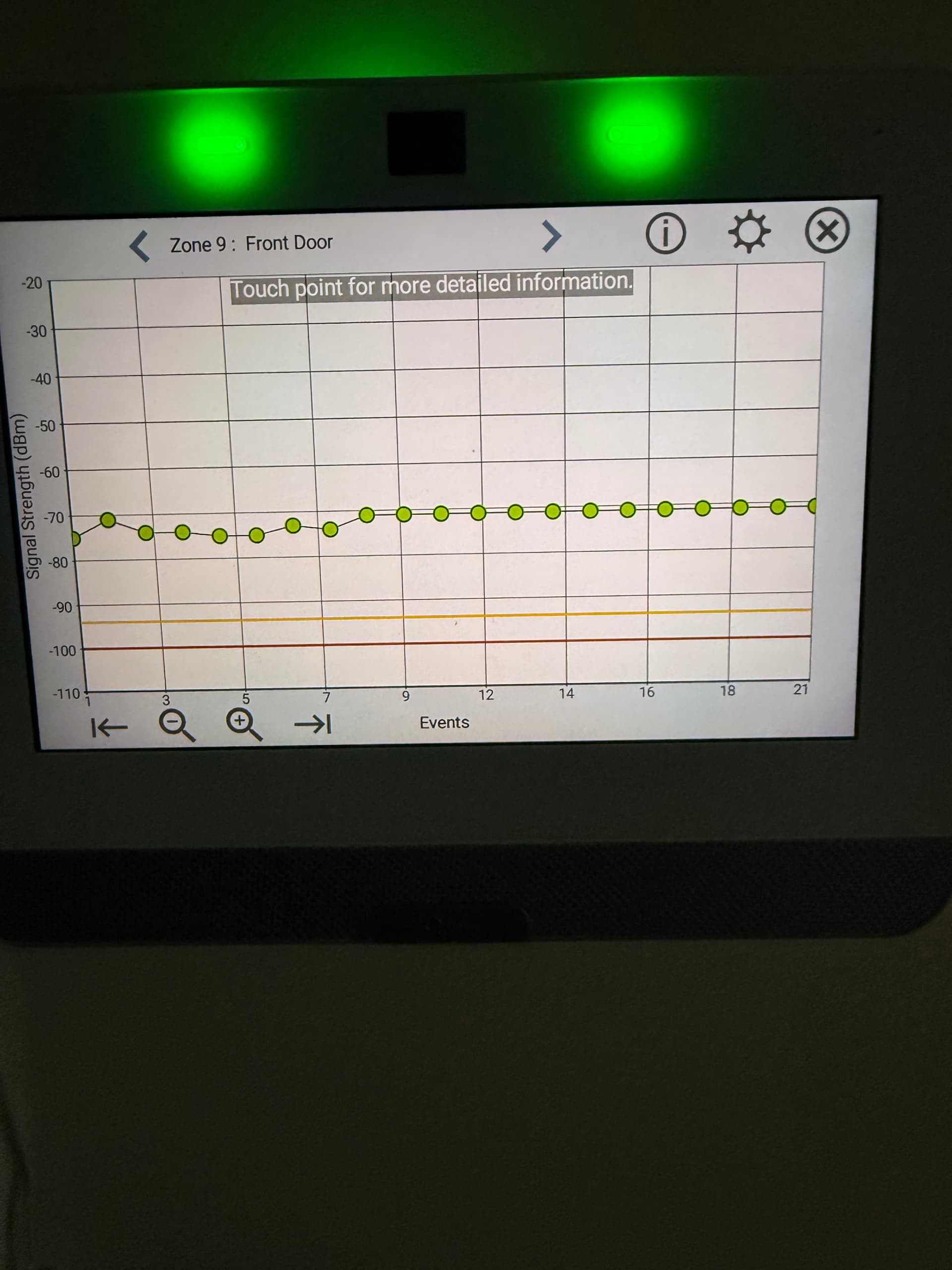
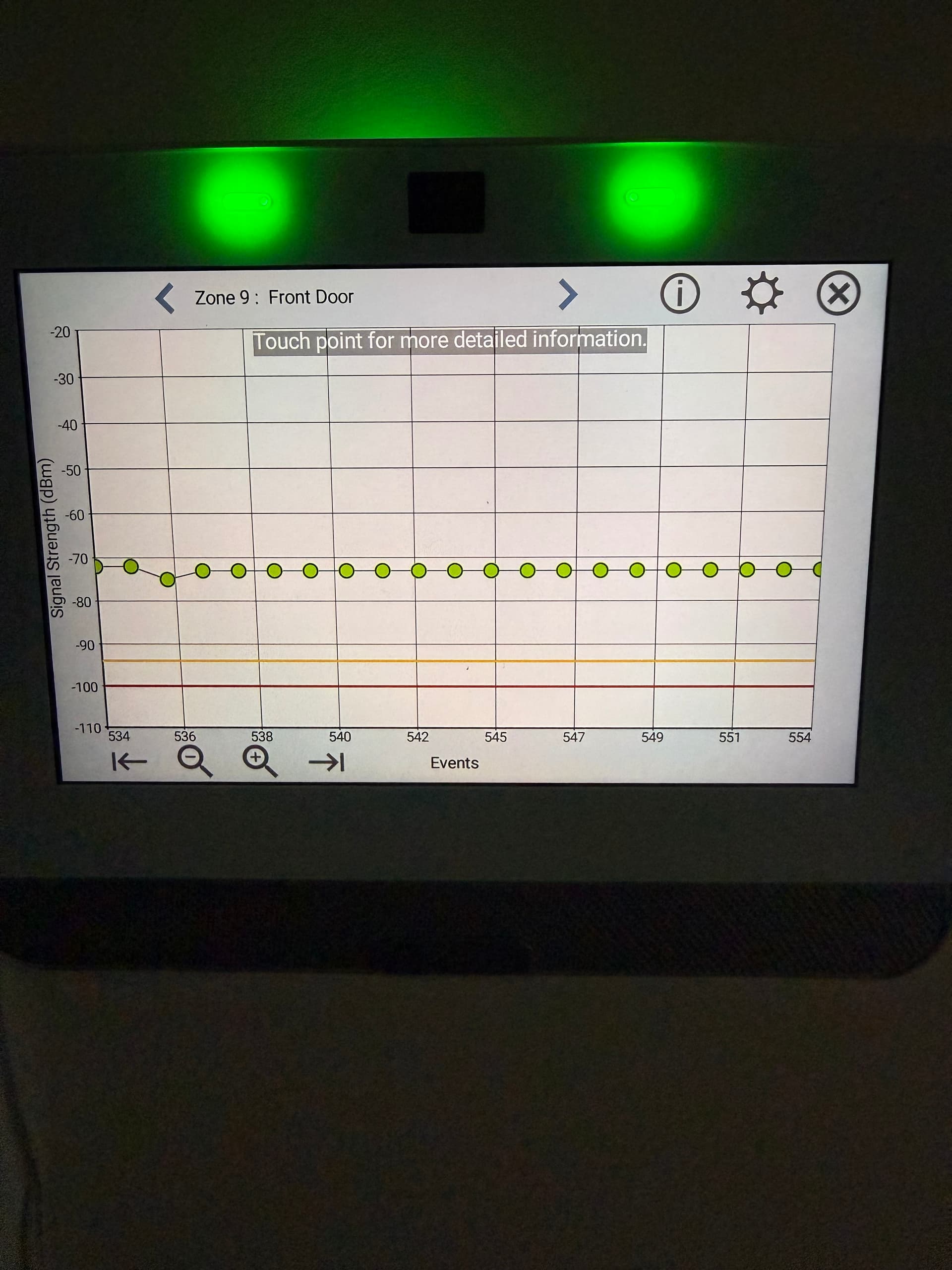
Next, arrow back one time and press sensor test > Check the patio door history by pressing the graph icon next to the patio door. You can go father back by pressing the magnifying glass with the - Icon. Does it drop below red at any moment?
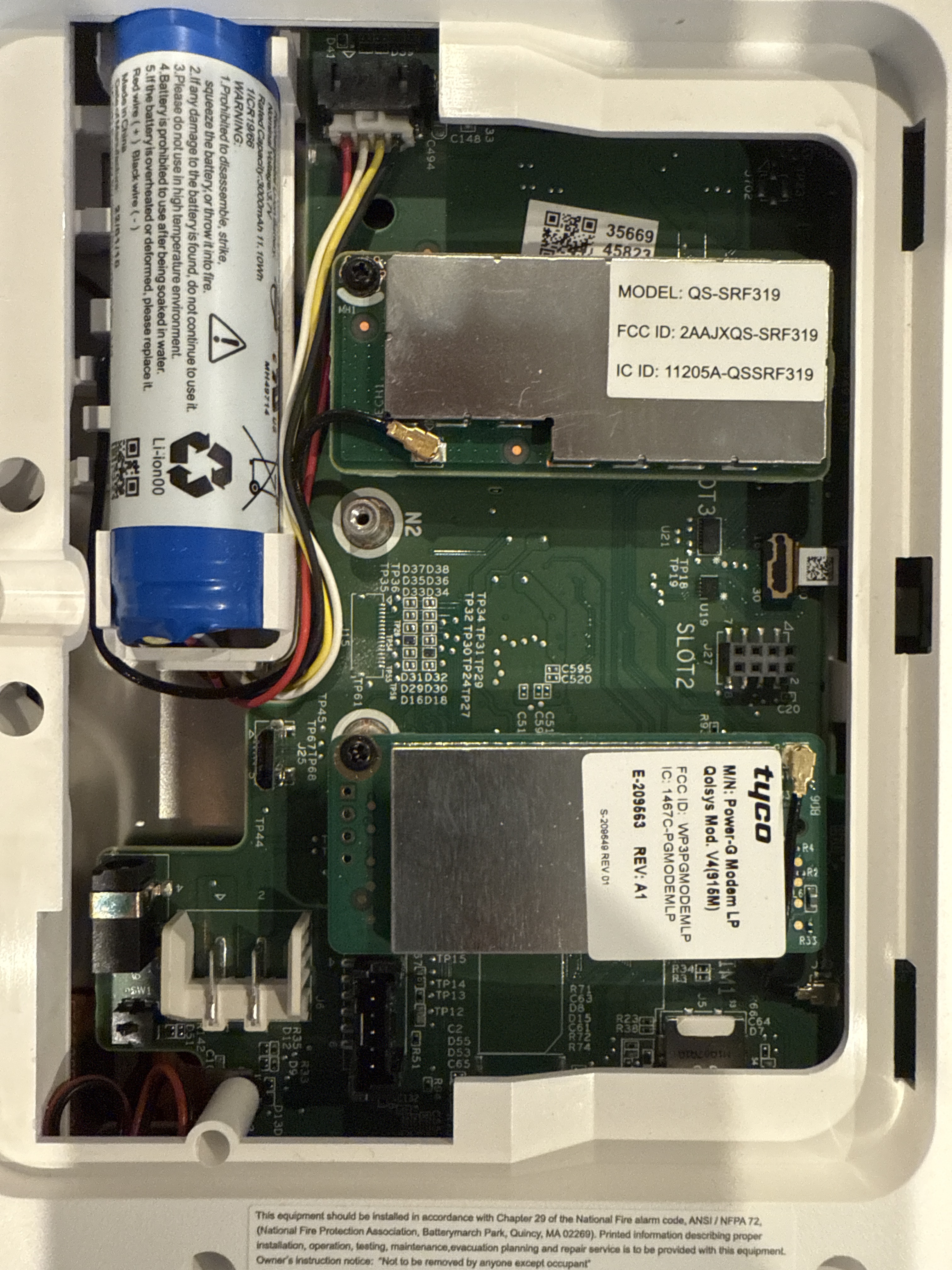
Could you send a picture of the back of the panel? Specifically the daughter cards. You remove the panel from the wall by loosening the screw located on the bottom of panel and then pulling the bottom of the panel away from the wall.
If you have a a white antenna coming from the left daughter card, make sure that it goes into the wall and doesn’t remain inside the panel as this can cause range and signal issues with the sensors.
When you see the dbm fall into that yellow area or to red, this indicates poor signaling moving the sensor to another part of the door, or changing the sensor’s orientation may help to resolve.
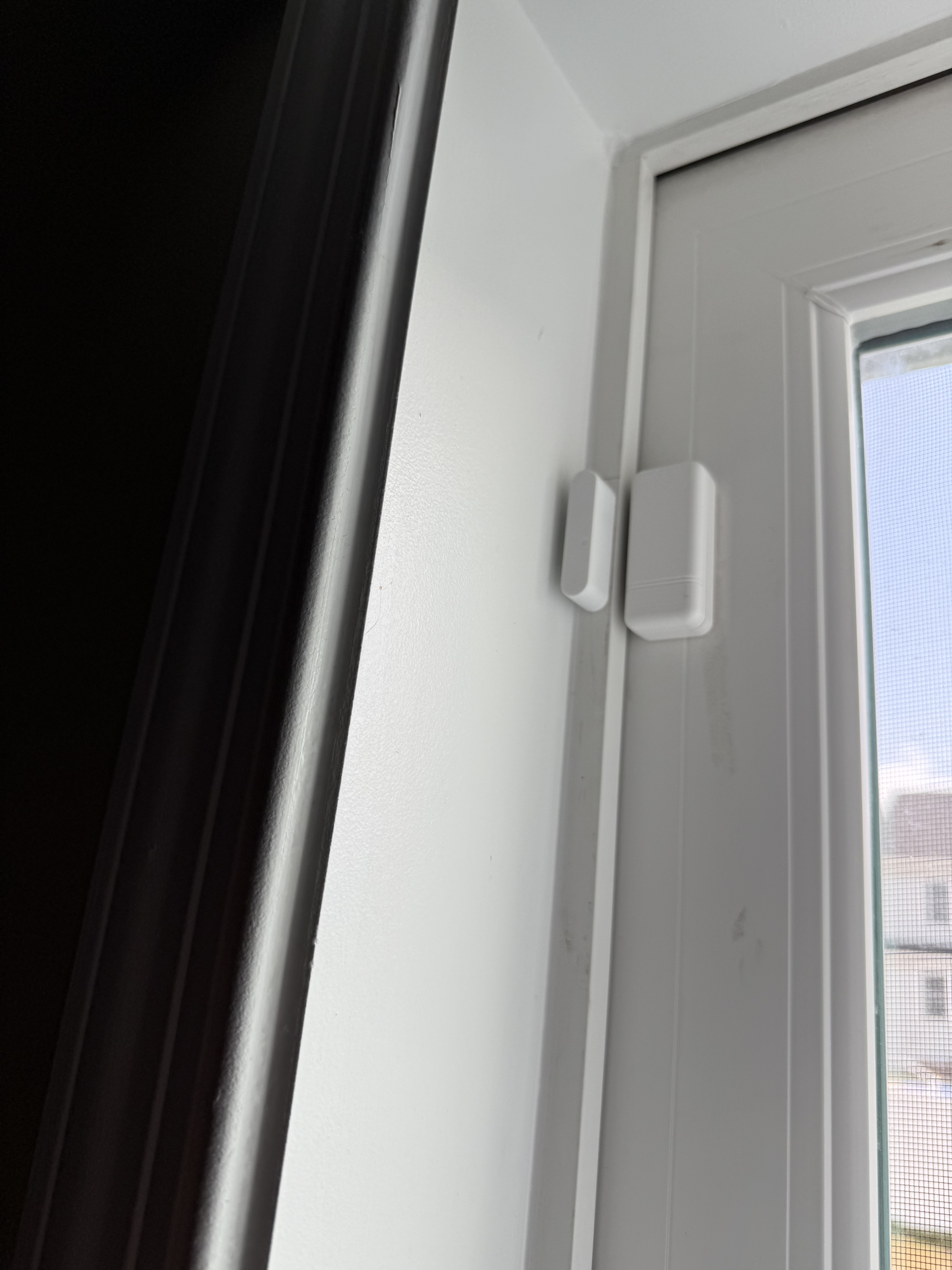
What material are the Patio Door and Front Door sensors mounted on?
Are those the only two sensors that experience issues?
Additionally, I do see that your panel’s firmware is out of date, running 4.4.1. The latest firmware is 4.6.2. Updating firmware is recommended for continued communication, bug fixes and updated features. Steps on how to update firmware can be found here:
Yea it just went that one time in yellow and all others were green but I will check the history to see if it does it again.
Hmmm that is interesting my panel is on automatic update so I am not sure why it is outdated. Last I did a manual check it said nothing available but I will check once I get home as it has been a while.
Yes those are the only 2 I am aware of having the issue front door wood frame and the patio is on The metal frame of the patio.
Both times it was after the panel had been in away for 5+ days that it appears to be an issue so I will try the update and maybe that will resolve it.
I will also do a system test as I have not done one in over a year and test everything.
Do you know the age of the sensor’s batteries? While not reporting low, they could be borderline low if a bit older.
While the automatic update is a feature that can be enabled, Qolsys does not release most firmware updates via this method. The vast majority of updates have required the patch tag method listed in that update guide.
Ahh that’s good to know, I will add checking those patches to my list.
Negative on batteries age I know I’ve had the system 3 years but no telling how long they sat on the shelf…… I was thinking they could be low as well I will put a voltage meter on one and test it as well.
For what it’s worth, I had one of those same IQ sensors ‘stick’ like that at about 12 months old. In the end I concluded the reed was bad and replaced the sensor. In my case, if I slapped (lets say a ‘firm couple of taps’) the sensor with my hand the reed would open up and the sensor would work for a few days then the ‘stuck closed’ condition would reoccur.
It was only one with that issue out of about 14 deployed all at the same time. On a frequently opened door.
Thank you for that, I will try that before I tamper it.
Originally I’ve noticed this happening only on that patio door, this time it’s the front door. But could be battery. Even though the panel is reading good hopefully if it is battery we can get a better way of knowing when they are low since panel says it good that’s what I go back
But hey I’ve been wanting to go power G sensors so I’m looking for a reason . But don’t want to spend all that money if I might still have this issue. So IDK.