Hello, I noticed that after certain software update my iq panel behavior changed quite significantly.
From now on it requires to enter a password in order to wake up the panel out of “sleep/idle“ mode, which is quite annoying if you want to unlock the “stay“ mode as this would require to enter pass twice (wake up + disable stay mode). I don’t see any way to disable this in settings.
Also, I noticed that a lot of setting has gone and I can’t find them (e.g. software updates, some of the admin settings I was able to access before) and when I open the “advance settings“ it doesn’t require password anymore.
Could you help with advice on how to resolve these and whether it’s a normal behavior on latest software?
From now on it requires to enter a password in order to wake up the panel out of “sleep/idle“ mode,
Looks like you have Lock Screen enabled which is why the code on wake is being required.
You can disable this by navigating to Settings > Advanced Settings > Enter the Dealer or Installer Code > Installation > Security and Arming > Screen Lock
Also, I noticed that a lot of setting has gone and I can’t find them (e.g. software updates, some of the admin settings I was able to access before) and when I open the “advance settings“ it doesn’t require password anymore.
This is due to the lock screen, if you enter the Dealer or Installer code when prompted there, you should see the missing Installation and software settings.
Could you help with advice on how to resolve these and whether it’s a normal behavior on latest software?
Its possible the lock screen was enabled during the update.
Looks like your panel is on firmware 4.3.1, I would recommend updating to current, 4.6.1. This will require the use of a patch tag and is somewhat incremental. You need to update from 4.3.1 to 4.4.0 first before you can update to 4.6.1 Firmware update information and patch notes can be found here:
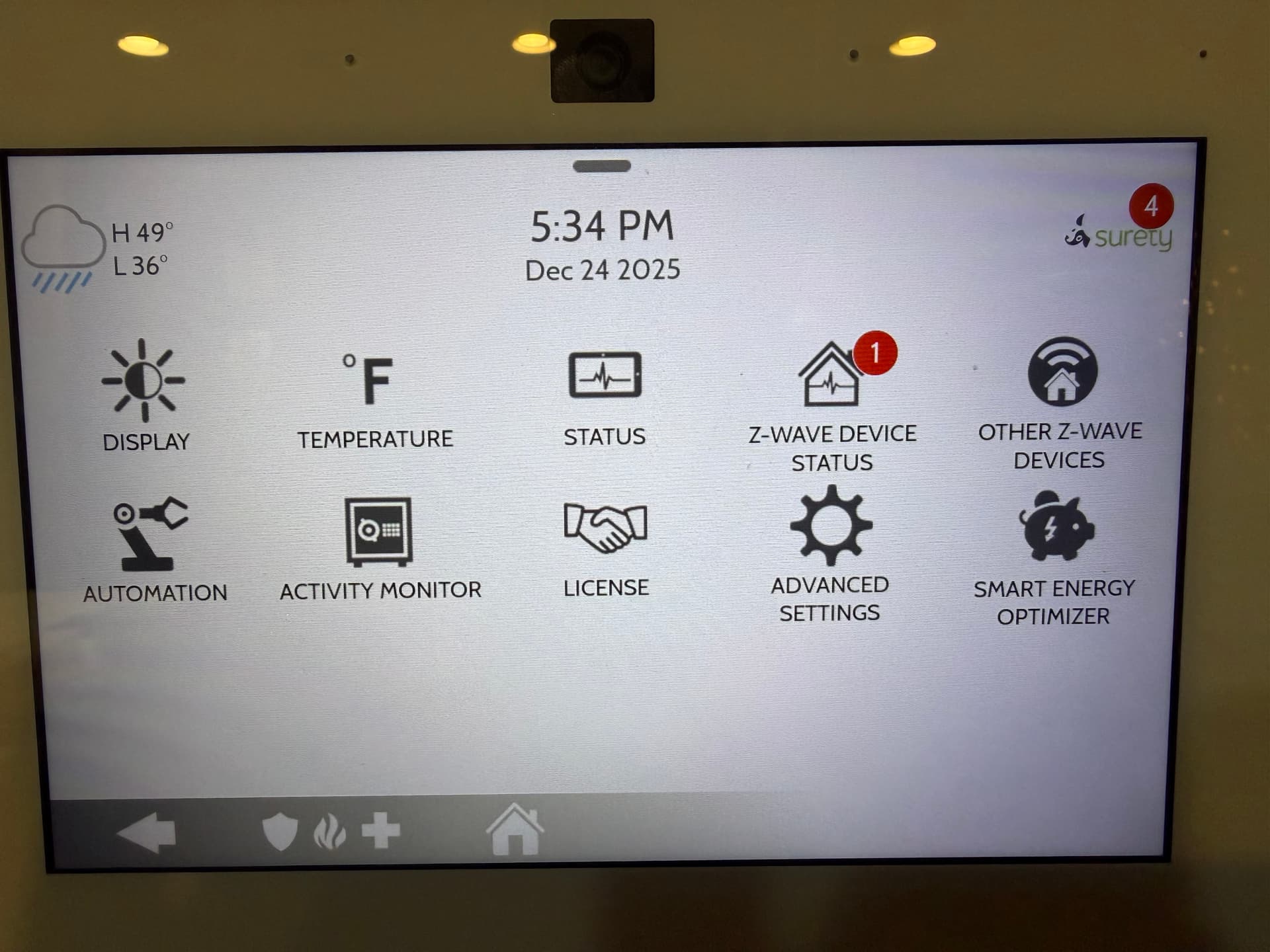
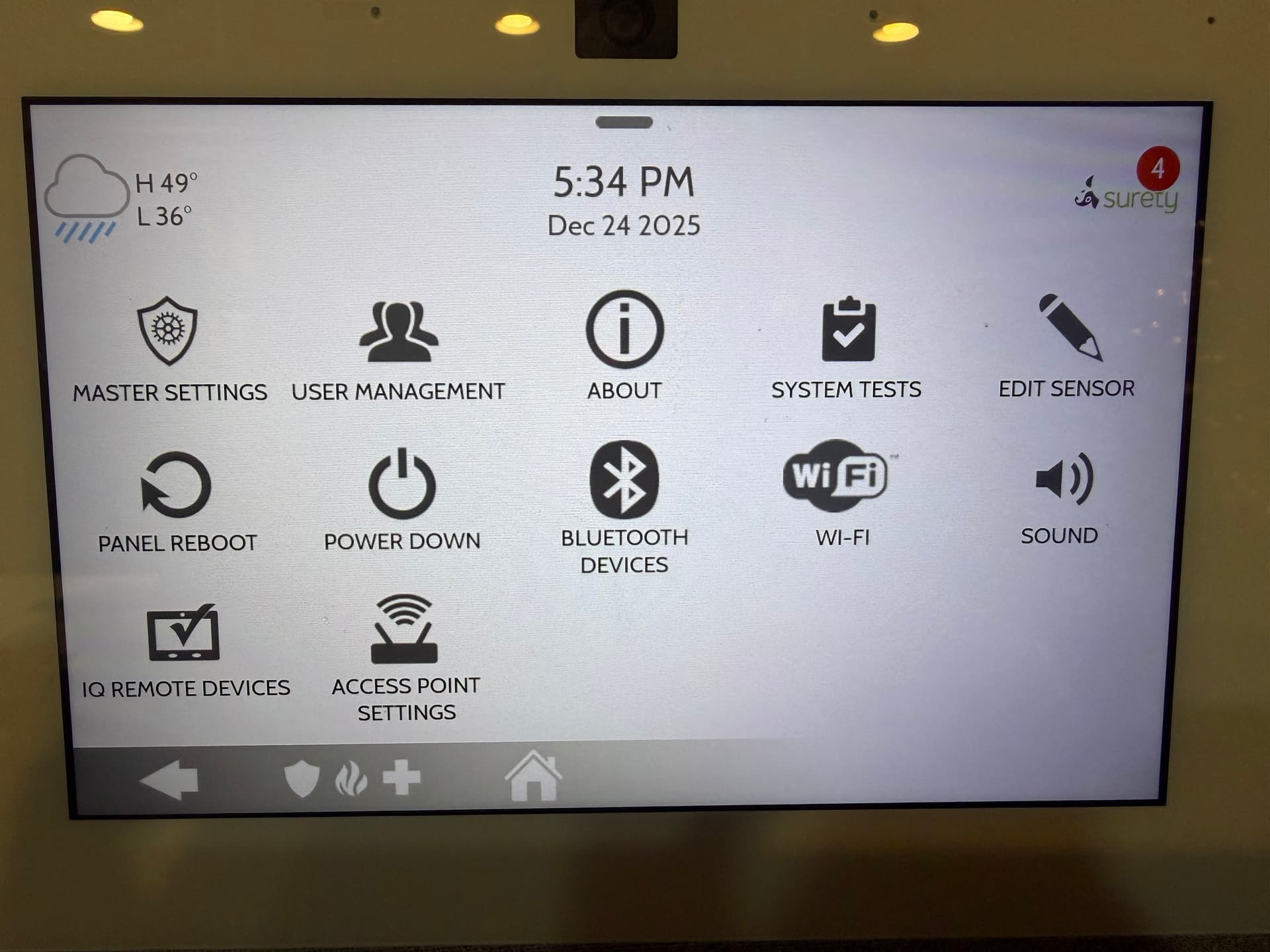
@tyler , It doesn’t ask me for dealer/installed code anymore and I don’t see these settings. I used to see them previously, tho. Attaching screenshots.
no menu item in setting for firmware updates as well, those disappeared as well
It looks like you are using the Master code. You need to enter the installer or dealer code instead.
(See how it says “Master Settings” on the last screenshot? That means the master code was entered after pressing advanced settings on the previous screen. )
ok, seems like that was the problem.
It was extremely counterintuitive that when you have “lock screen” enabled and want to enter the installer/dealer settings you suppose to enter your installer code on the lock screen and then you master code → that will allow to use installer settings when unlocked.
vs when “lock screen” is disabled → you entering the installer code after clicking “advanced settings”.
Screen Lock is meant to prevent unauthorized access to the panel from wake or button touch and manages access to Advanced Settings as well. It moves the code entry to access programming from Advanced Settings to panel wake. This also occurs when partitions are enabled.