Using Alarm.com with phone apps, works great.
However no automation commands can be programmed on app or desktop, I’ve been trying for weeks.
Is the SIMON XT capable of programming or is it the alarm.com that just sends the command?
Thanks!
There are two options for automatic arming and disarming. There is Smart Arming and Arming Schedules.
Smart Arming is included with your subscription and can automatically arm the system stay and disarm the system either at a certain time or based on sensor activity. Information regarding Smart Arming can be found here:
Arming schedules allow you to schedule disarming and arming of the system to stay or away mode. Auto Re-Arming is included with Arming Schedules and can be used to arm the system stay or away based on activity. Arming Schedules & Auto Re-arming require the Arming Schedules add-on. Information regarding Arming Schedules and Auto Re-Arming can be found in these guides:
Changes to your service plan and add-ons are made through the System Manager section of your Surety account. This process can be done at anytime.
I need to use Arming Schedules
Why am I getting “Operation Failed” every time I’ve tried 30x or so on phone and laptop.
The commands are very simple and I’ve done computer programming.
When: 12pm everyday
Then: Home/Rund Scene
“Operation Failed” after “save” attempted
this is why i made the original post. I knew how to do that already.
It says smart arming is included all plans.
System is disarmed as instructed when I add Arming Sched.
Simon XT is included in listed panels.
The only think I’m not sure is " * Smart Arming is only available for security systems with one partition" I assume all SimonXT qualify or is this an optional zone setting in the panel I don’t think so?
I do not have “smart arming” package.
It rejects under both tabs “rules” for smart arm and “schedules” for arming schedules.
Please look at my account and see what is the problem.
This is causing problems I need to allow access to other parties at times when I’m not avail to disarm, and they don’t have alarm access.
Why am I getting “Operation Failed” every time I’ve tried 30x or so on phone and laptop.
The commands are very simple and I’ve done computer programming.
Arming Schedules and Smart Arming are distinct different features and do not use the standard Rules or Schedules tabs in Alarm.com. They have their own sections. See the images below.
By default Smart Arming is enabled on plans.
If you add the Arming Schedules feature to your subscription in the system manager, Arming Schedules replaces Smart Arming.
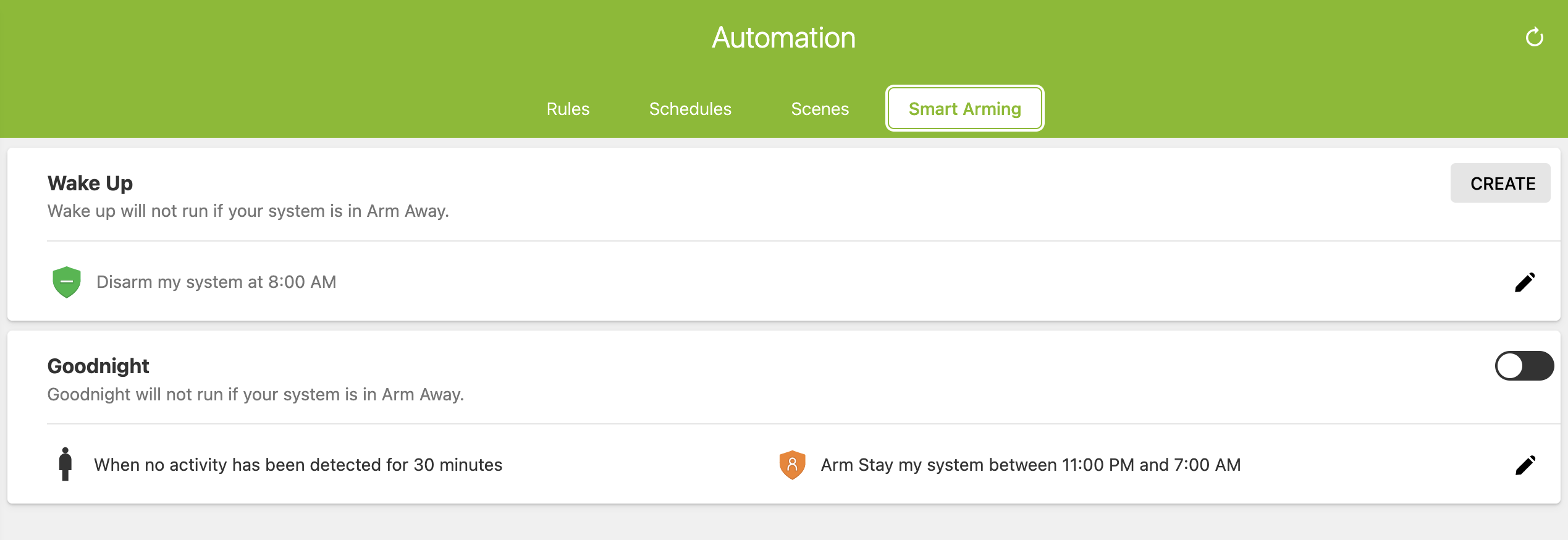
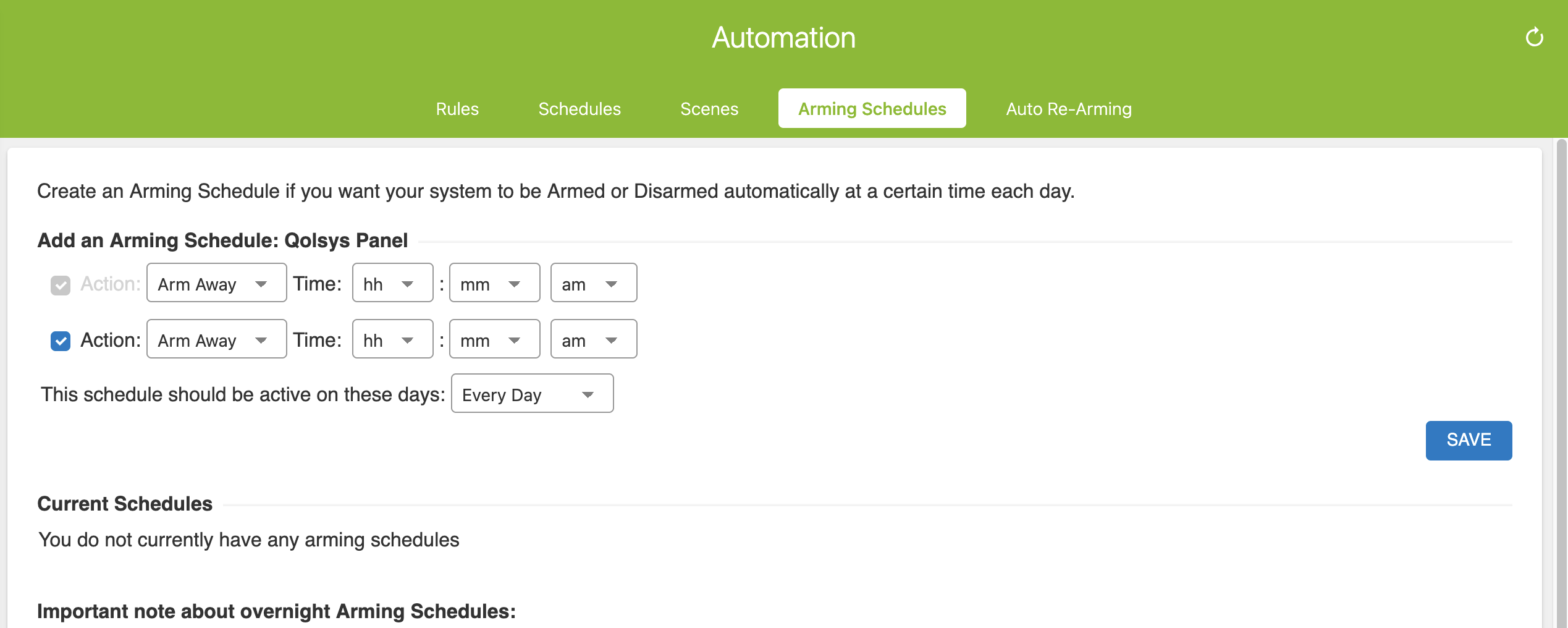
If you need Arming Schedules, see the guide here for how to add that feature on your subscription.