I have a sewage sump (grinder) pump in my finished basement that has become clogged in the past and caused a big mess. Fortunately, it now has alarm.com monitoring set up as described here, using a Z-Wave Aeotec heavy duty smart switch (HDSS) and a Zoeller APak 10-4013 water alarm connected to my alarm.com system through its dry contacts and a Honeywell 5816 wireless sensor. These devices have been associated on the back end, so I get notifications when the pump is running and/or the APak high water sensor is activated. On the alarm.com app and website, the sewage pump is clearly marked as a “water sensor”, and its status is accurately shown as Idle or In Use. Crucially, the HDSS does not appear as a control anywhere—that is, you can’t turn it on and off from the user interface. So far, so good.
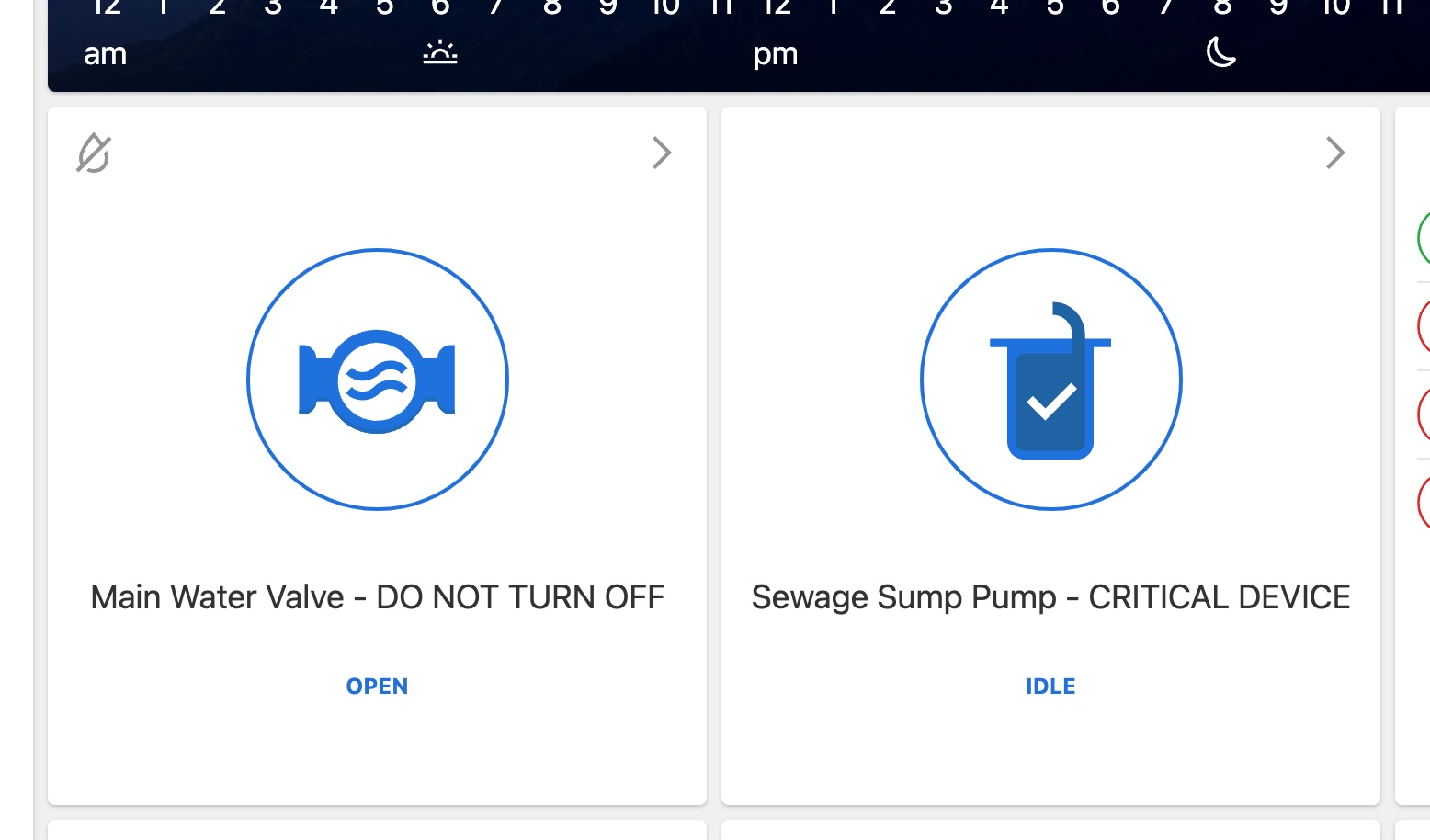
However, I am concerned that on my Qolsys IQ 4 panel and Remote IQ, the HDSS is incorrectly displayed next to a bulb icon right at the top of the Lights card (along with my Z-Wave main water valve actuator, which is obviously not a light or switch either). See this image. This means that it’s all too easy for someone to accidentally shut off the sewage pump (or the main water valve) from the panel, either by selecting these “lights” individually or using the
Select All button. (The Lights card is always displayed on the main and remote panels, and I can find no setting to hide it.)
To make matters worse, other than the physical LED on the front of the smart switch being off, there seems to be no other way to detect that the HDSS has been inadvertently de-energized. Its “off” status is not shown anywhere in the app or via notifications, as far as I can tell. In fact, the only notification would come too late, when the sump high water sensor is tripped because the sump pump was turned off at the HDSS, and there is sewage flooding my basement floor!
I could be missing something here, but this Qolsys mis-characterization of Z-Wave devices as lights seems like a fundamental risk, and partially defeats the purpose of monitoring the sewage pump in the first place. My only recourse (aside from strongly worded labeling) seems to be to restrict access to the panel to a few users, and rely on the alarm.com app for everything. Ideas for other solutions would be welcome.