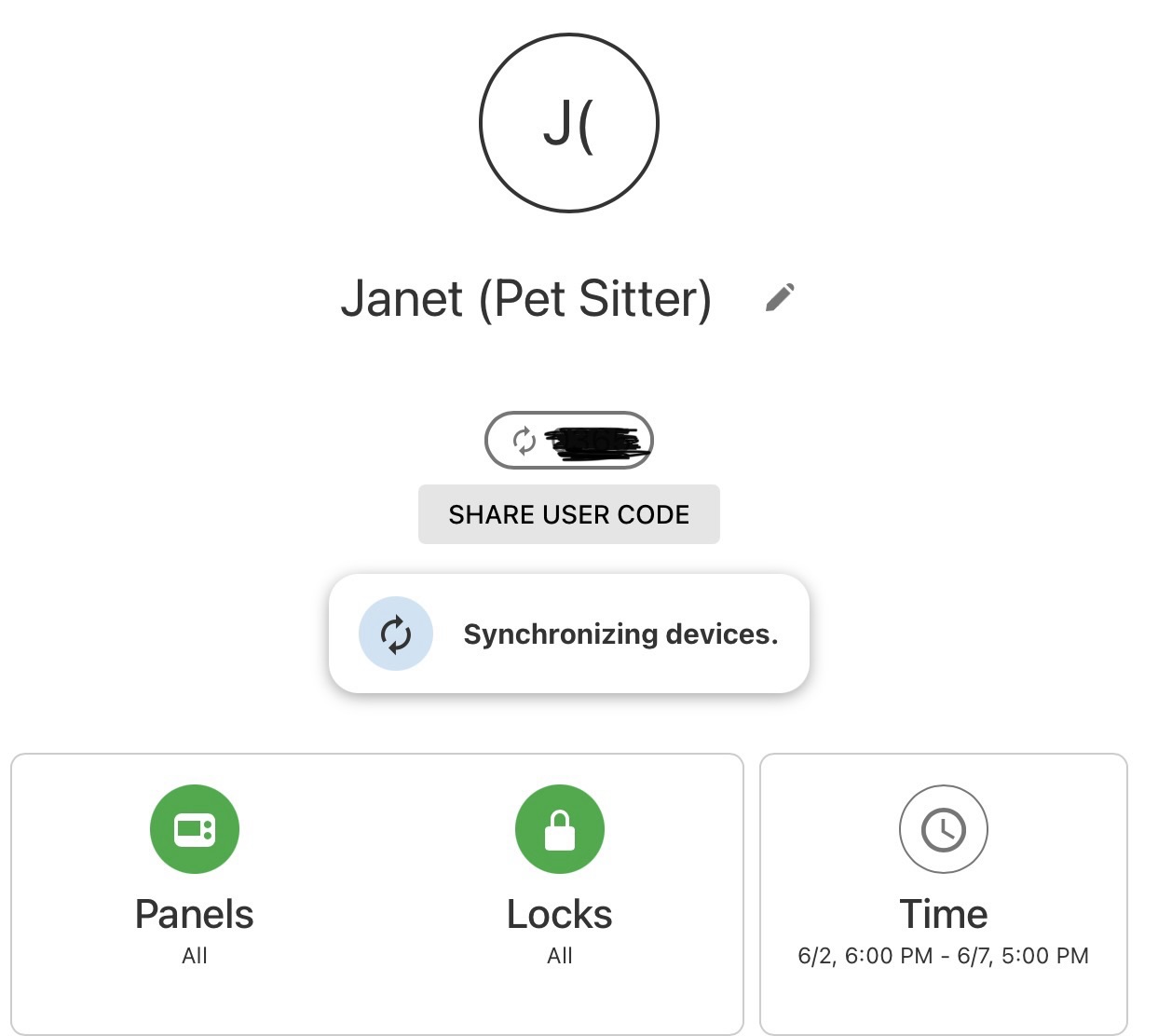
I setup a bunch of users, all with their own pins. I have 3 Z-Wave locks.
When i set those users up, i remember seeing an indicator that the system was syncronizing devices.
For our pet sitter - i setup a schedule to activate tonight at 18:00 and then turn off after we return home.
Being the OCD person that i am i looked at the activity to see if the system did anything based on the schedule. nothing appeared there.
then i went to one of my locks and tried to unlock with the code i setup for her - and it didn’t work.
since i’m leaving tomorrow, i just went in and tried to change her schedule from a schedule to always - and the system is still showing that it’s synchronizing the devices.
i let it hang for a bit and see if it winds up syncing the locks at some point. but it didn’t appear to do anything.
here’s what the screen looked like when i went in to look at it:
Being the OCD person that i am i looked at the activity to see if the system did anything based on the schedule. nothing appeared there.
The code schedule is synced and logged to account history at the time of creation, it doesn’t show anything in activity at the time the schedule starts.
The first thing I would consider; code sync mismatches are possible if codes have been edited manually on the locks. Have you added any codes on the locks themselves? This can cause errors with ADC syncing.
Another thing I would look at is general communication. Code synching can hang when there are borderline signaling issues. It looks like there aren’t any repeating devices on the Z-wave network for those locks. Those 500 series Kwikset locks often have a surprisingly short effective range with no repeating nodes to bolster signals.
Were you using the Temporary Access option or the Restricted Schedule option in Alarm.com when setting up that user initially?
Are you able to recreate this if you try to create a test scheduled user code? Or does the new test code work on schedule?
Ok, good to know that the activity won’t show anything when the schedule takes effect.
No manual codes on the locks. When i moved them over to ADC, i did factory resets and then just had the user settings update the locks.
I can look at that - but i haven’t had issues in the past (with vivint, or recent past with ADC). I could also look at a repeater - though the locks are pretty close to the panel.
Not sure - i created the user, and rather than allowing access always, i setup a schedule.
How about when I’m back home, i create a dummy user with a schedule and see how that goes? Any other things I should / shouldn’t do when setting that up - like use the panel? App? Website? As i mentioned, i made changes on the app that didn’t seem to show up on the panel (at least right away), and then saw a bunch of stuff in the website (like two additional users for Janet).
Yes, try both a temporary access code and a restricted schedule code and let me know if either have trouble.
A temporary access code is a one time access that expires. restricted schedule codes let you schedule weekly access during certain times only.
Any other things I should / shouldn’t do when setting that up - like use the panel? App? Website?
Either the website or app should be fine. Let me know when you create the codes and I will verify the commands were sent on our end and see if anything gets hung up.
As i mentioned, i made changes on the app that didn’t seem to show up on the panel (at least right away)
The code should be displayed in the panel user list during the timeframe it is enabled. Sending a change to the panel may take a few minutes to take effect.
If you notice multiple instances of a user, can you take a screenshot?
ok, i just did some testing - and here’s what i found.
TLDR: in summary - it looks like the schedule worked pretty well. i did get that one message about synchronizing after user creation and then changing to schedule. the only odd thing was that the system changed the user’s name for some reason.
Some Details:
created user - Test User1 with code 1234
briefly showed synchronizing devices, and then that went away
then changed schedule to 6/20 from 14:00 to 15:30
checked user - shows synchronizing devices
tried to manually unlock front door - 1234 code was able to unlock (likely before the panel pushed the info to the locks)
checked users again - maybe 5 minutes later - and synchronizing devices was gone
tried to manually unlock front door - 1234 code *did not* work (expected result)
waited until 14:30
web page & app still showed synchronizing devices
was able to unlock door with code 1234 (expected result)
Eventually synchronizing devices went away (14:41 when I noticed)
Possible it went away after I unlocked the door?
checked at 15:45 - code no longer works (expected result)
only weird thing - was that the user now looks like this:
 i looked at the activity to see if the system did anything based on the schedule. nothing appeared there.