I just bought (Surety Order #946868 on Sept 7 2026) a 2GIG 345S Wireless Smoke/Heat/Freeze Detector and paired it to my 2GIG GoControl 3 panel. The panel has the latest GC3 3.2.6 firmware (gc3-3.2.6.6770-prod.2gig).
For this detector, I’m using only two wireless zones, #12 & #13, where #12 is set to the detector’s Loop 1 for Smoke, and #13 is set to Loop 2 for Heat.
For both:
• Sensor Type is “09 - 24-Hour Fire”
• The detector’s “I/ON” dip switch is set to I for non-encrypted, and I’m using Equipment Code 1058.
• Serial Number was input using LEARN feature then confirmed with the device’s label.
• Smart Areas Assignment is S1 (like most of our other in-house sensors).
• Equipment Age is New
• Sensor Loop is as described above, Loop 1 or Loop 2.
• Voice Descriptors are set up, meaningful to us.
• Sensor Reports are Enabled.
• Sensor Supervised is Enabled.
• Sensor Chime is Voice Only (no doorbell tones).
As part of the intial install, and all my subsequent troubleshooting, I put our whole system on test mode via the website.
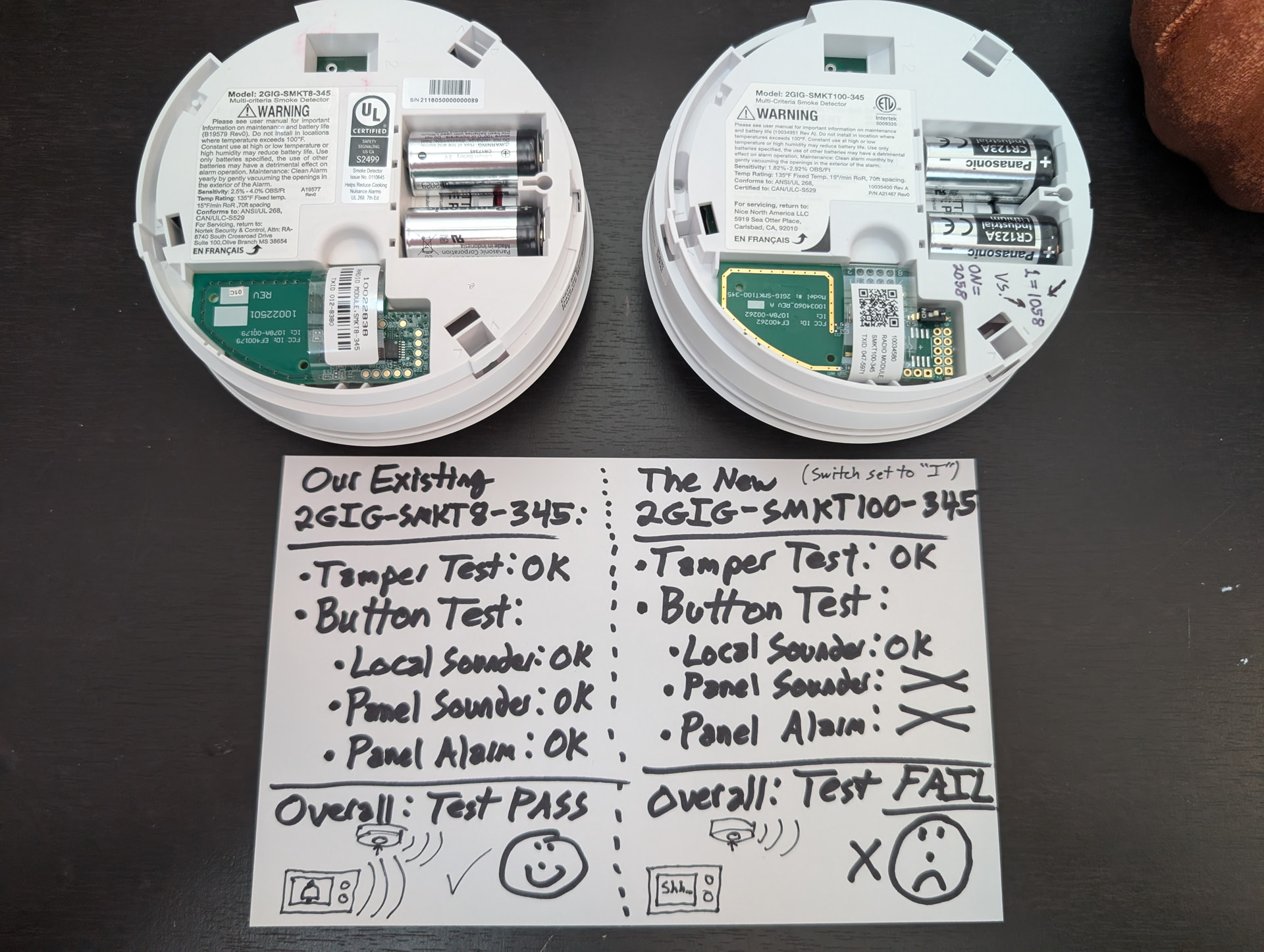
GOOD: The panel does detect when I tamper the detector.
GOOD: When I test the detector’s alarm (thru its giant button), the detector does indeed alarm.
BAD: The panel fails to alarm. The user’s manual (https://suretyhome.com/wp-content/uploads/2GIG-SMKT100-345-Manual.pdf) section on “Testing the Detector” implies that the fire alarm should come into the panel upon a button test leading to the class three-tones from the detector, so the lack of panel alarm to me is a TEST FAIL.
Am I missing a configuration step somewhere?
Or, is no panel alarm actually expected when locally testing these detectors (and if that is the case, where is it documented?)?
We tested a second similar detector, and again local at-detector alarms only, no panel alarm. The monitoring center checked for fire/smoke alarms on their end and reported none from today.
I’m suspecting a configuration issue with my panel OR major documentation fault with these sensors. Should I get some NFPA 72 Canned Smoke to determine which is the issue? Please advise.
I’m curious about this one too. Since the detector itself is sounding and the panel is correctly seeing the tamper, it seems like the wireless communication is at least partly working. The fact that you tested a second detector and got the same result makes me think it may be more than a faulty unit.
I’d probably double-check the loop assignments and equipment code first, especially since Smoke and Heat are being configured on separate zones. It would also be interesting to know whether anyone here has tested the 345S on a GC3 with the same firmware and can confirm whether the local test button is supposed to generate a panel fire alarm.
I wouldn’t jump straight to canned smoke until the configuration and expected test behavior are confirmed. Hopefully someone from Surety or another member who has this exact detector installed can clarify how the test is supposed to work.
How long are you holding down the test button? If I remember correctly, the detector will sound first but you may have to keep holding it down a while longer to make it transmit an alarm to the control panel. Try holding it down for up to 30 seconds.
Is there there any chance you switched the encryption mode on the detector after enrolling it? That’s another common gotcha.
Hey Ryan, I was holding it down for a long while, until it got annoying.
I just tried again, holding the button down for > 45 seconds (basically thrust into my shirt on my belly, to quiet the local 3-horn “full sound” sequence). Still no panel alarm.
About 5 minutes later, the unit did locally reflash its alarm with the 3-horn “full sound” sequence. I also let that go for about a minute without a panel alarm, then one tap brought it all to Standby.
The on-detector switch is definately set to “I” and NOT “ON”
Here’s what I’ve re-verified on the panel:
The Loop Assignments are correct:
One zone is set to Loop 1 for smoke, and
Another zone for Loop 2 for heat.
Unless the test alarm is ONLY transmitted over Loop 3 for freeze (which I doubt), that part should be good.
The Equipment Codes in the panel match the documentation for the non-encrypted mode (1058).
The Smart Areas assignment is the same as the rest of the house (Smart Area 1), though notably our Garage, Shed, etc. outbuilding stuff are on their on Smart Areas – and we like them that way.
At this point, I’m really thinking that canned smoke is going to be the only way to differentiate a design difference between smoke and the test button.
Finally got a small window to do more testing… the results are informative, but still unexpected…
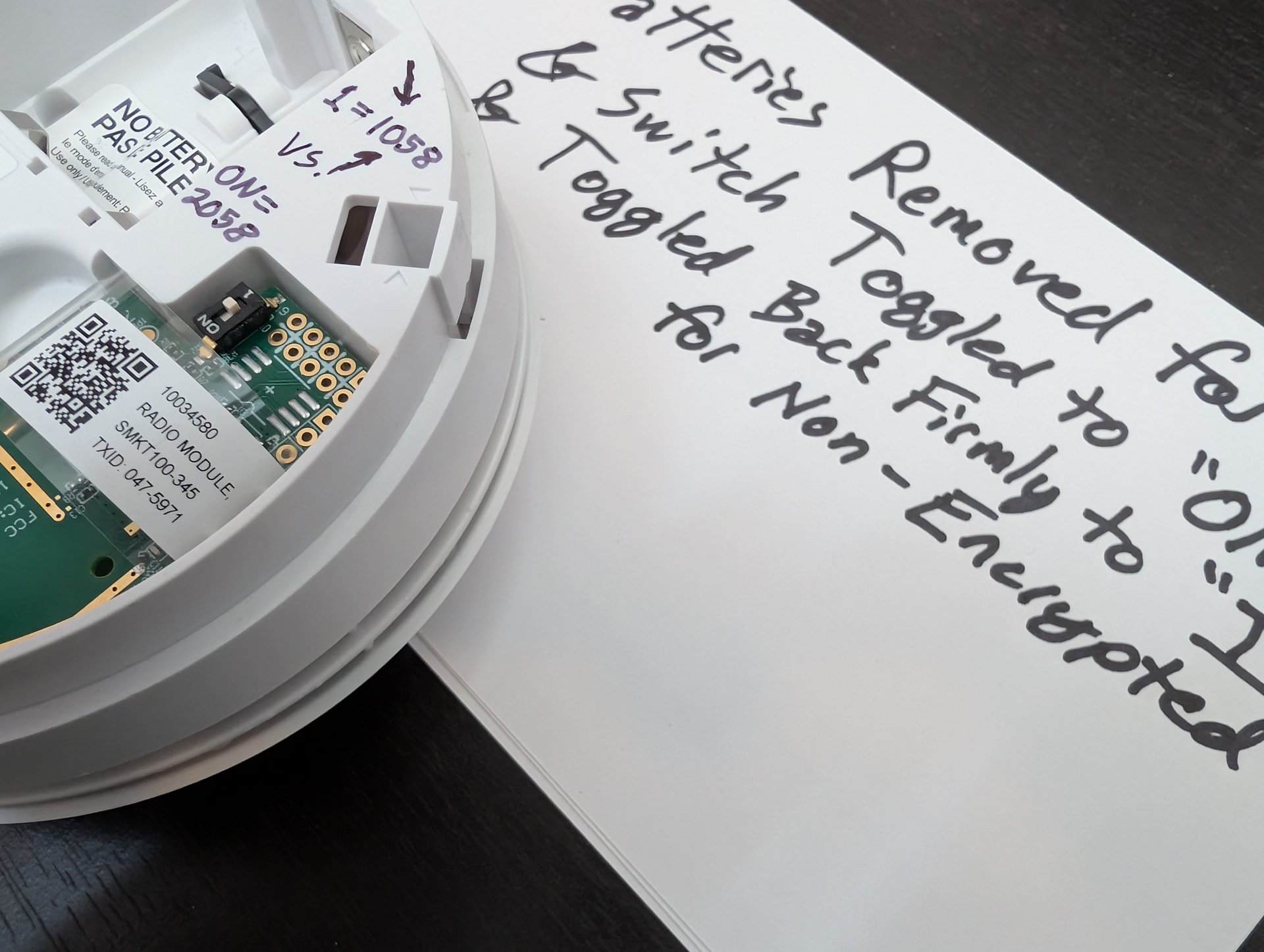
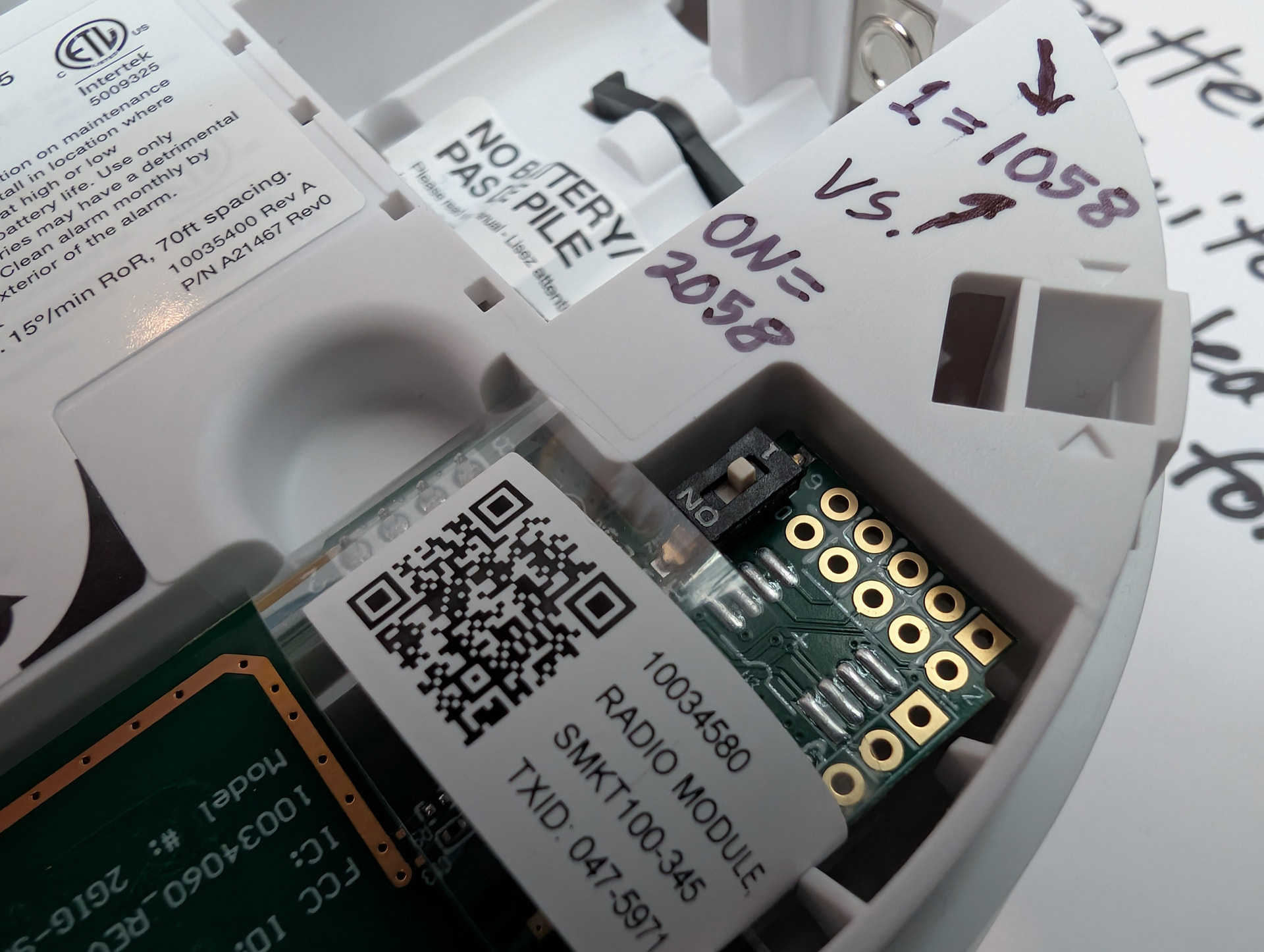
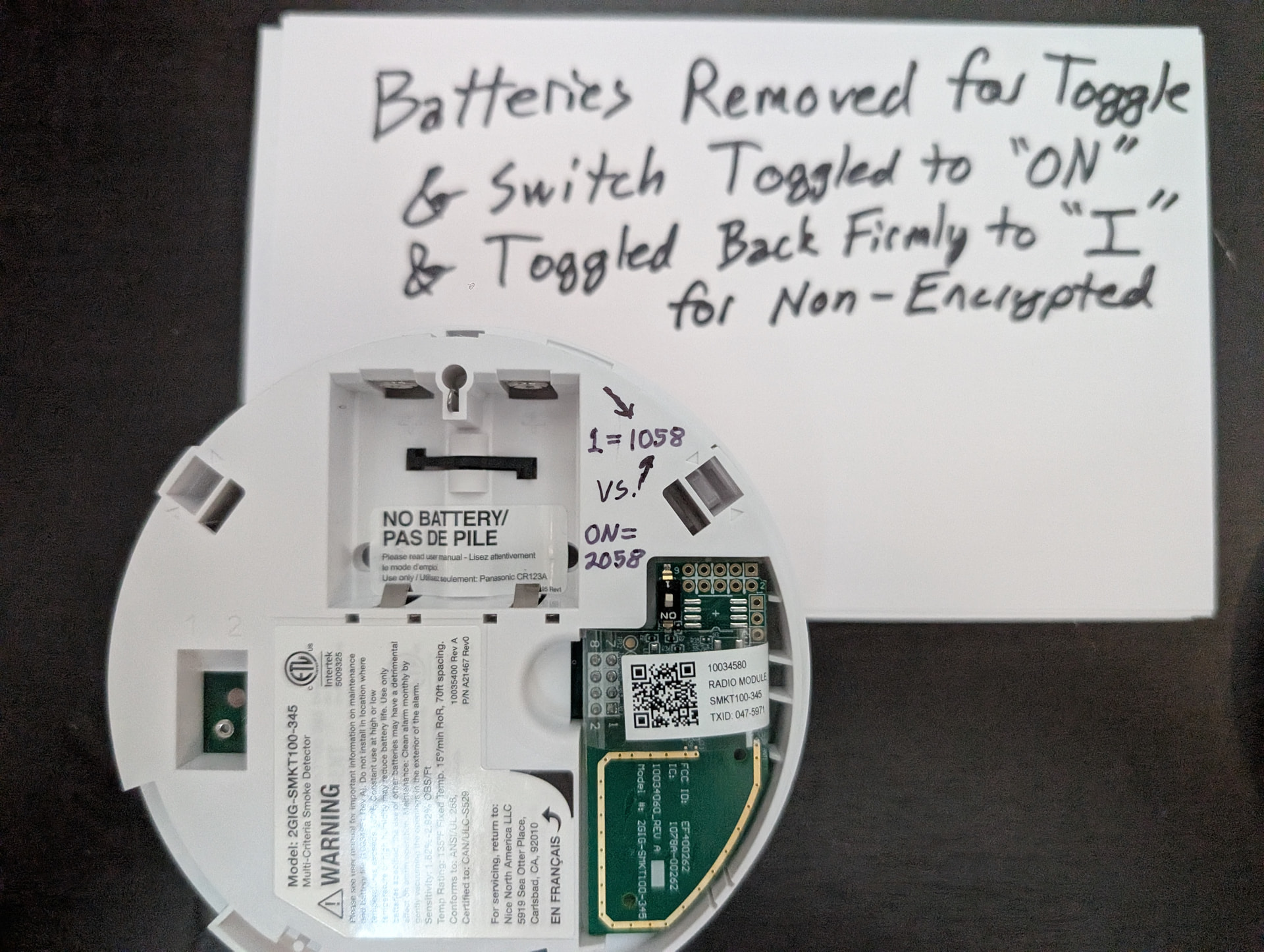
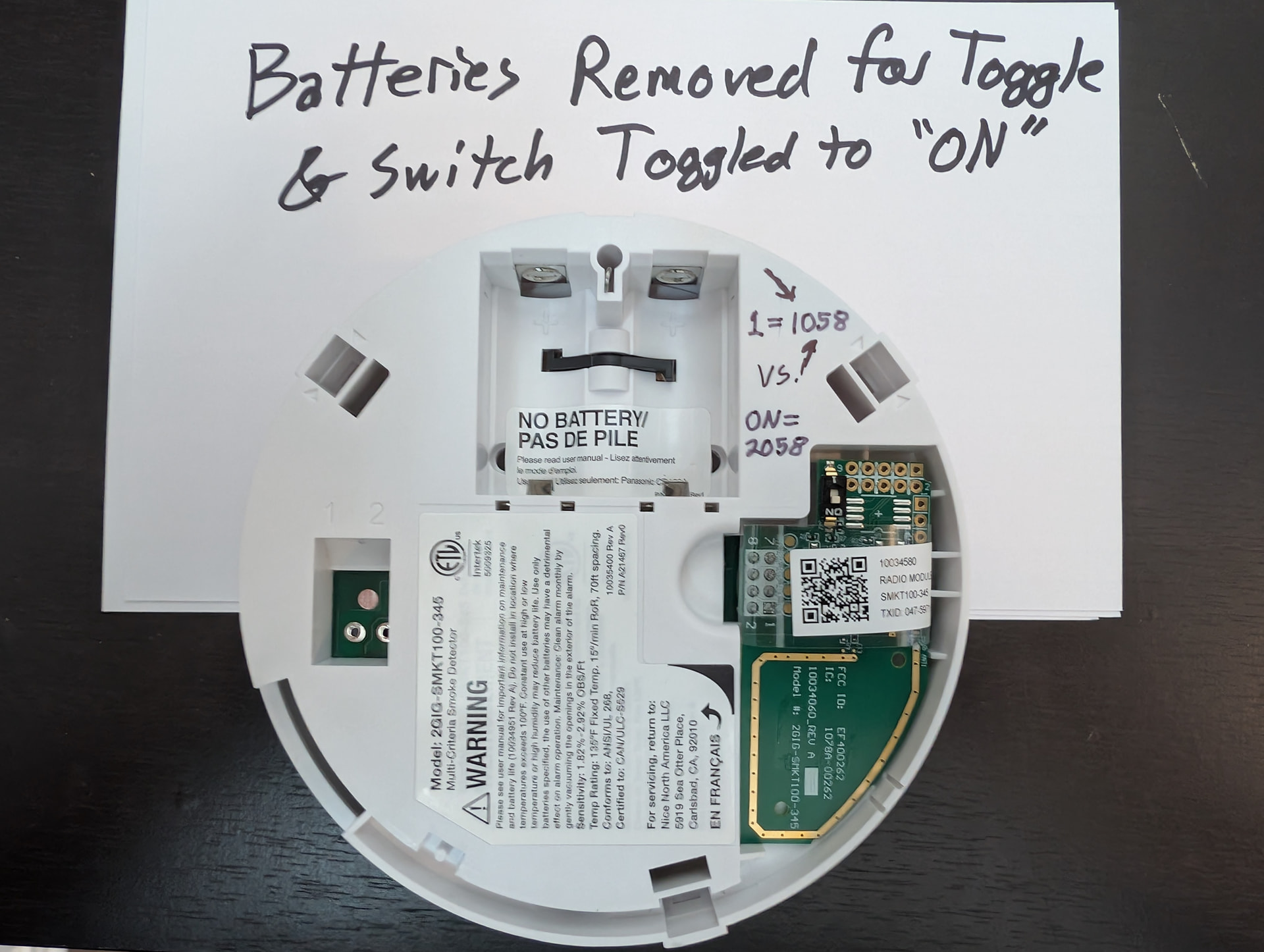
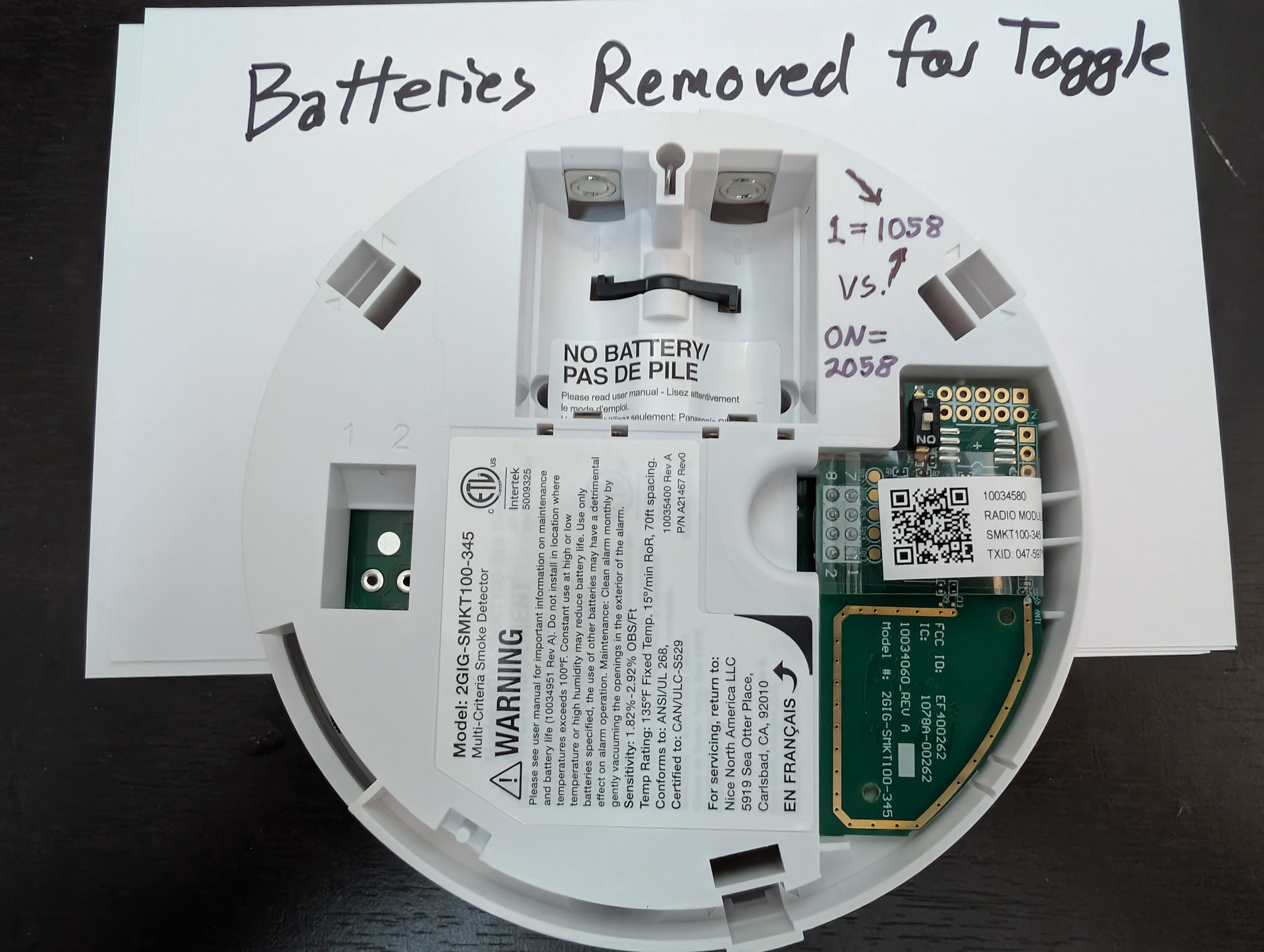
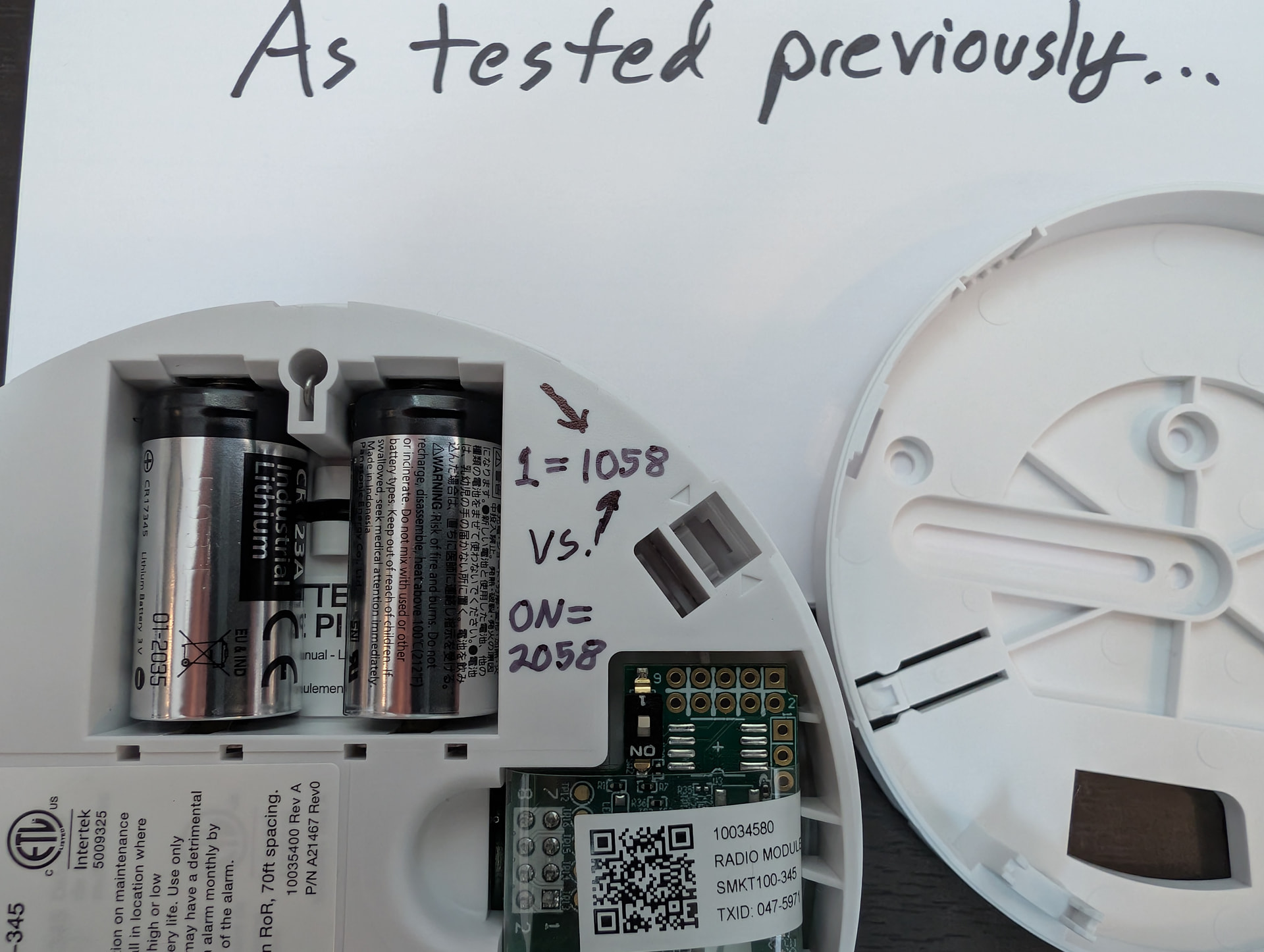
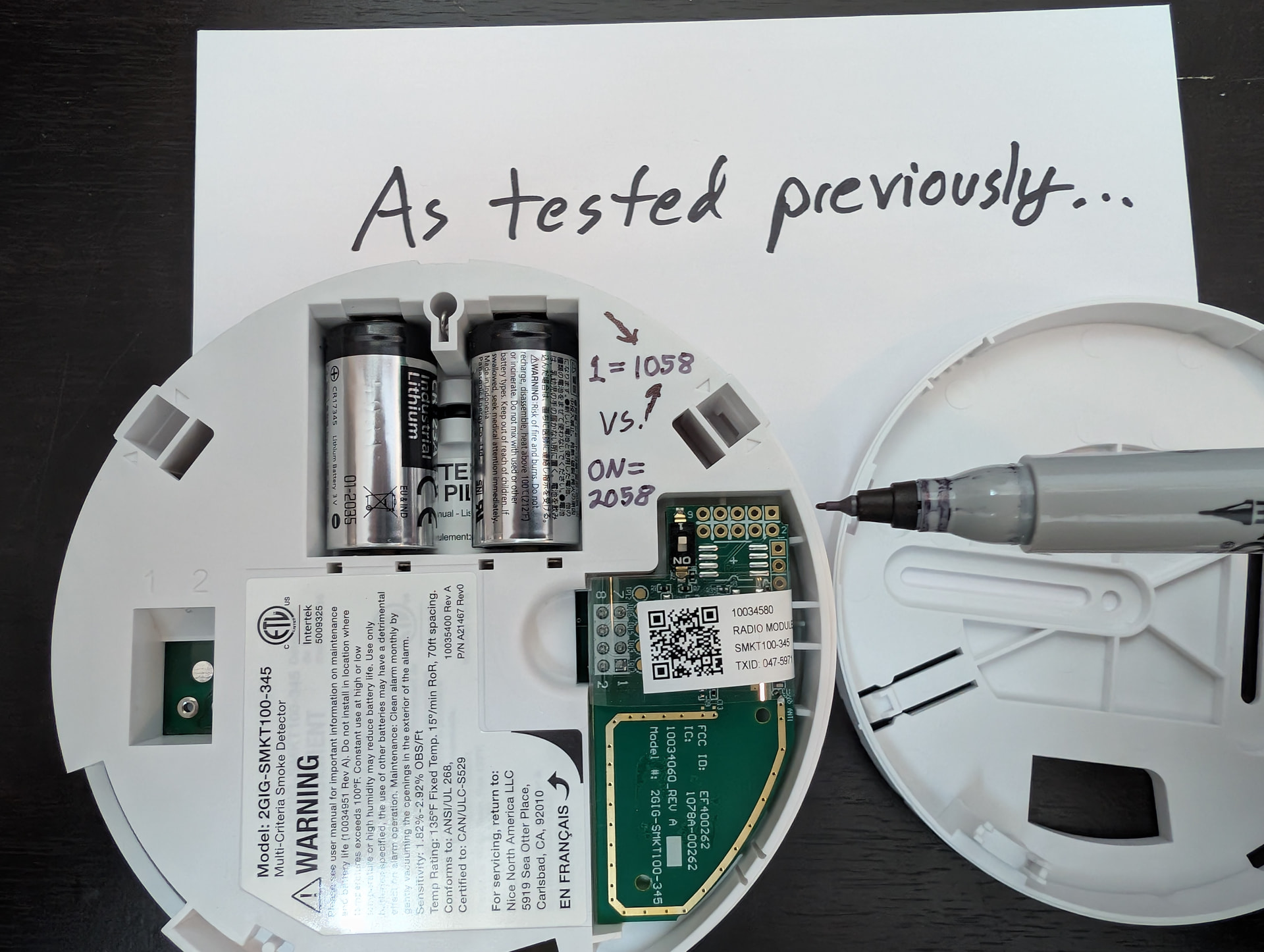
Photos attached below, first one is key.
With batteries removed, 2GIG-SMKT100-345 dip switch adjusted from “I” to “ON” and returned to unencryped “I” position. Then, retested, but this did not change testing results – still no panel alarm, holding down 2GIG-SMKT100-345 button for 45 seconds or longer.
However, I tried a completely different 2GIG-SMKT8-345 (previous generation?) model, which has no such switch, and it worked as expected, giving the GC3 panel alarm in fairly quick time.
Instead of straight to canned smoke: I’m willing to probe it with my multimeter to see if the switch is electrically in the “I” position… IF there are solid instructions for that.
Or, canned smoke… up to y’all.
2GIG approved the unit to be replace. I have reached out to our distribution team and will PM you with more information on this once they get back to me.
That’s a pretty interesting finding, especially since the older 2GIG-SMKT8-345 tested correctly on the same panel. It definitely sounds like the newer detector may have an issue rather than the panel itself. Hopefully the replacement unit from 2GIG resolves it, and it would be useful to hear what they find with the original detector.
Following up: The replacement detector Vidail sent out tested SAT !
The giant center button, held down, on the new detector, DID sound the panel alarm.
Conclusion: Had a bad 2GIG-SMKT100-345 detector that could not transmit alarms (at least not test alarms), even though it could transmit tamper signals.
Thank you Surety for the excellent support and solution. Note the delay to this followup was due to my unavailability to set it up. Surety sent the replacement and it arrived much more quickly than it took me to test this.