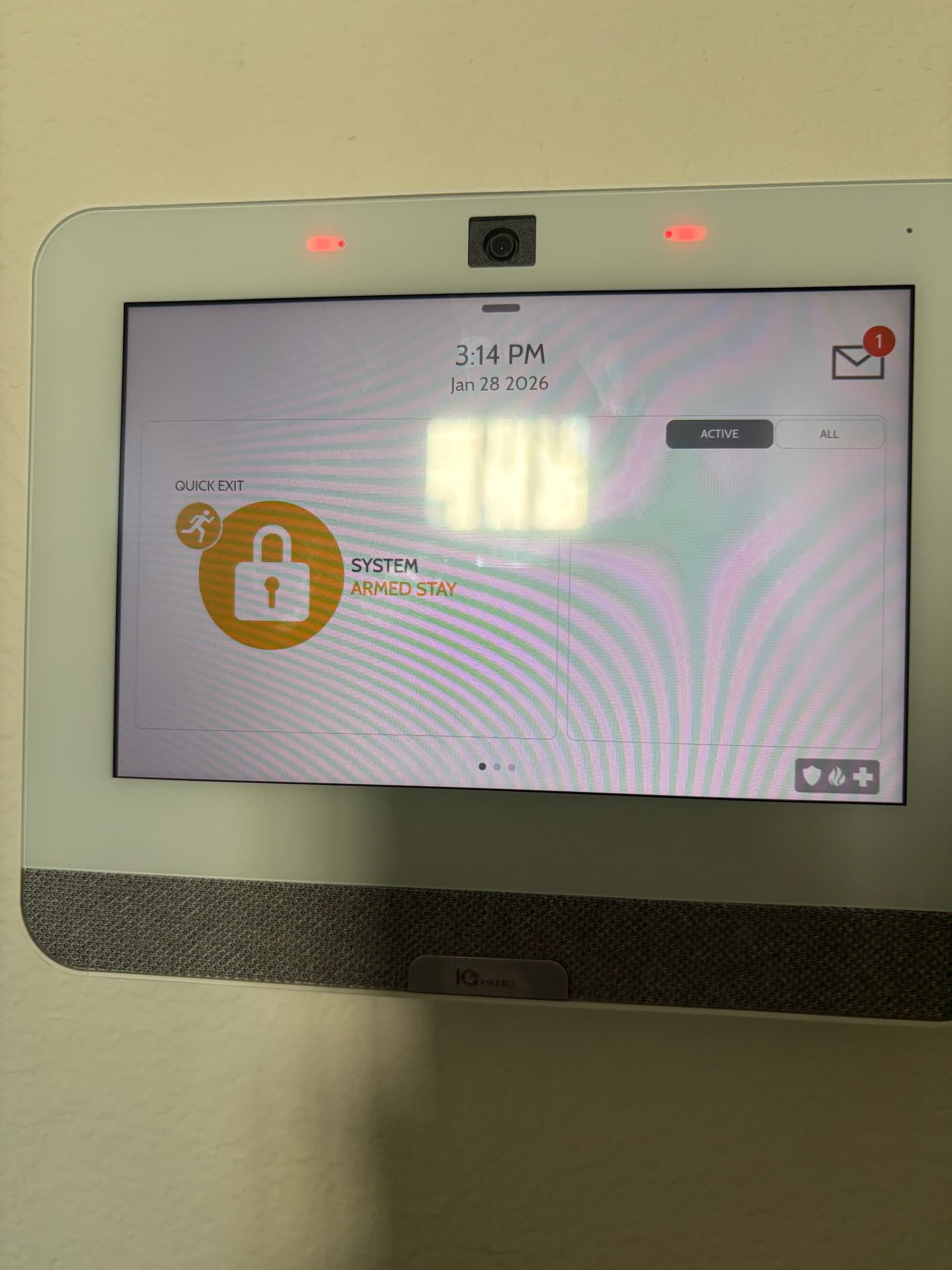
Hello, I have a iq panel 4 that came installed with the home. I signed up for service through surety but I cannot get the imei number to activate the service because the system won’t disarm. It’s currently on armed stay, when I click on the screen to try to disarm it nothing happens. After a few times of touching the screen the alarm sounds. It’s mounted to the wall so I’m unsure on how to proceed.
Do you have the master code?
You can get the IMEI by loosening the screw located on the bottom of the panel and then pulling the bottom of the panel away from the wall. It should pop off the back wall plate. The IMEI should be located on the bottom left of the back of the panel.
If the panel is frozen, you can try pressing and holding the side button for up to 60 seconds to try and force reboot the panel.
The default master code is 1234
Yes I have the master code, it’s never been used before so it’s the default 1234. It’s not frozen, when I press the orange armed stay button to disarm it nothing happens. I’m not sure if it’s because it’s never been used before? Just after pressing it a few times the alarm sounds.
There should be a button on the right side center of the panel. Press and hold for about 60 seconds until the panel reboots itself.
I was able to remove the panel to get the imei and activate the surety service. This allowed me to disarm from the app- thanks!
Let us know if you have any additional questions
Thank you