I’m trying to add this sensor to IQ4 panel for a window but it doesn’t trip Temper when opened and status of the sensor shows Active rather than Open/Closed. What do I need to change?
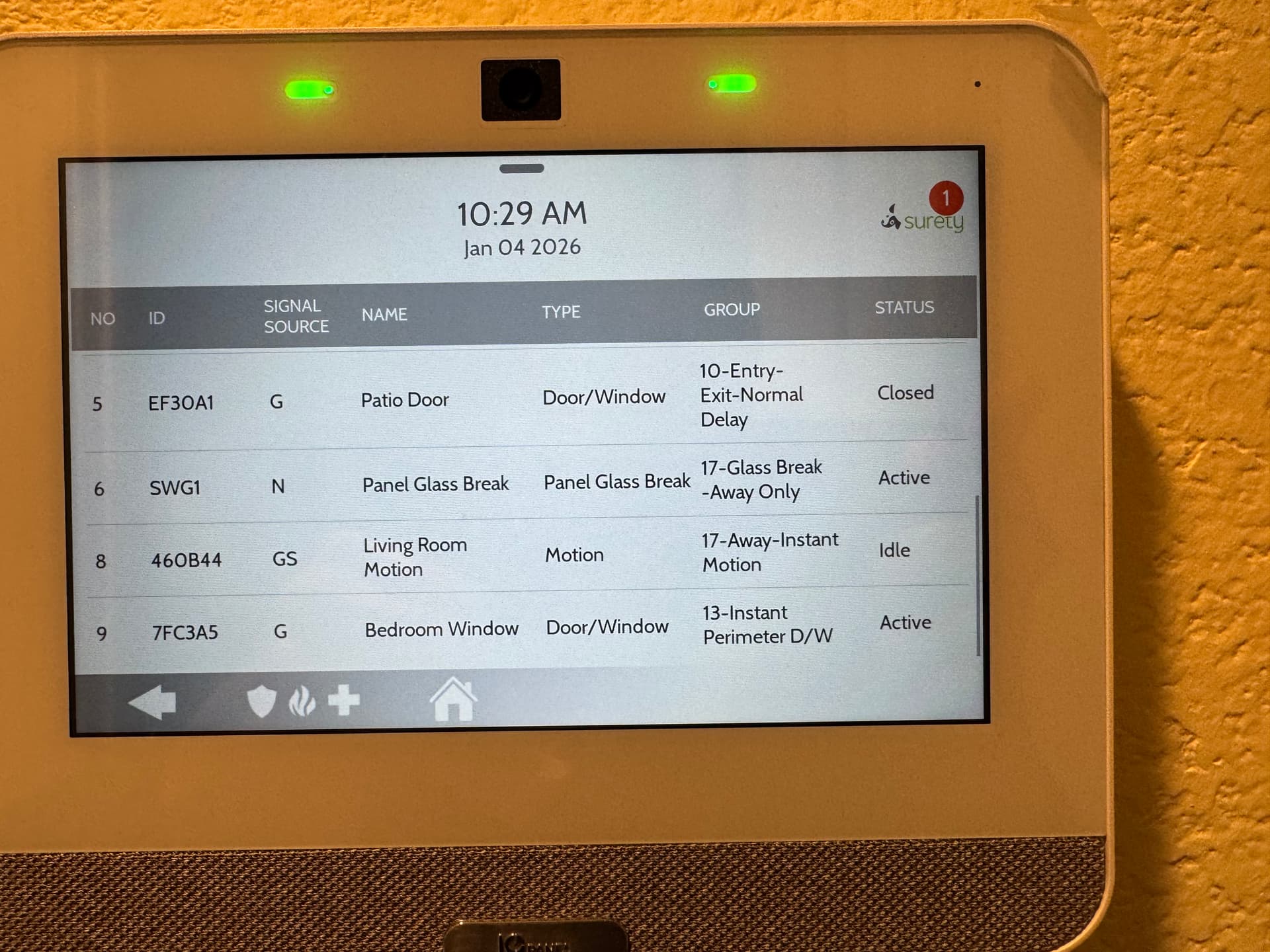
Was the sensor learned in by manually typing in the serial number or by using auto learn?
If you learned it in by manually typing the serial number, we can try this.
- Delete the sensor by swiping down from the main screen > Settings > Advanced Settings > Dealer/Installer Code > Installation > Devices > Security Devices > Delete Sensor > Select the sensor and confirm deletion on the bottom.
- Enter auto enroll by swiping down from the main screen > Settings > Advanced Settings > Dealer/Installer Code > Installation > Devices > Security Devices > Auto Learn Sensor > Tamper the sensor by opening it > The keypad should display some settings. Change the name and any other options needed and press save.
- Test the sensor
Did this work? Let us know if it does not want to learn in
Thank you
Thank you. I have tried it again but Autolearn does not sense tampering of the sensor.
It’s a brand new sensor and I have checked the battery and it shows 3.3V
Try moving the magnet to the correct aligned position and opening that a few times.
If it still fails, it may be a bad sensor. Was this sensor purchased with us?
Thank you for looking into this. It was bought elsewhere and the seller is replacing it.
Please let us know if there is anything else we can do to help.
If not, would you be willing to review Surety on Trustpilot and Google? It would mean a lot to us! Just click here:
Thanks so much!