Old Siren on IQ Pro

I replaced a Napco Magnum panel with an IQ Pro and have ran into some issues with the existing hardwired siren. I know the siren was working on the old system; however, when I connected it to the Bell +/- on the IQ Pro it did not work.

Unfortunately, I do not know the specs on the siren and I don’t even know where its hidden to take a look. lol. I suspect it draws more current than the Bell +/- terminals can deliver so it never sounded and i have a bell trouble alert on the alarm.com app. I know the polarity was the same as original. I have since disconnected the siren wires but the fault condition still shows up.

With that said, I have a 12V plug in transformer and this relay: URANT 1NO 1NC 8 Ampere Power Relay Module,12V AC/DC Power Relay Control Voltage -D1: Amazon.com: Industrial & Scientific

Can I use this to get the old alarm working? If so, what would be the correct way to wire this?

Or is there a more simple way to get the old hard-wired siren working?

The issue may be on the kind of siren you have. If you test the siren by connecting the wire directly to your backup battery, does the bell activate? If it does, can you locate it? If the siren does not activate, then it will be an issue with the siren.

When testing it with the battery, make sure you unplug it from the panel first. The Napco panels use 12VDC output for the sirens so the backup battery should provide enough power.

Also, if you have any spare wires in your panel, make sure you did not get the wires accidentally mixed up during the panel swap process and that you are using the correct wire.

Ok I will try this.

I read there was a maximum allowable siren current draw of 700ma from the IQ pro bell terminals. Is this true?

I also read that some old sirens pull significantly more than that so they won’t work. Any truth to this?

That’s correct, you should use a maximim 700ma load on the bell terminals of the IQ Pro. Some sirens may draw more current than that under normal operation, and those would not be able to be used following UL guidelines.

If you are unable to locate the specs for the siren it would be best to assume a separate relay is required.

I replaced a Napco Magnum panel with an IQ Pro and have ran into some issues with the existing hardwired siren. I know the siren was working on the old system; however, when I connected it to the Bell +/- on the IQ Pro it did not work.

Unfortunately, I do not know the specs on the siren and I don’t even know where its hidden to take a look. lol. I suspect it draws more current than the Bell +/- terminals can deliver so it never sounded and i have a bell trouble alert on the alarm.com app. I know the polarity was the same as original. I have since disconnected the siren wires but the fault condition still shows up.

With that said, I have a 12V plug in transformer and this relay: URANT 1NO 1NC 8 Ampere Power Relay Module,12V AC/DC Power Relay Control Voltage -D1: Amazon.com: Industrial & Scientific

Can I use this to get the old alarm working? If so, what would be the correct way to wire this?

Or is there a more simple way to get the old hard-wired siren working?

  1. You’re probably receiving the bell trouble alert because you did not install the supervision resistor. The bell terminal requires a 1K resistor across the terminals, either at the last siren or in the panel. Without that resistor, the system will show a bell trouble.
  2. Without knowing any of the details of your old system, I’m willing to bet the old system had a siren driver and your “siren” is not actually a siren, but a speaker. A siren driver is a module that connects to the siren terminals on the alarm panel and can differentiate between fire/burg and will play siren sounds and/or voice recordings over the speaker.

If you have a speaker, you have two options. Buy a new siren driver, and aux power supply to power it, or locate your speaker and swap it out with a siren.

The IQ Pro can support more than a 700mA load on the bell terminals. The 700mA limitation is if you’re using a continuous load or if you’re adhering to UL/ULC install guidelines. The bell terminals can support a max of 2A on a short term load. I can most likely assure you, the old siren/speaker does not exceed the load of your bell terminals and that is not why it did not sound.

Do you remember how the old siren was wired to your Napco panel? Was it connected directly to the control board, or was it connected to a separate module? Can you provide the model numbers? This will help us determine if you have a speaker or siren. Also, if you locate the speaker/siren, post the model number. Sometimes they can be installed inside of HVAC return air vents (where you replace the filter) or other concealed areas.

**EDIT: I looked at old online manuals for the Magnum Alert, and those panels have a built in siren driver. What is the model number of your old Magnum panel because I’m willing to bet you have a speaker and not a siren.**
The IQ Pro can support more than a 700mA load on the bell terminals. The 700mA limitation is if you’re using a continuous load or if you’re adhering to UL/ULC install guidelines.

This is correct, the advice given is based on UL guidelines.

EDIT: I looked at old online manuals for the Magnum Alert, and those panels have a built in siren driver. What is the model number of your old Magnum panel because I’m I’m willing to bet you have a speaker and not a siren.

It is possible that it is a speaker.

@Admv Was this system one that you used previously or was it in place when you moved into the home and you replaced it right away?

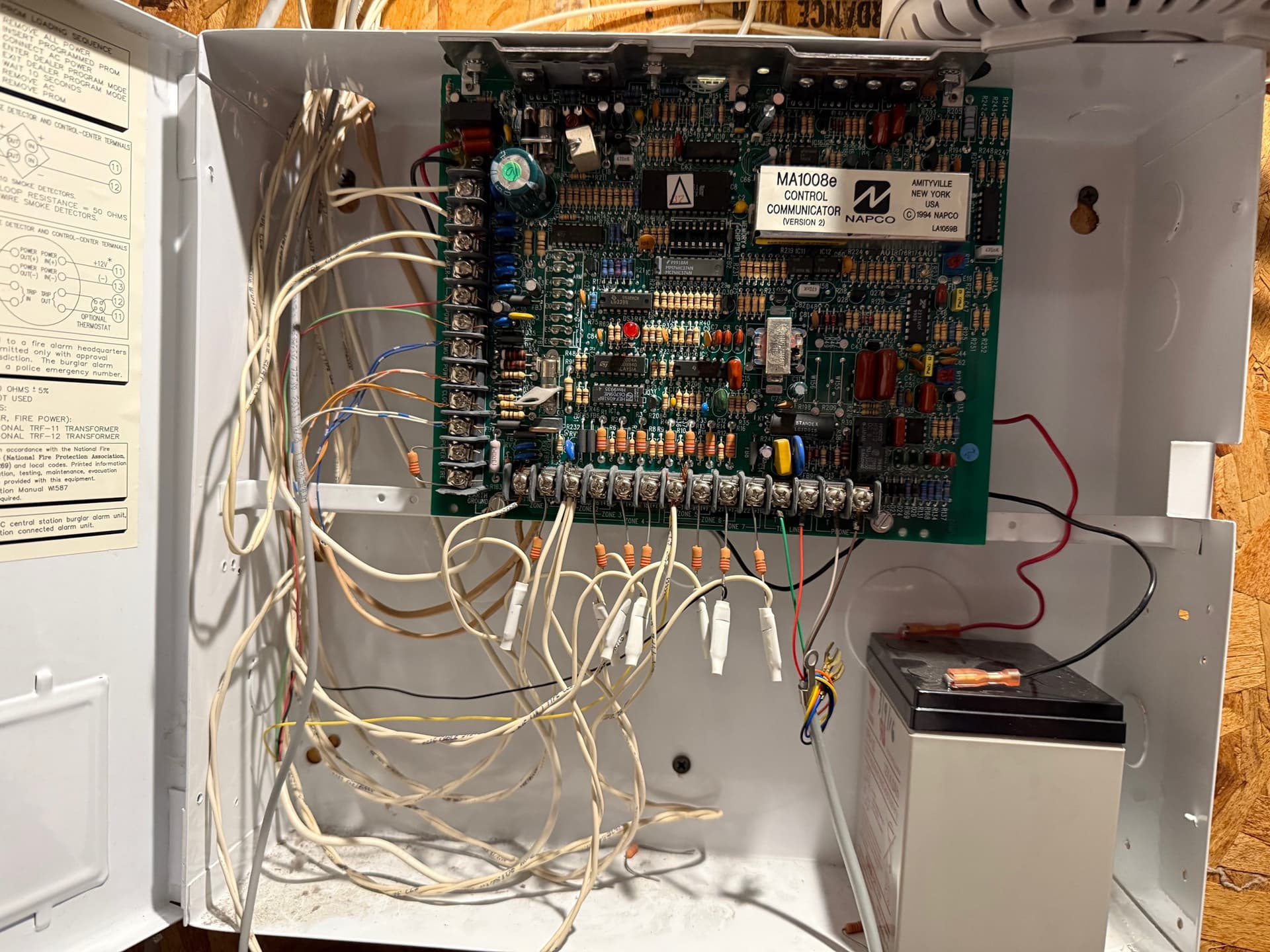
If you are not certain of the model can you provide some photos of the board the siren was wired to?

This is all extremely helpful information!! Thank you, @jason and @smiticans!

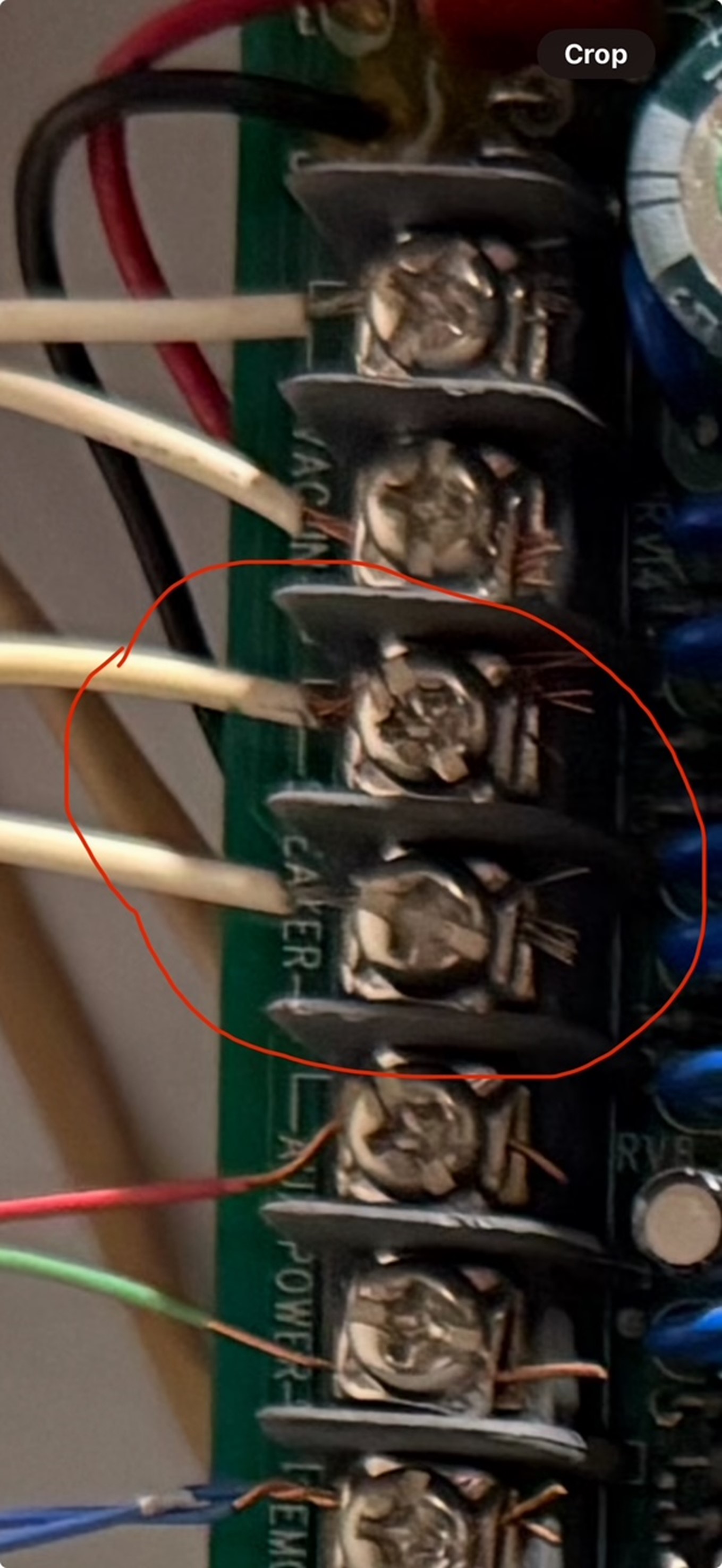
Here is a pic of the old panel. The siren was wired to terminals called “speaker” - so this makes sense!

The Napco system was here when I bought the house; however, during a walkthrough before we closed on the house the previous owner was trying to to figure out the code and they set the alarm off. The siren definitely worked! :wink:

You definitely have a speaker then. A speaker will not work connected directly to the bell terminals of the IQ Pro. The speaker needs a siren driver.

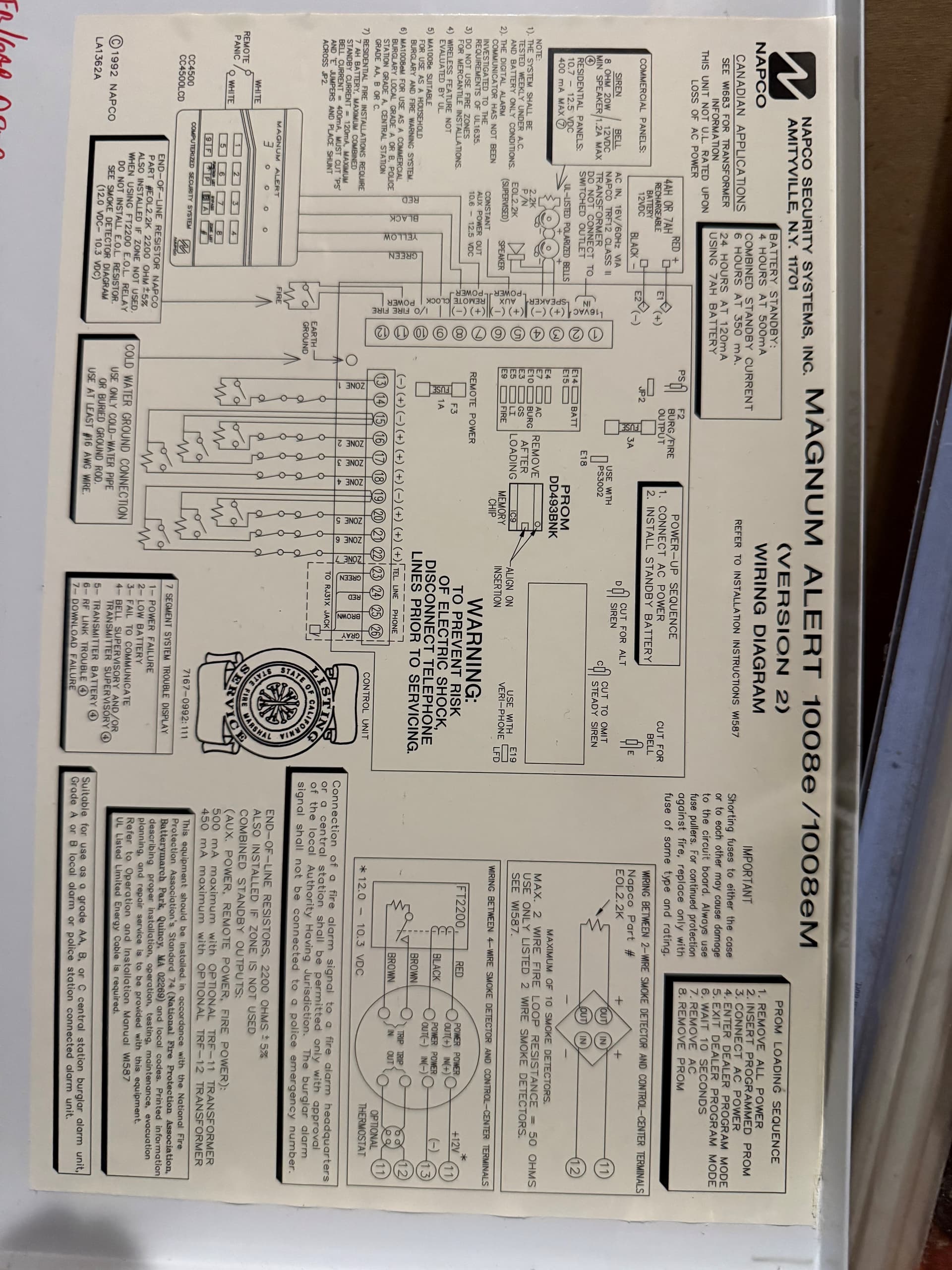
Any chance you can post a picture of the wiring diagram that’s glued to the panel door?

So if you want to use the current speaker, you’ll need a siren driver like ELK-110. The siren driver will need a separate power supply like the Altronix SMP3 (highly recommend Altronix, you want a high quality aux PS). The only issue is the siren driver can only differentiate between burglary/fire on the bell terminals and the IQ Pro also outputs for CO. So you’ll most likely have to program relays to activate the siren driver for each type of alarm.

The easier option is to swap out the speaker with a siren such as the Honeywell Wave2.

Don’t forget to put the 1k resistor on the bell terminals. It was included in the package with the IQ Pro and I believe the color code is Brown-Black-Red-Gold

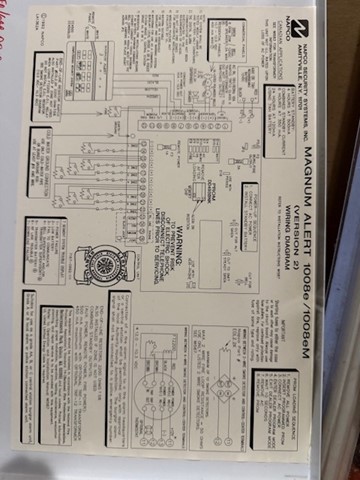
Makes total sense! Here is the schematic for fun!

Any ideas how i can easily locate the speaker to replace it? LOL

I can’t see the diagram because the picture is too low of a resolution.

If you still have the old alarm panel you could hook the speaker and keypad back up and trigger the alarm by pressing a panic button and trying to find it that way haha.

I would look in your HVAC return if you have one or attic, it’s probably in there if its not mounted on your wall somewhere.

here you go!

no more old keypads unfortunately.

the old siren is not in the AC return (i was really optimistic

about this idea lol), nor the attic, nor on the wall lol. im thinking maybe its in the basement dropped ceiling. Ill check there next.

Sounds like it’s hidden pretty well lol. If the old panel had any fire zones, you could just power up the panel and connect the speaker, and short the fire zone which will cause a fire alarm.

If not, you could purchase one of those wire tracers that can trace behind walls and see if you can find it that way.

If you have a multimeter, you can check the ohms on the wire for the speaker. The most common is 8 ohms but it can be 4, 8, 12, or 16 ohms.

If you cant find it, the easiest way would be to add the ELK-110 mentioned above with power supply.

Another option would be to to add a wireless indoor siren like the PG9901BATT.

If you have any wireless PowerG smoke detectors, these can also activate the Piezo siren in them when a burglar alarm occurs.

Configuration > Installation > Siren and Alarms > PowerG Smoke Detector Siren > Change from Fire Alarm Only to All Alarms

Thank you. I do have 3 smoke detectors that I have configured as sirens so I guess I will just abandon the hard wired one. Doesn’t seem worth the effort/money to find it and get it working.