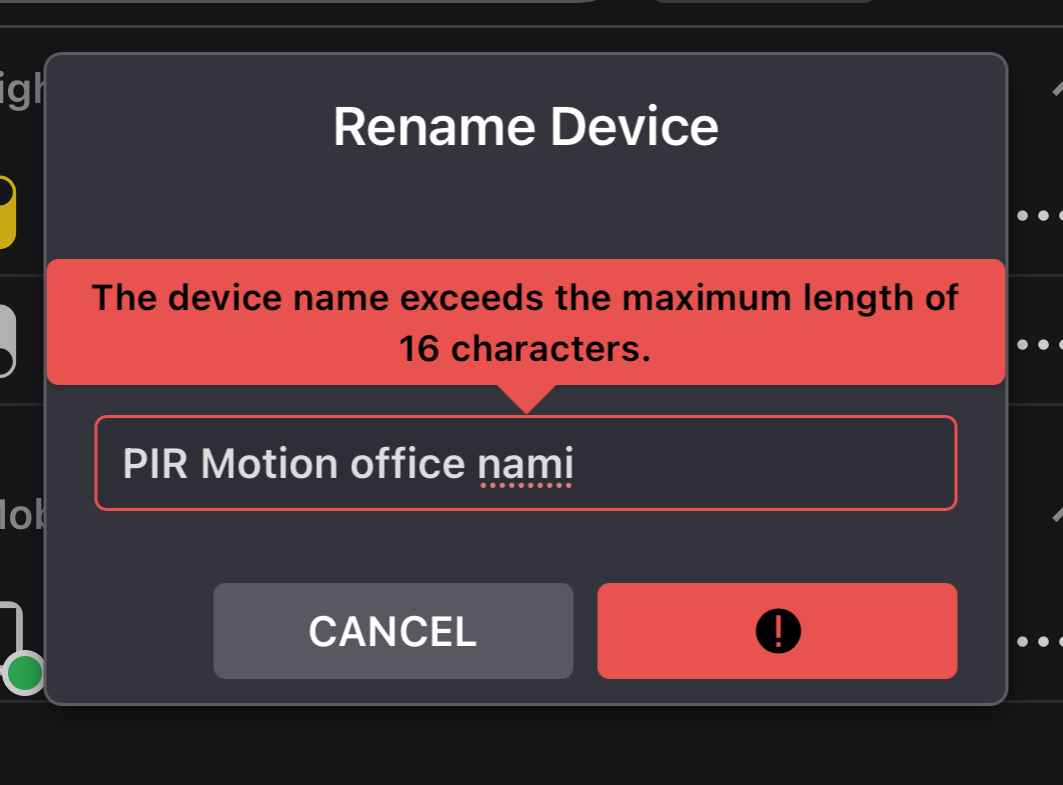
@Tyler I had a bit of a challenge getting the new PIR added, but it is now added and working.
What I discovered was that if I named the new PIR the exact same name as the previous one, it would scan the barcode, and just hang… never going to the “pong game” screen. Eventually it would just time out. This is even though I did remove the old PIR from the ADC app days ago.
I wound up just calling it something different and it added instantly. Interesting!
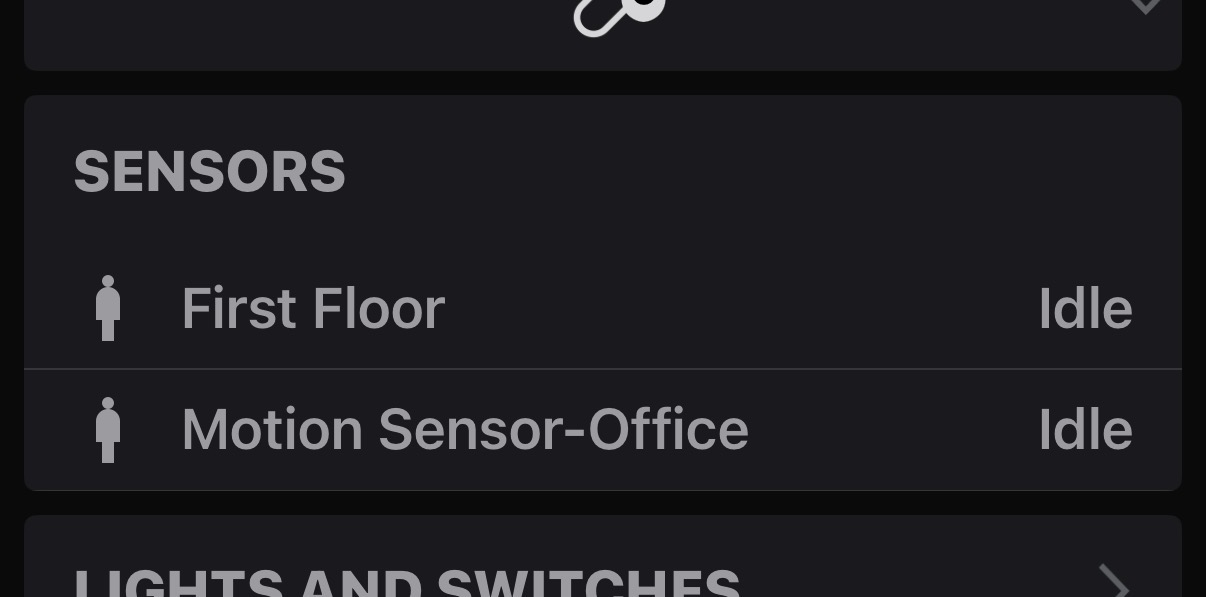
Strange it was called this previously, and the UI didn’t give me this error on initial inclusion.
Here’s an older screenshot showing the original name just to make sure I wasn’t hallucinating.
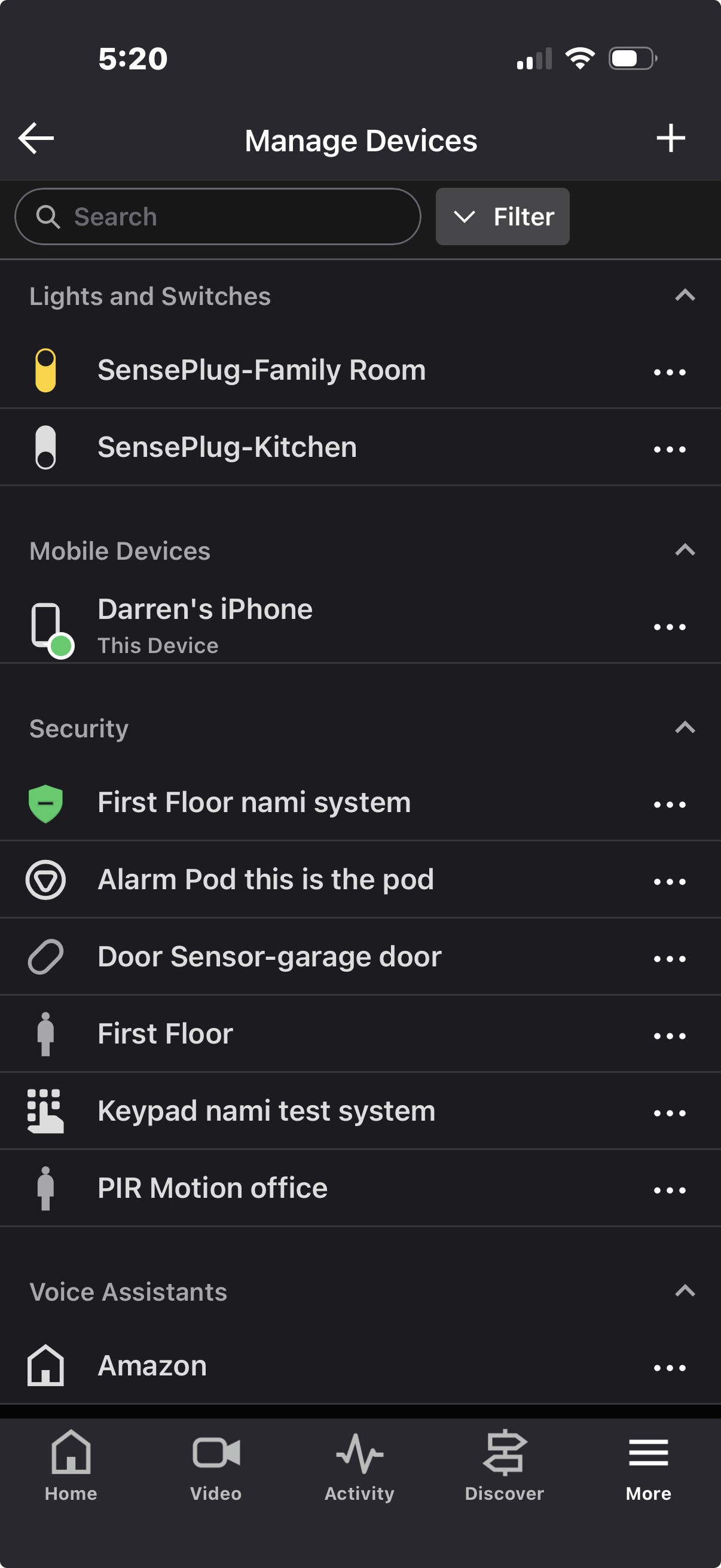
Panel Name: Yes, can be longer than 16
SensePlugs: Yes, can be longer than 16
Alarm Pod: Yes, can be longer than 16
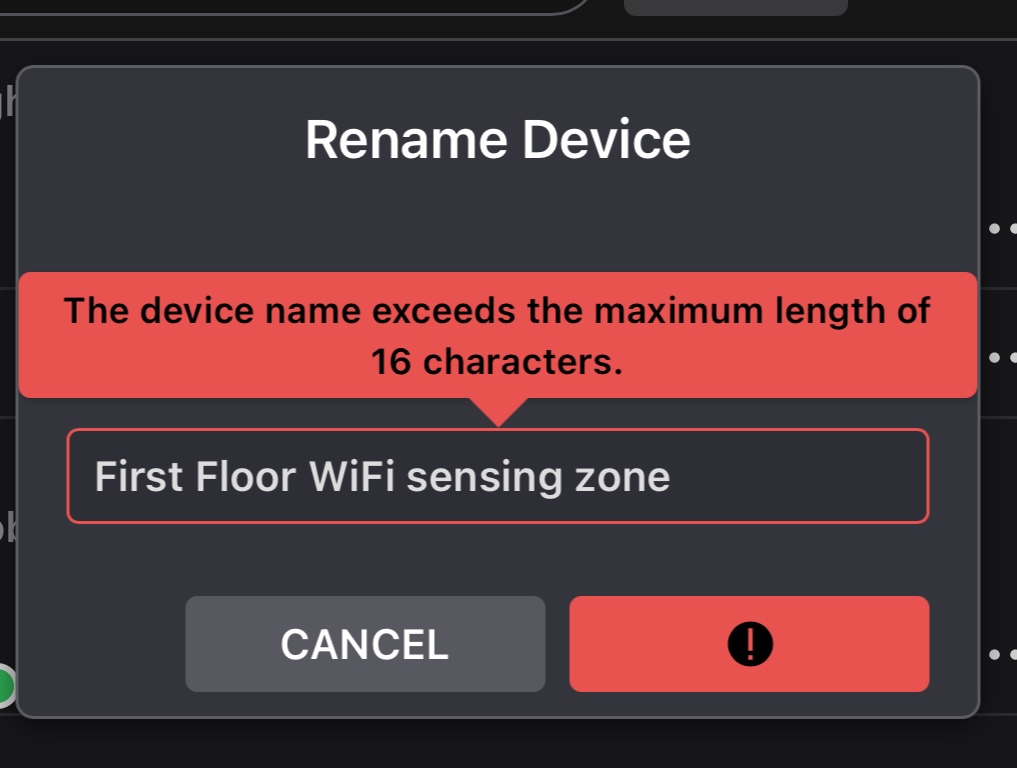
Wifi Sensing Zone: NO (see screenshot below)
Keypad: Yes, can be longer than 16
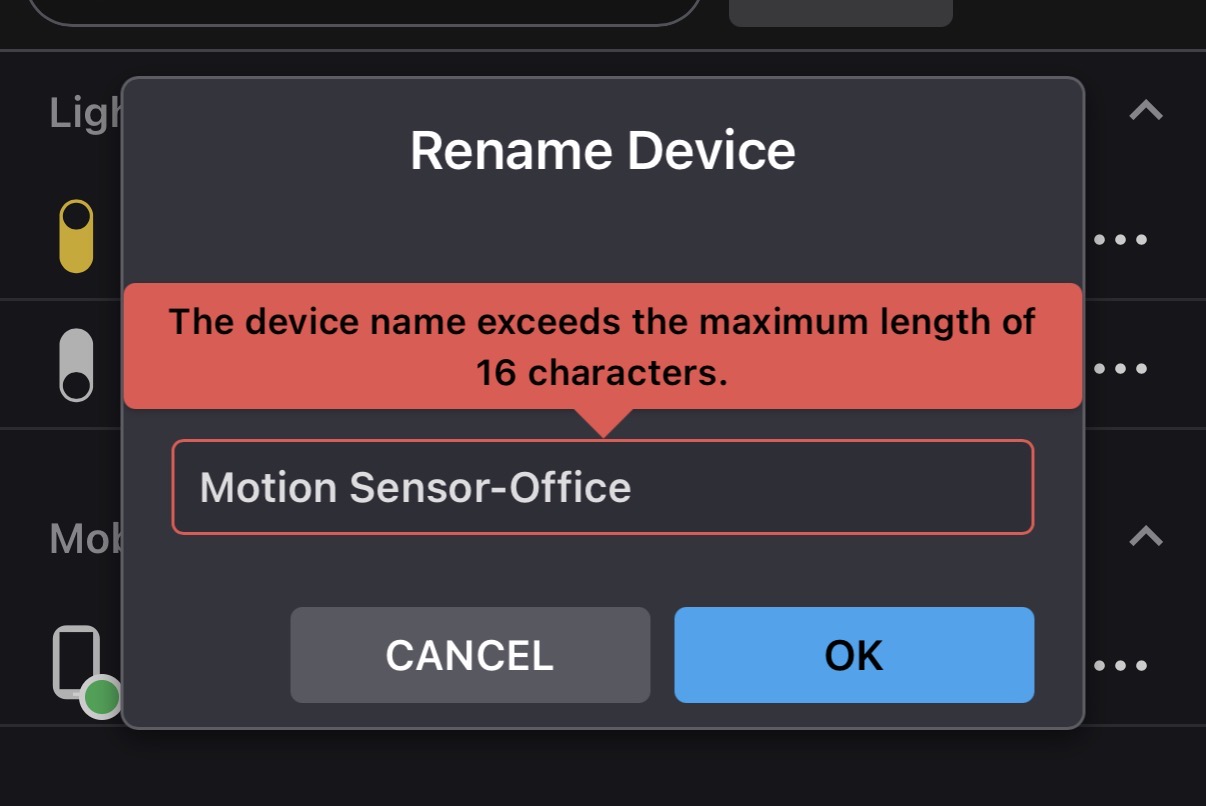
Motion Sensor: NO (see screenshot below)
We’re still looking into this issue. It seems like the 16 character limit is only enforced when adding or renaming a motion zone later, but not during initial system installation. Either way, I think 16 characters is too short a limit for zone names. We’ll follow up when we have more information.
The Motion Sensor “PIR Motion Office” just came up on the ADC app as ‘malfunction’. It was responding fine less than an hour ago, as I just came back and disarmed the system and watched it notice my motion in the office.
I tried removing the battery and re-installing it, and after a few minutes it said it was back online. Odd.
What should the troubleshooting method be for a failed motion sensor?
The issue with the door sensor delay was interesting. I made NO changes to the way it is installed, nor did I add a new senseplug. After testing a bit, it always reports open/closed in a timely fashion (about 5 seconds) - unless it is during a ARM AWAY process. Almost like the nami pod ignores the sensor for a few minutes after the system is fully armed?? It is the only time the door close action is delayed by 5 mins or so. (Actually today’s delay was 11 minutes!) Still testing.
On the issue of false movement triggers for wifi sensing: I did adjust sensitivity to ‘low’. However I then had this bizarre issue where all day there was constant motion/no motion even though the house was empty. The alarm would trigger within 60 seconds of being armed, making it unusable. I just left it disarmed until I could get home and troubleshoot.
I realize that the sense plugs are not supposed to be behind furniture, but I had little options for that in my family room (all outlets are behind something). So I moved it to an outlet that was behind a table with legs (so there was some room / air space in front of the plug, and the constant trips ceased. Now it seems to behave better. However I need to re-do the map of coverage with the setting at low - as it definitely seems to take a lot to sense motion. I can walk almost across the whole house before it triggers. However the false trips now seem to have ceased as well.
Still testing, obviously, but that is the update. Thanks.
This is interesting. It seems to suggest that it’s not a sensor communication problem but rather an issue with sensor activity being received during the arm away countdown. I passed this new information along to be investigated.
From the event history, Alarm.com thinks it went offline. Based on your floor plan it looks like it’s well within 30ft of the Pod so communication shouldn’t be a problem. We’re looking into it and will let you know what we find.
I assume not but, just to be thorough, is there any chance there is metal between the PIR sensor and the Pod?
That is strange. What time period were you away that it kept reporting motion? That will help us know where to look in the event history.
Yes, the issue with low sensitivity is that it takes longer to detect motion. That’s why the default is currently the medium sensitivity setting (called default in the app) for security installations.
I’m told that a new Wi-Fi motion detection engine is in the works that detects quickly like the current medium sensitivity level but avoids false alarms from minor noise (such as the window issue) like the current low sensitivity level. When its ready, it will be deployed via an OTA update. Hopefully that will be soon. In the mean time, the slower detection with low sensitivity is probably the best we can do unless you want to move the sense plug away from the window and try the medium setting again.
Regarding the delay on the “door closed” event during the arm away countdown, I am seeing the same behavior on my system. I’m only seeing about a 5 minute delay instead of 10 minutes but it’s the same behavior.
I sent the additional information to nami and Alarm.com to review. I think this rules out your door sensor having a communication problem. It looks like it’s just a bug during the arm away countdown.
As far as I can tell, it doesn’t impact alarm functionality. It just makes the door status in Alarm.com look wrong for a few minutes. We’ll get it fixed.