IQ5 panel keeps rebooting overnight

Just noticed when we got home that the panels reported a boot up overnight.

The main panel and the remote are both on the most recent version of firmware.

Any idea on why they keep doing it? I’ve noticed it several times now.

I believe the panel should display what time this happened. Can you tell us what date and time this occurred at?

Thank you


It’s shown this several times and I’ve cleared the alerts. I’ve seen it start rebooting a couple times overnight. I’ve also had the initial installer screen show up. All of my setting and sensors are there. I just have to go through the steps to get it back to normal.

Not looking to hijack the thread - but I’ve seen this happen as well.

the @surety team has looked into the issue - and didn’t find / see the reason for the reboot.

Thank you. I’m only showing a couple of modem pings in the history at that time.

We’ll need to reach out to Qolsys next week regarding this for further investigation.

@Fhtsnm, have you had any additional instances of this issue occurring since you last reached out about it?

@nicholas just once since the last time we were in touch.

and funny timing :slight_smile:

just happened a bit ago - 15:18 pacific.

I’d appreciate if you get with them to figure this out. Do I need to request a warranty replacement every time it happens because it seems to be a defect???
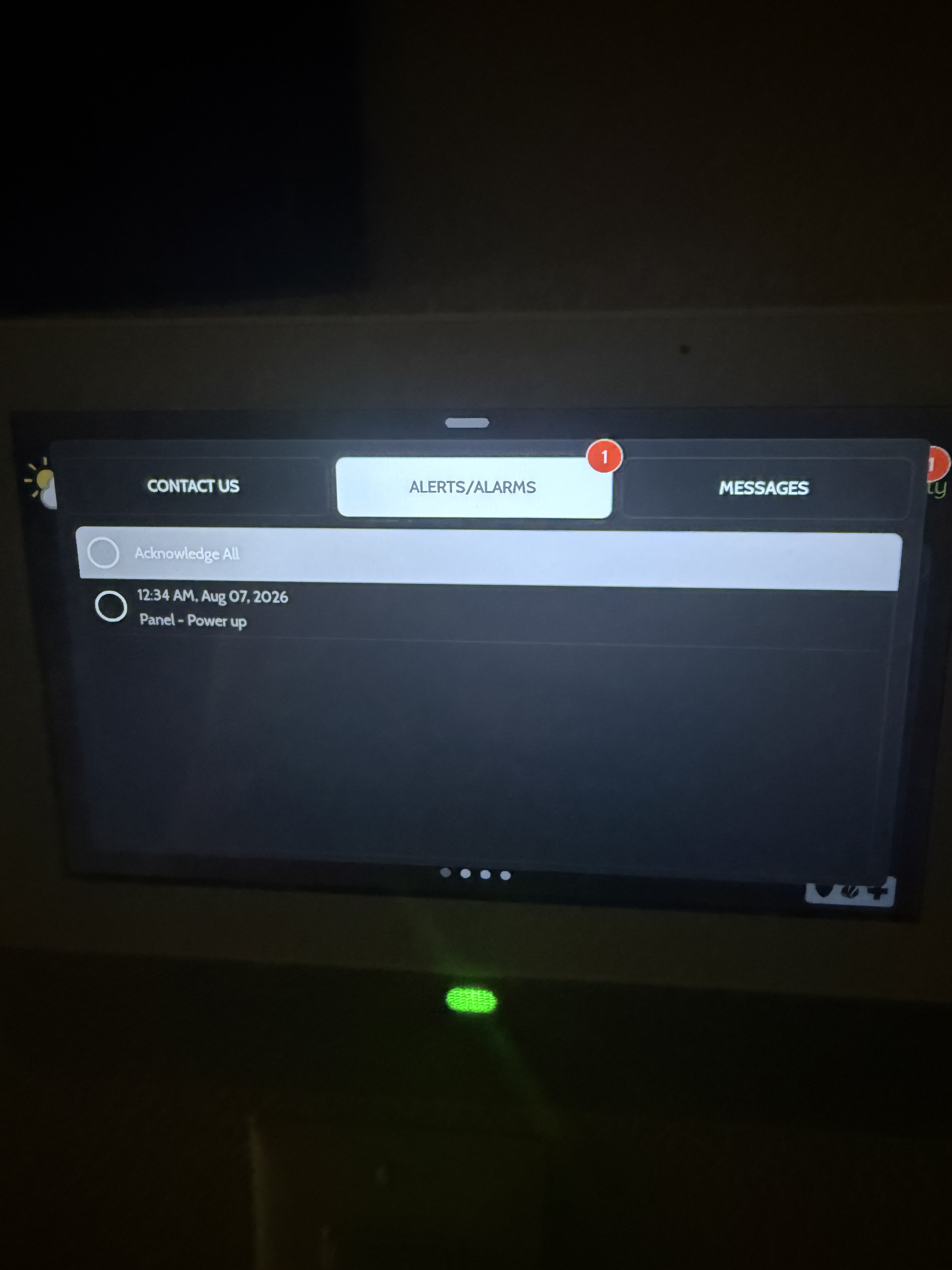
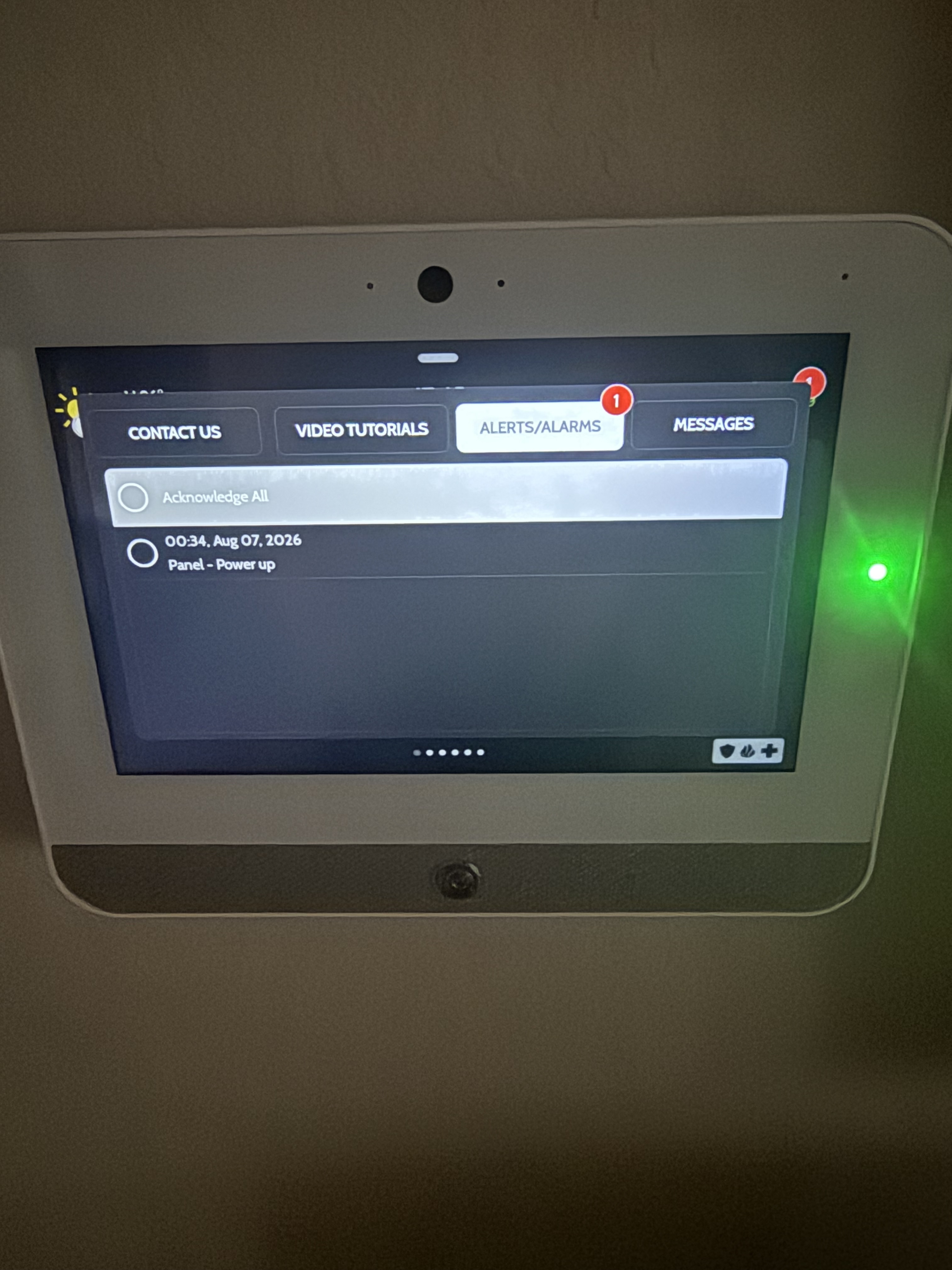
Qolsys is having their engineers take a closer look at the logs for both of your panels.

Are you two using the wiring that came with the panels, or are you using existing wires?

@Fhtsnm Was this the replacement panel for the one you had replaced under warranty earlier this year? If so, when you swapped the panels, did you re-use the power supply that came with the first one, or use the one that came with this specific panel?

i had cat6 run to my original non-Qolsys panel as it supported POE. it’s a short run - maybe 50 feet? and i twisted the wires together as advised before connecting to the panel and power supply.

yes, it’s the replacement panel. as i didn’t have an AC outlet near the panel - i purchased a power supply / transformer that i shared with you guys before i purchased it.

I’m using the power supply’s from the panels.

Main panel is 3’ from the plug. The remote panel is a lot further away.

The odd thing is something seems to have commanded the restart. The main panel and my remote both restarted at the same time if you look at the times.

I only experienced this odd overnight restarts after I updated to the latest firmware a few weeks ago.

And several times after doing the update, in the morning the master panel was back into installer mode. I had to click through the setup to get back to the main screen. All of my setting and sensors were there.

That could be part of the issue, though this seems to be happening on some panels regardless. It is not recommended to use another power supply, and the manual for the IQ Panel 5 explicitly states to use the included power supply.

Do you have a multimeter to check if it’s putting out the correct voltage?

Did you see the IQ Remote restart? Those Panel - Power up messages are synced across all IQ Remotes, so even if only the main panel reboots, it shows up on all of the remote touchscreens.

yes, i definitely know that. and it certainly could be. i did check with you guys before i bought everything b/c i knew that connecting a local transformer wasn’t going to be possible.

i did confirm the voltage before i hooked everything up - and the panel input voltage test indicated 12.04 volts and says that the voltage is “good”.

Qolsys engineers are still investigating this issue.

Interestingly enough, I did experience the same thing on my IQ Panel 5, so I’ve been able to provide a bit more data.

If it happens again or anyone else experiences this issue, please let us know. Qolsys has also asked for photos of the Panel - Power Up message in the history for each occurrence, if you’re able to capture that.

Thank you for the updates. I only ever saw my IQ5 do it, I forgot the alerts sync between the panels. Like I said it was after the last update I started to experience the issues. And It even went into installer mode by itself.

Has it gone into installer mode more than once? If so, is there any consistency in when it does that, or does it seem to do it at random?

I believe 3 times. All started after the last update. Seemed it happened within the span of a few days. Since I posted my issue I haven’t experienced another reboot or installer setup.

Very odd.

Just saw I had a message about a panel power up at 12:29 am this morning.

If the issue keeps happening, one thing we could try is performing a backup of the panel, then master reset the system, and then restoring the backup on the panel.

A backup/restore can be run to apply RF sensor programming, User Codes, and panel programming to the new panel. This process can be performed during normal business hours.

Z-Wave devices and secondary keypads need to be learned in manually.

Any PowerG device will need to be tampered to sync it back into the panel.

Let us know if you have any additional questions

Thank you