Is there a specific firmware for Control4 integration to show up in the panel? I assumed it was located within the )Installer Settings) section but I am not seeing it.
Hello,
There does not need to be any additional software on the IQ Panel 4. The panel first needs to have 6 digit user codes enabled.
To enable 6 digit codes, swipe down from the main screen > Settings > Advanced Settings > Installer/Dealer Code > Installation > Dealer Settings > Scroll down and select 6 digit user codes
To enable control4, swipe down from the main screen > Settings > Advanced Settings > Installation > Devices > Wi-Fi devices > 3rd party integration > Toggle control4. You can then select control 4 and then Reveal Secure Token which is what would be needed to add to control 4.
I would first recommend updating the panel to the latest firmware. You can update directly to the latest 4.6.1 firmware.
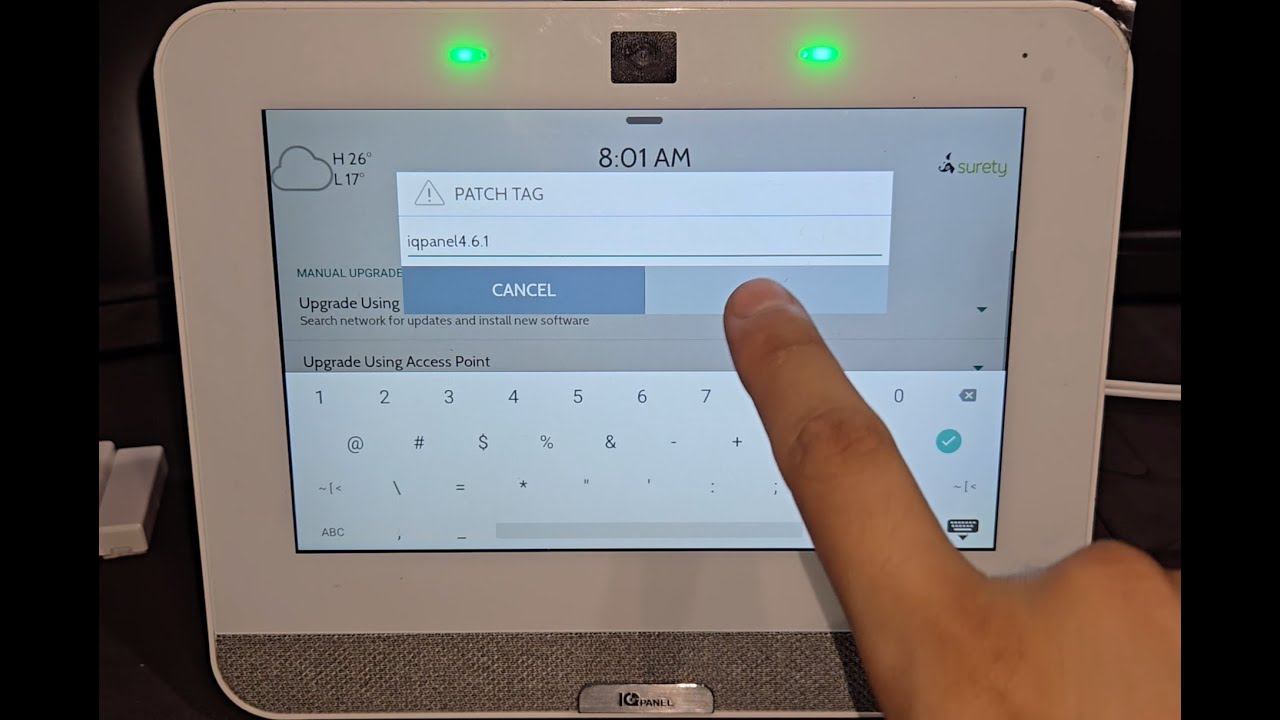
Let us know if you have any additional questions
Thank you
1 Like