What is Night arming?
Night arming lets you arm your system when you’re home for the night. Your doors and windows are armed, and so are the motion detectors in areas you won’t be using, like the living room or downstairs. Motion detectors set as Night zones, like the one in your bedroom, stay off so you can move around without setting off the alarm.
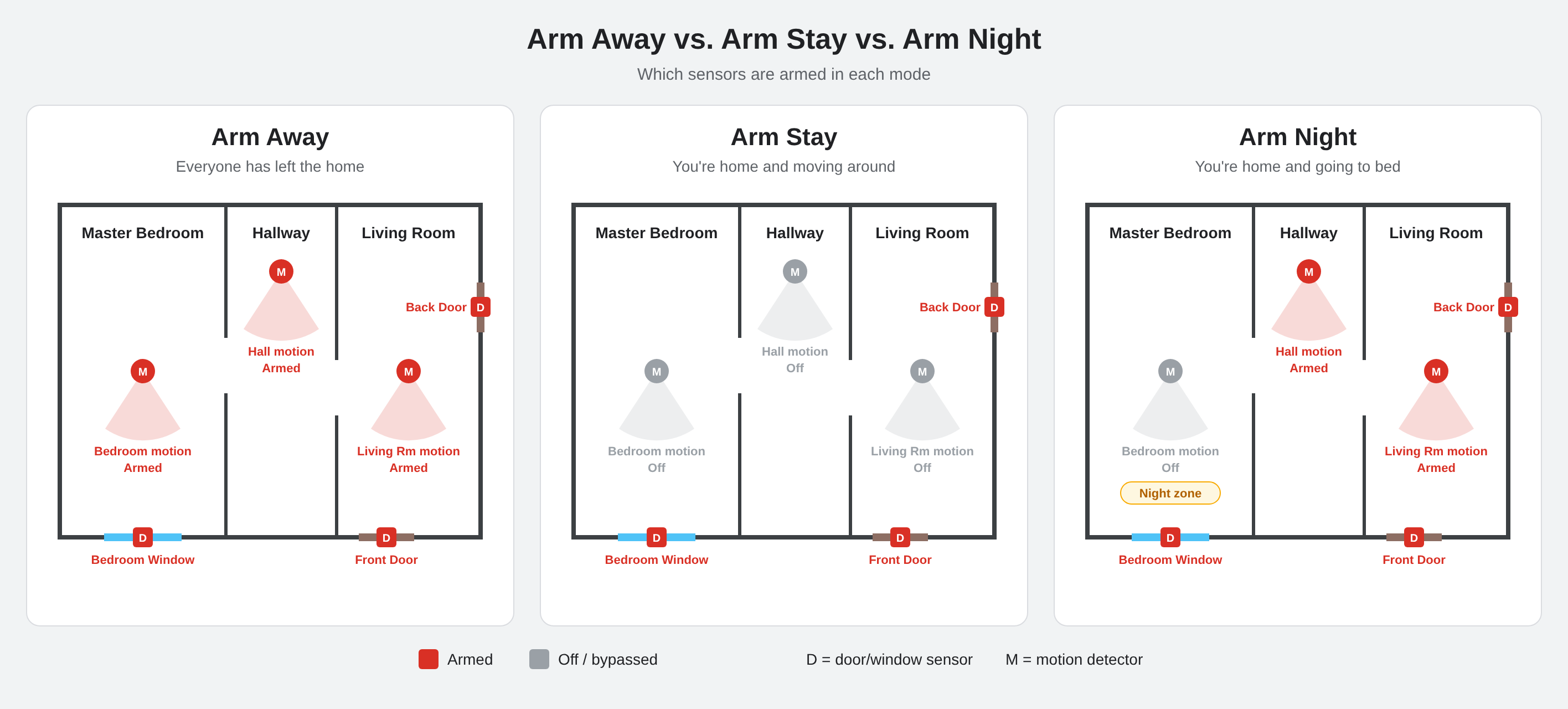
| Sensor | Arm Away | Arm Stay | Arm Night |
|---|---|---|---|
| Doors and windows | Armed | Armed | Armed |
| Motions not set as Night zones | Armed | Off | Armed |
| Motions set as Night zones | Armed | Off | Off |
Tip: If you’ll walk from your bedroom to a bathroom or kitchen at night, set the motions along that path as Night zones too.
Requirements
- IQ Panel 4 or IQ4 Hub on firmware 4.4.0 or higher, or an IQ Panel 5 or IQ5 Hub.
- At least one motion detector set as a Night zone. The Night option won’t appear until at least one is set.
- Your panel’s Installer Code.
Before you begin, if you have professional monitoring, put your account on test mode. This can be done via the Test My System tab in the System Manager section of your Surety account, or by calling operators at 855-348-0367.
Step 1: Set a motion detector as a Night zone
- Swipe down from the top of the panel’s screen and tap Settings.
- Tap Advanced Settings and enter your Installer Code.
- Tap Installation > Devices > Security Sensors.
- Tap Edit Sensor and select the motion detector you want to stay off at night, such as your bedroom motion.
- Change the Sensor Group to 21 (Night).
- Tap Save.
- Repeat for any other motions you want to stay off at night.
Step 2: Arm Night from the panel
- Tap the arming button on the panel’s home screen.
- Select Night.
- The exit countdown will begin, and the system will arm in Night mode.
Step 3: Arm Night from the Alarm.com app or website
- Open the Alarm.com app or log in to the website.
- On the Security System card, select Night.
- Tap Stay to arm.
Test your setup
Arm Night, then walk in the areas set as Night zones to make sure they don’t trigger an alarm. Then check that the motions outside your Night zones are armed by viewing the sensor status on the panel or in the app. Avoid walking in front of armed motions while testing unless your account is on test mode.