The Door Sensor, the Keypad, and the PIR Motion Sensor are battery-powered. To keep them working smoothly, you’ll need to replace the battery when it runs low. It is always recommended to wait at least 30 seconds before inserting the new battery
Door Sensor
Step 1: Remove the sensor
Gently detach the larger part of the sensor from your door

Step 2: Open the cover
Carefully open the lid to access the battery

Step 3: Replace the battery
Take out the old battery and insert a new CR2477 battery

Step 4: Reattach the sensor
Securely close the lid and reattach the sensor to your door using a new piece of sticking tape

Keypad
Step 1: Open the cover
- If wall-mounted: Gently slide the keypad downwards to detach it from the wall bracket
-
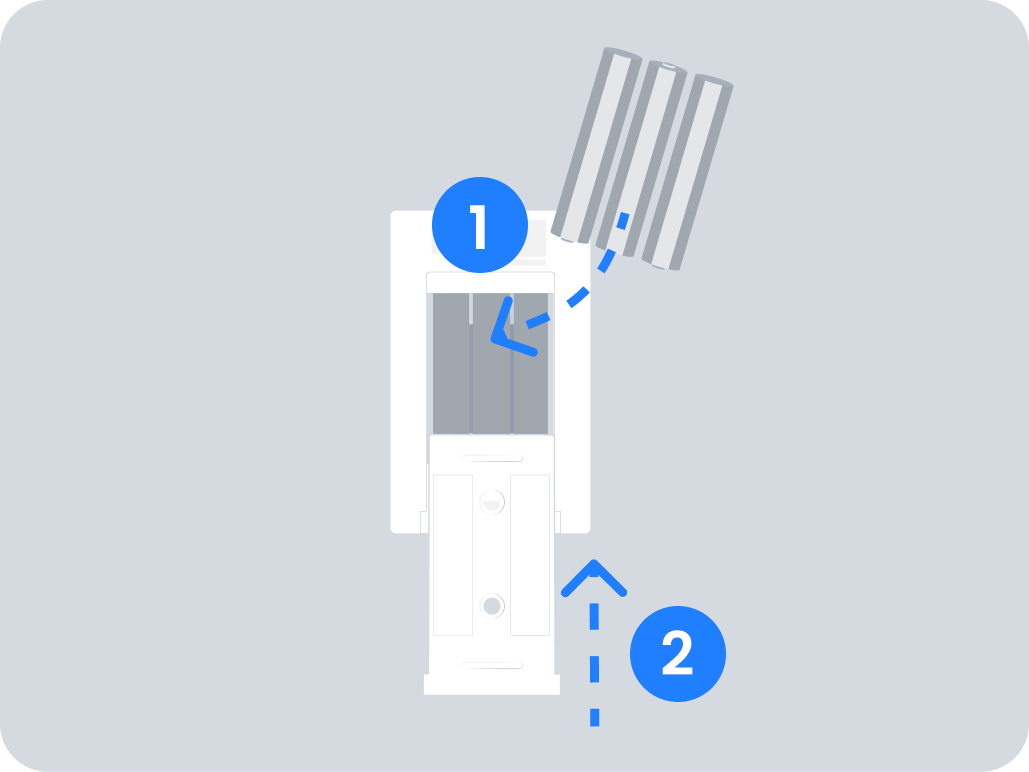
- If not wall-mounted: Turn the keypad around and slide the back cover upwards to remove it

- If not wall-mounted: Turn the keypad around and slide the back cover upwards to remove it
Step 2: Replace the batteries
Take out the old batteries and insert 3x AAA alkaline batteries

Step 3: Reattach the keypad
- If wall-mounted: Align the keypad with the back cover and slide it upwards until it clicks into place
-
- If not wall-mounted: Align the keypad with the back cover and slide the cover downwards to secure it
- If not wall-mounted: Align the keypad with the back cover and slide the cover downwards to secure it
PIR Motion Sensor
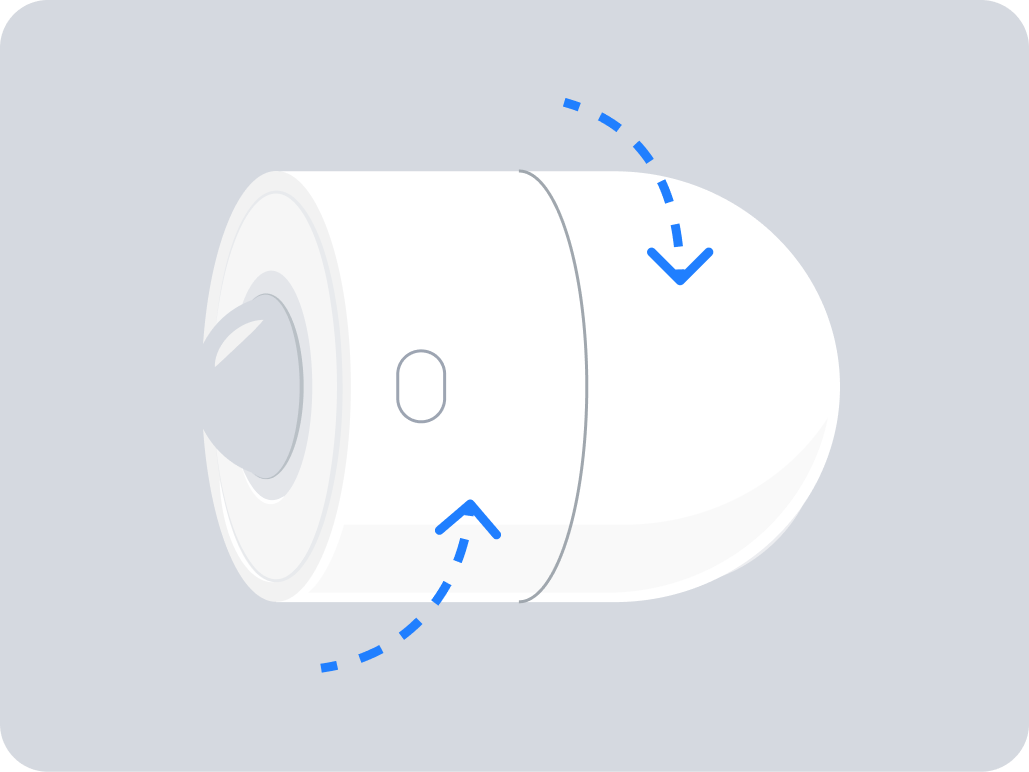
Step 1: Open the sensor
Rotate the sensor to unlock it
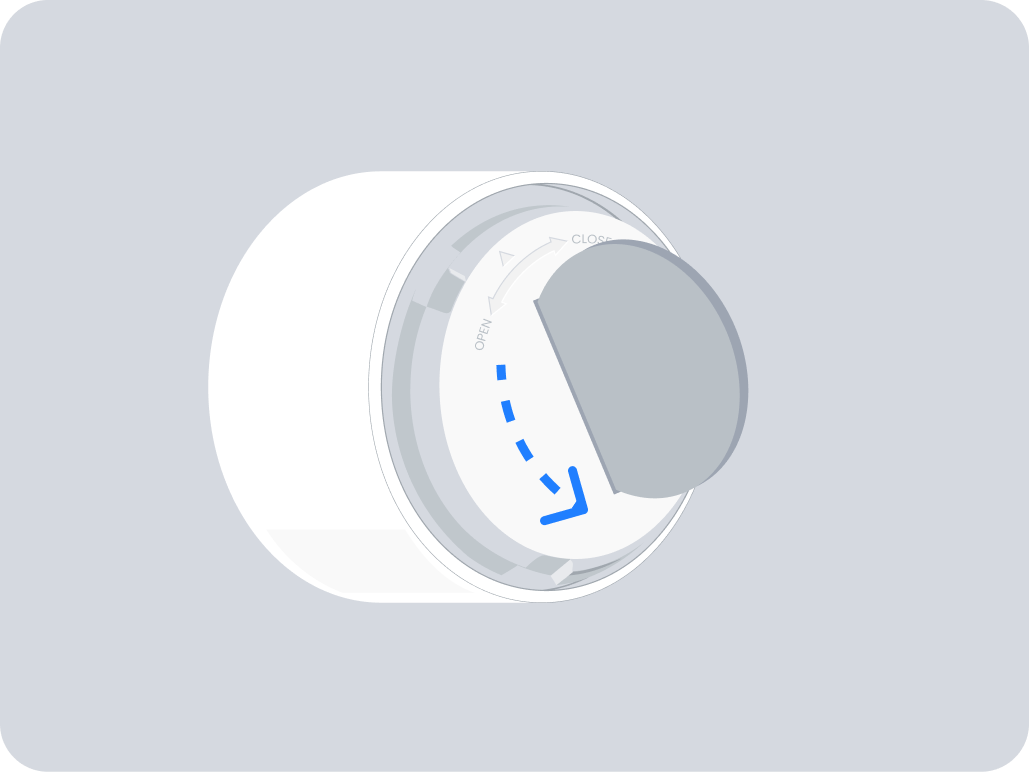
Step 2: Unscrew the battery cover
Use a coin or similar tool to unscrew and remove the battery cover
Step 3: Replace the battery
Take out the old battery and insert a new CR2477 battery
Step 4: Reassemble the sensor
Screw the battery cover back in place using a coin or tool
Step 5: Close the sensor
Rotate the sensor to secure it
