Qolsys Brand Panels
All Qolsys panels have a built in cellular radio.
IQ Panel Generation 1
If you have the first generation IQ Panel, it has a 3G radio installed. The modules are integrated and cannot be replaced on these panels. This panel cannot be used to sign up for service.

IQ Panel 2 and IQ Panel 2+
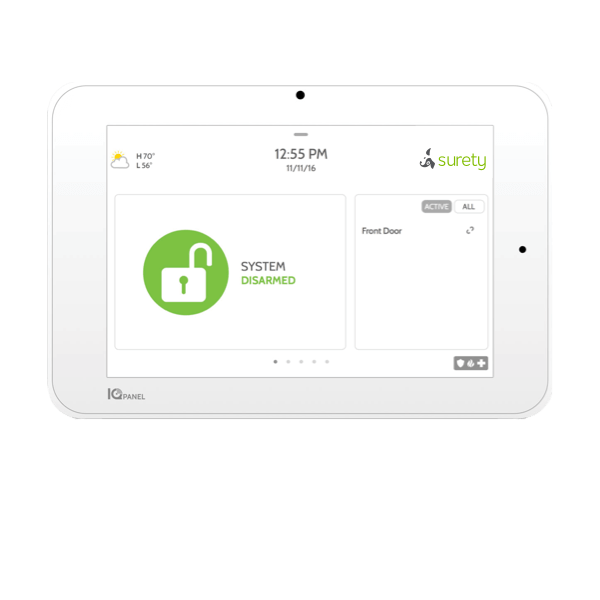
You can find the 15-digit IMEI through programming:
- Click Settings
- Click Advanced Settings and enter the Installer (1111) or Master User (1234) code.
- Click About, then Cellular
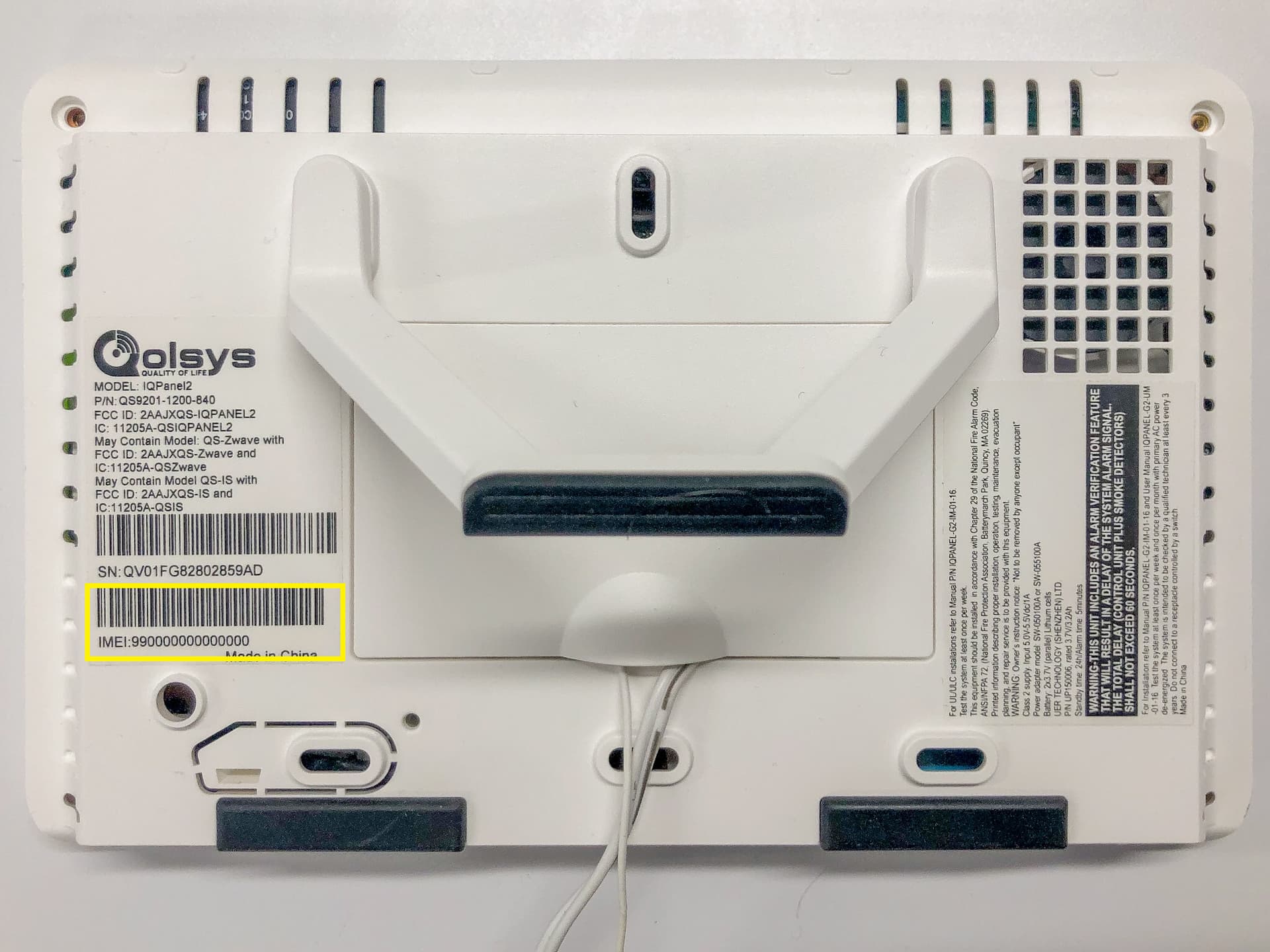
You can also find it printed on the back of the panel:
IQ Panel 4 and IQ 4 Hub
From the keypad:
- Flick down to open the menu, then tap Settings.
- Tap Advanced Settings.
- Enter the installer code (default 1111) or master code (default 1234).
- Tap About.
- Tap Cellular.
- In IMEI, the serial number used for Alarm.com displays.
You can find the IMEI number on the back of the panel:
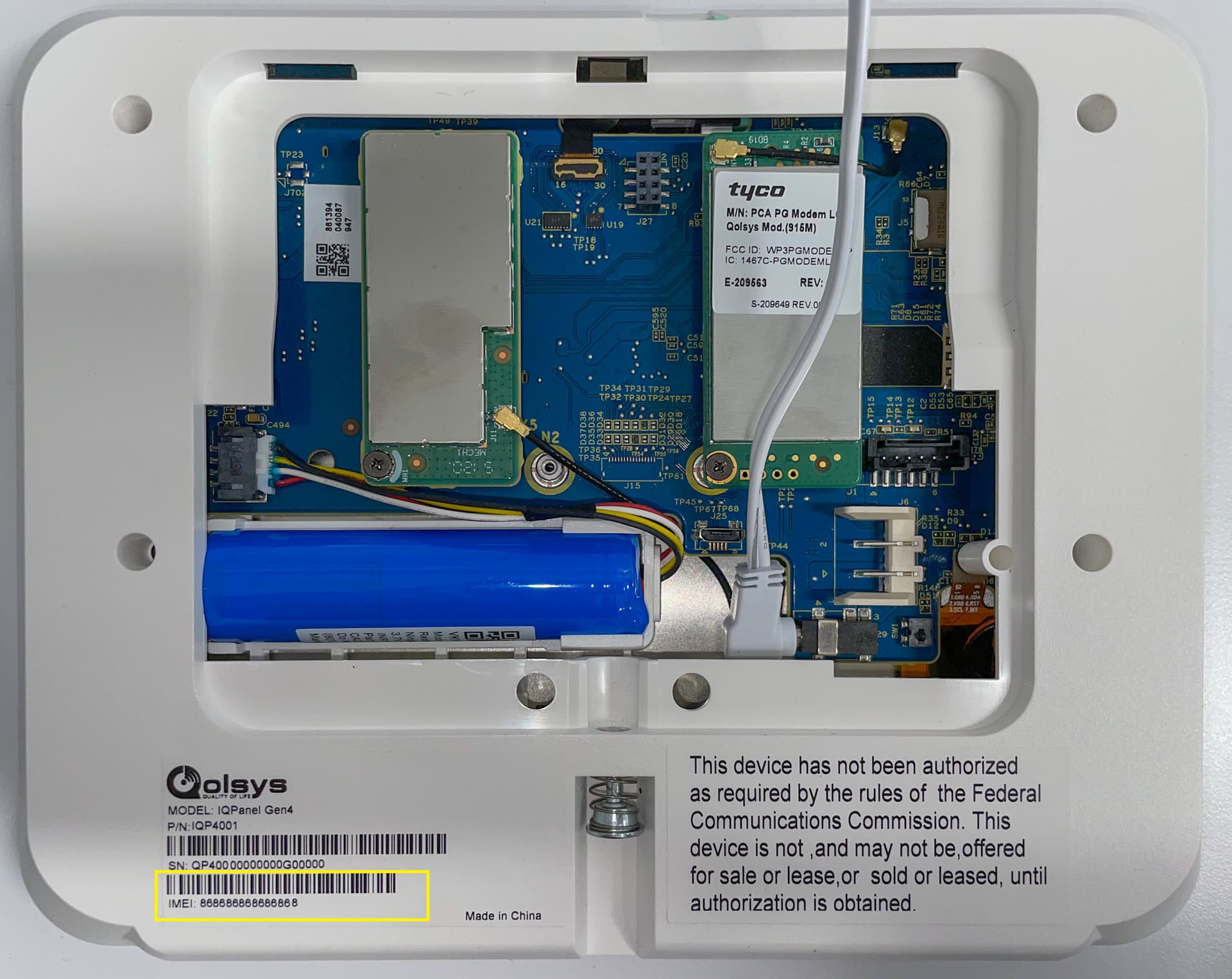
If you still have the box, the 15-digit IMEI number can be found on a label affixed to the side of the retail packaging as well.
IQ Pro
The 15-digit IMEI for the Qolsys IQ Pro is found on a sticker inside of the panel.
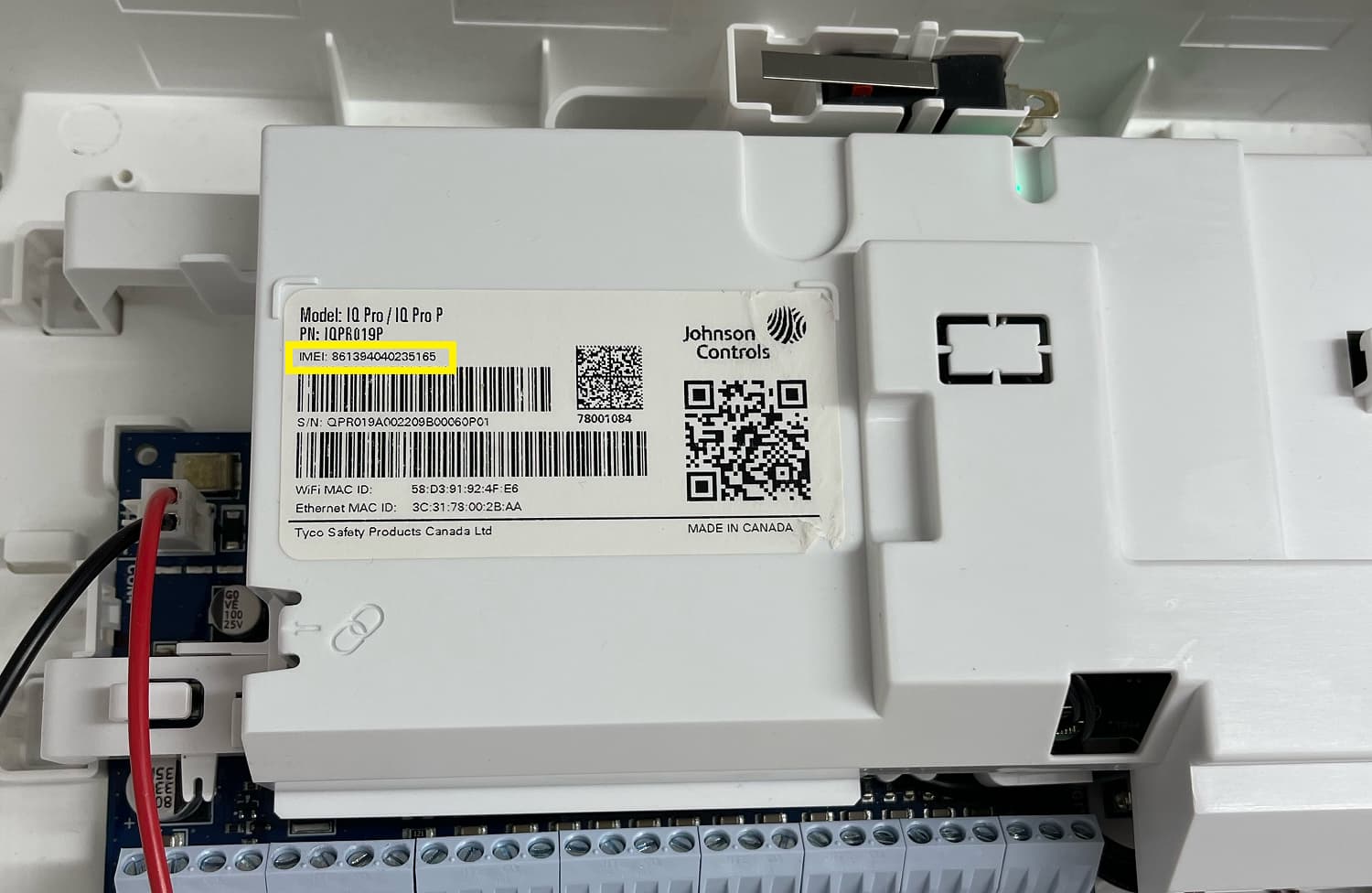
The IMEI can be found printed on a sticker affixed to the box as well.