Why do the devices have this symbol in the alarm.com app? They are registered on my IQ 5 panel.
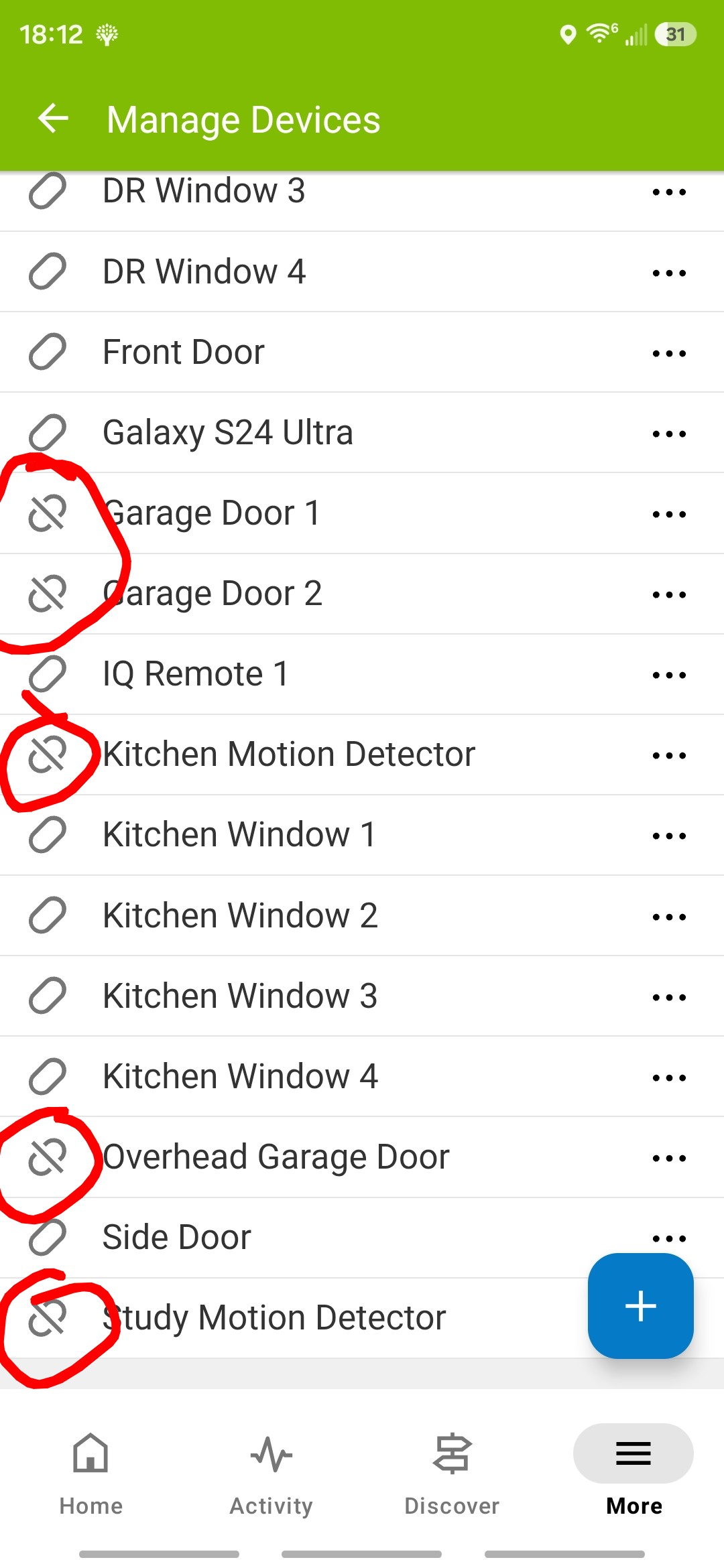
On the Alarm.com website, if you hover over the symbol there is a tooltip identifying the symbol and what it indicates. In this case that symbol is indicating that those sensors are not selected for Alarm.com Sensor Activity Monitoring. Their current open close status is not being tracked in ADC, they would only be monitored for alarm signals.
If you want them to report open/close (activated/idle states for motion detectors) even when the system is disarmed, tap the ellipsis to the right and open device settings. There you’ll see a column of checkboxes to enable Sensor Activity Monitoring.
Some device types are not compatible with Activity Monitoring, like smoke and CO detectors.