Alarm.com does not let me login any longer. I opened the app and for some reason it had me logged off. I tried to login and it keeps saying unexpected error and will not let me login on my phone app or the desktop site. I called alarm. com number and I could not g et anyone on the phone.
It seems to be down for all
What is the reason for this? It just shuts down and no notice that there is an issue?
Same here.
Some devices - like my new WiFi chime is showing no ADC connection.
I’m just trying to login to my alarm.com account.
Apparently it’s a big outage on both end user and Dealer side
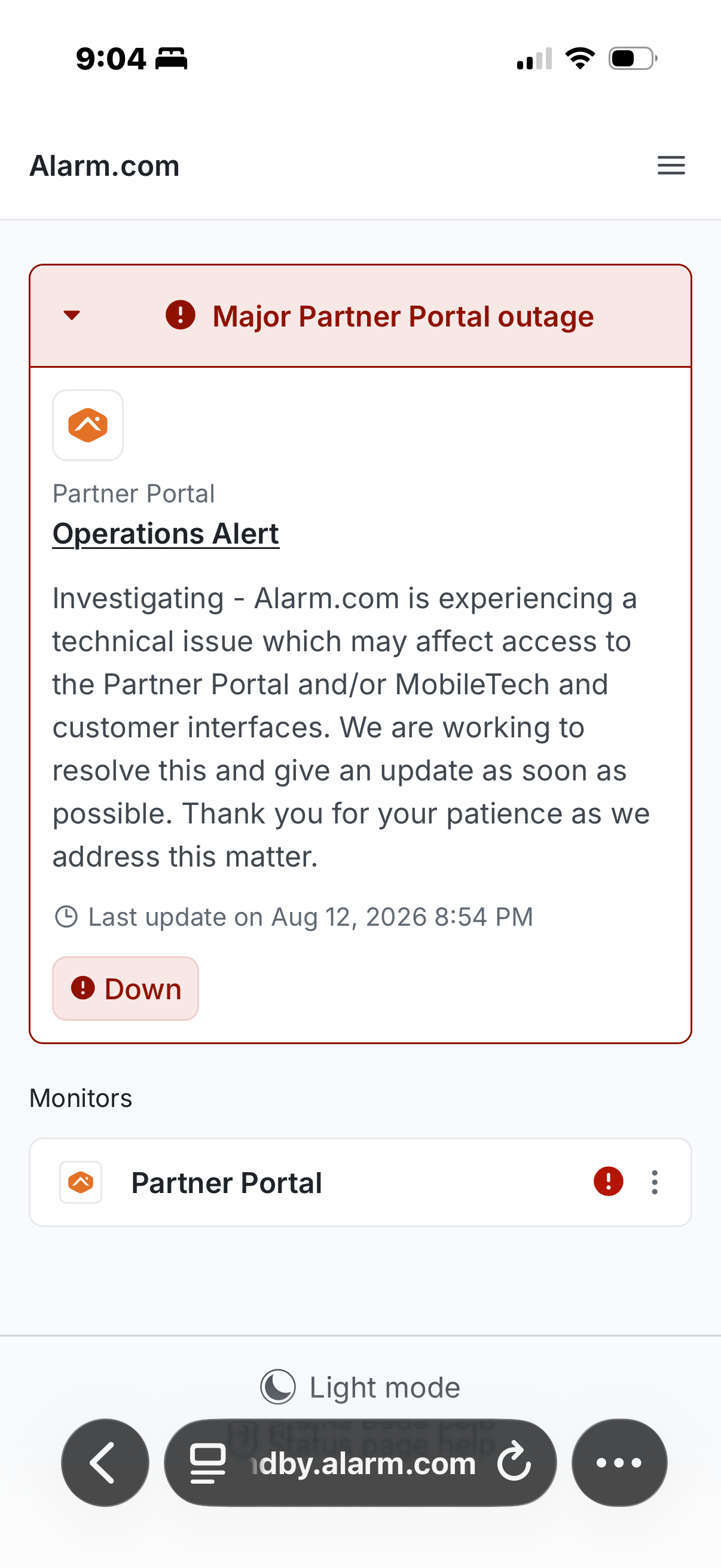
I finally found that there is a major service outage completely breaking the alarm.com authentication infrastructure
Can see status here: https://standby.alarm.com
1 Like
Thank you
Large scale network outage. Panel beeping and can’t login to app.
Thanks, I am experiencing a broadband failure on my 2GIG GG3 - went to check alarm.com app and website for outage information and could not log in.
This seems to be alarm.com outage status page: https://standby.alarm.com/
Yes. I have several systems at different locations and all appear to be down.. Something to do with cell.
The app is working for me now. But I don’t see any official announcement that we’re back.
Still not working for me, it tells me it’s sending me a verification code that never comes. A bunch of fools
Alarm.com stated this situation was confirmed fully resolved as of 8/13/2026 01:39 ET
Please let us know if you are having any continuing trouble.
Yesterday I finally was able to log into alarm.com. it had me disabled two-factor authorization cuz it wouldn’t let me log in until I did that. I did disable and I was able to login and now today it’s forcing me to choose a two-factor authorization. I do not want a two-factor authorization. I want to be able to open the app for my security system by touching the app and not having to sit through all kinds of authorizations I want to see the the situation immediately. Please help me bypass this two-factor authorization crap. Yesterday app told me it was sending me an authorization to my text. The authorization didn’t come so I clicked send me another authorization and I did it five or six times and then two or three hours later I got these authorizations to my text message. If there’s an emergency and I can’t open my app because alarm.com can’t get me an authorization or even if they do I have to wait those extra minutes to get it that’s totally unacceptable
I want to be able to open the app for my security system by touching the app and not having to sit through all kinds of authorizations I want to see the the situation immediately. Please help me bypass this two-factor authorization
I just want to preface that in general, I do recommend 2FA as a security tool. I do not recommend turning it off. However, if any user wishes to no longer use it, we can help. Send us a private message here with a request to reset and exempt your login from 2FA and we can get that set up for you.