Alarm.com Android App Constantly Signing Out

Hello,

I have been facing a new issue. My app on my Pixel 11 Pro (latest Android 17) keeps signing me out after a day. It’s been like this for a week or so. I always ensure to check Keep Me Logged In and have updated the Alarm.com app and even tried reinstalling. Is there any known bugs for this right now?

I am not showing any documented bugs. To confirm, are you on app version 5.11.3?

Did you make any recent changes to your password or 2FA?

Are you using any biometrics for login?

Hello I can confirm I’m on 5.11.3. I have not made any recent changes other than deleting and reinstalling the app to try and fix the issue.

I don’t think the app supports biometrics? At least it has never asked me when I log in. I do use 2FA and I haven’t changed that recently either.

What is strange I will see the notification for Alarm events, but when I click them to go to the app I will see I’ve been logged out again.

EDIT: I found biometric settings and enabled them, but still after a day I’m logged out

Hello,

Thank you for the additional information. Our team will investigate this further and provide an update as soon as possible.

Alarm notifications still arriving while he’s logged out is expected. The phone stays registered for push alerts separately from the app login.

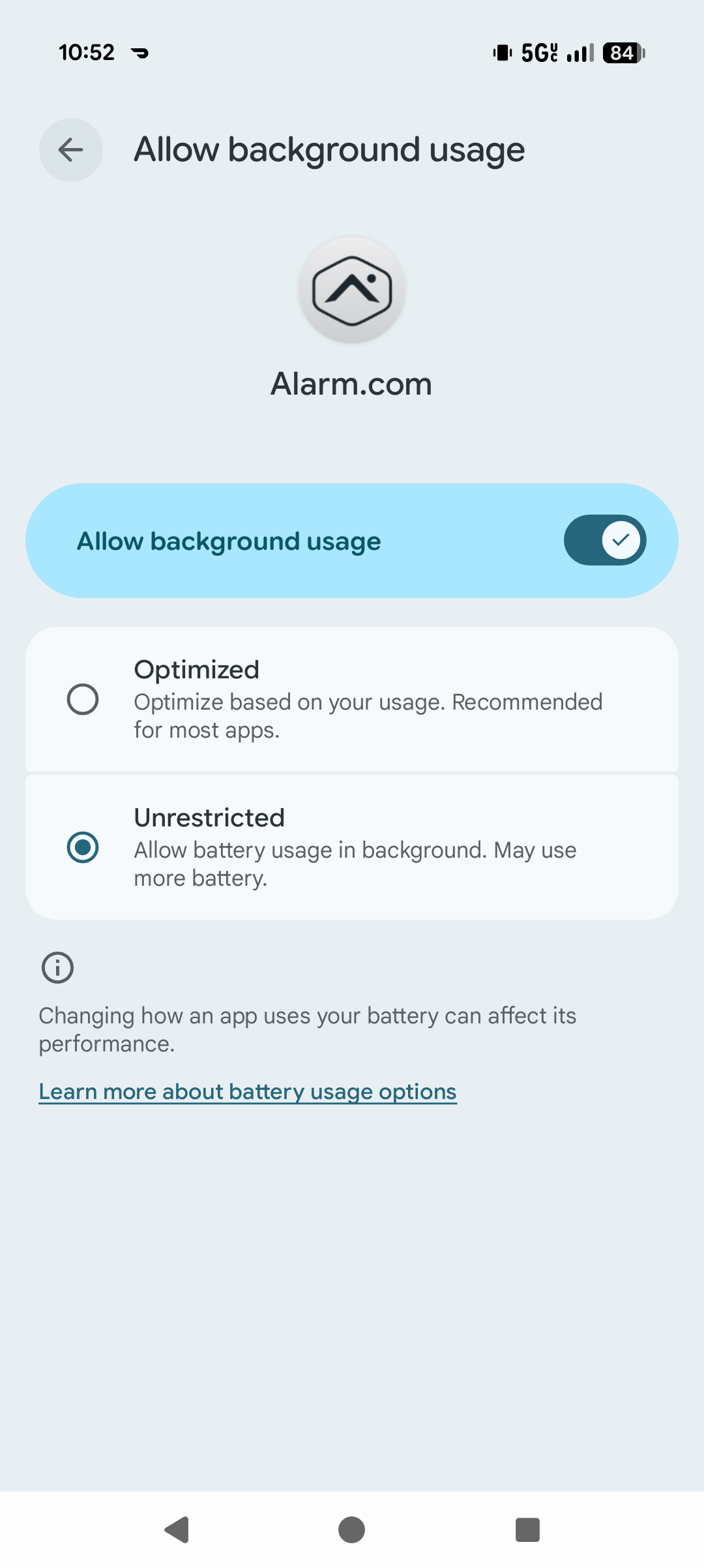
Try checking the steps below. They may be a little different for your phone but you want to make sure app battery restriction as well as paused activity are disabled.

  1. Battery and unused-app settings
    Go to Settings > Apps > See all apps > Alarm.com, then:
  • Under App battery usage, set it to Unrestricted.
  • Turn off “Pause app activity if unused.”
  1. Date & Time
    Go to Settings > System > Date & time and make sure “Set time automatically” is turned on.

Thank you

Thank you for the feedback.

I do already have automatic time on and battery restrictions off :frowning:

My mom is having the same issues with her Google Pixel 10 after the latest update. All the settings you mentioned are as they should be as well. :frowning:

Do you recall when this issue first started or was it on the 8th when it was reported?

Does this occur on your phone only, or on the other Logins push device associated with the account?

Silly question but I have to ask, at any point since this happened, have you power cycled your phone?

If you have not done so, I would power cycle the Pixel 11.

Additionally, do you share your login with other people, or use it on a different mobile device?

Are you running any device clean up or cache clearing tools?

Are you using any kind of password manager? The auto-fill may be deselecting the “keep me logged in” checkbox.

I have rebooted my Pixel a few times

I also am the only one using my credentials. I don’t use any cache clearing tools, this is a newish phone.

I do notice that keep me logged in gets deselected when using password fillers so I’ve made sure to manually enter my password to ensure it stays selected.

I would say it started around 1.5 weeks ago at the most

Thank you for that information. We have reported this to Alarm.com. As soon as we have additional information, we will follow up.

I do notice that keep me logged in gets deselected when using password fillers so I’ve made sure to manually enter my password to ensure it stays selected.

Has the issue returned since doing this?

My mom’s issue just started yesterday, and it’s only on her device. The other 3 devices on the account are working fine. I can try to do a device reboot and see if that helps though. She also doesn’t use any password manager.

I can confirm that even after a reboot again, and ensuring I check keep me logged in, I still get logged out.

To confirm, are you able to access the app throughout the day without having to log in but at some point this stops and you have to re-enter the credentials and check the box, or do you have to enter credentials every time you access the app?

I am able to use the app for a little while throughout the day, maybe around 3-6 hours, without having to log in again. Then randomly it’ll be logged out and I’ll have to log in again.

Do you ever get logged out mid-session or is this always between sessions?

Additionally, Alarm.com is asking for the following screenshots, Pixel’s battery/app settings Specifically:

  1. no adaptive battery interference
  2. app permissions
  3. Settings > Apps > Alarm.com
  4. Settings > Apps > Alarm.com > Permissions
  5. Settings > Battery > Adaptive battery

Feel free to send these to us via Private Message if youd like.