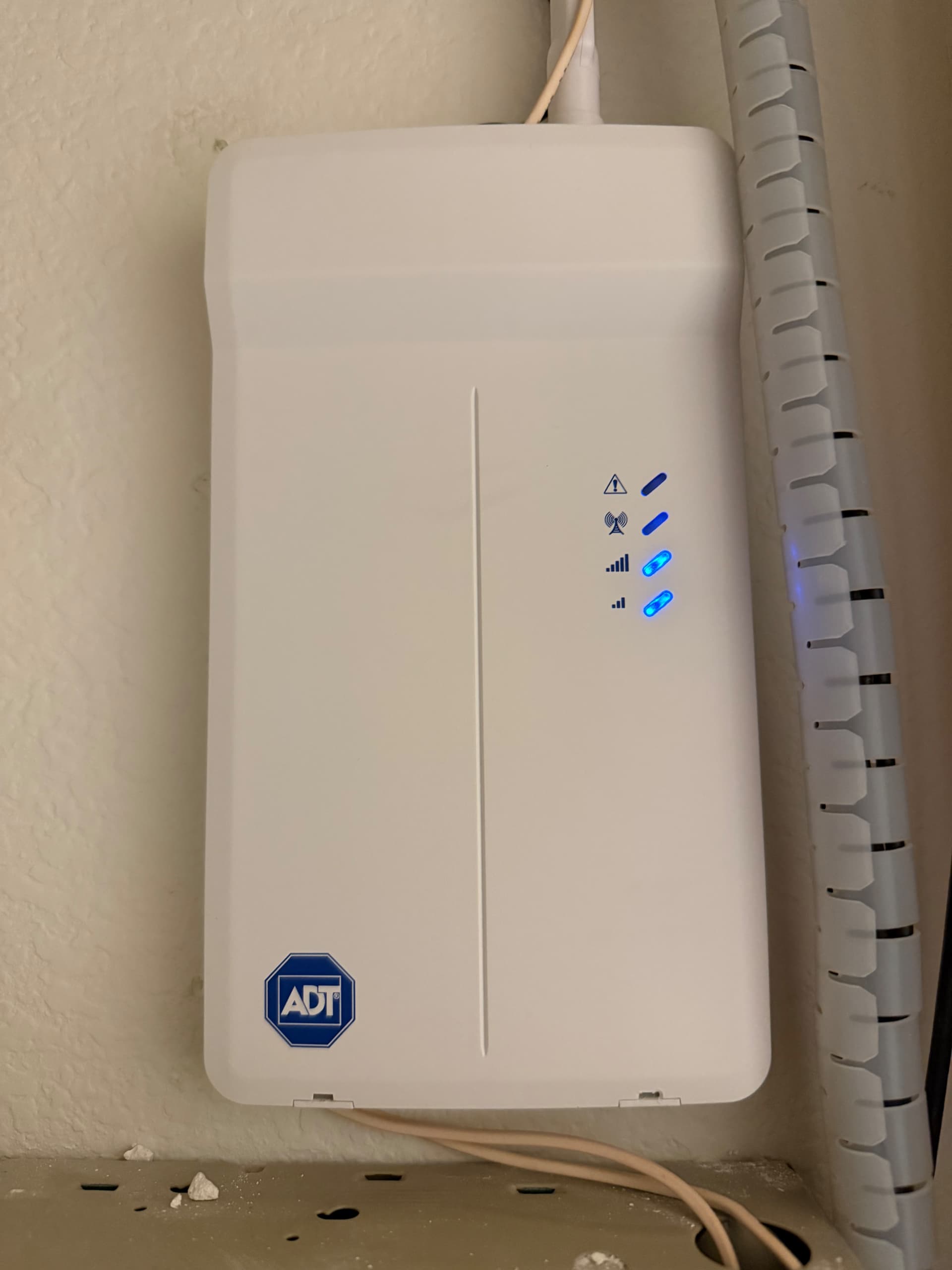
I have a ADT Safe Watch Pro 3000 security system which I am planning to convert to an Alarm.com system. One thing I must do is remove the ADT Communicator and replace it with an Alarm.com SEM. I have asked ChatGPT how to remove it but I cannot open the plastic housing to get at the wiring and mounting hardware. Does anyone know how to open this case? It is an ADT LTE communicator installed about 5 years ago.
Thank you for the picture that helps a lot.
It looks like you need a precision flat head screwdriver or something similar and insert it on the two pry holes on the bottom. Once the bottom is out, the top part will come out.
Yes, I have a jewelers screw driver which I have inserted in the very small slots on the bottom. I have pressed the screw driver straight in very hard and tried to pry one side open to no avail. If I cannot open it I will have to break it open.
Let us know if you need additional assistance
Thank you
Thanks very much, Vidail. I now know what the problem is. The installer mounted the communicator too close to my Vista 20P panel housing. I don’t have enough clearance to pry the housing off. I will need to find something very short and strong to do it. Thanks again for your help!
This may be a little difficult depending on how hard the plastic is but when you insert your flat head screwdriver into the pry holes, instead of prying it by moving it down, try turning the screwdriver. Depending on how wide the flathead part is, it may be enough to get it open.
I have tried to turn the screw driver without success. Worst case I can temporarily remove my Vista 20P from the wall so that I can pry the communicator open.