I was given a ADC-CSVR126. I did a physical reset on my ADC-CSVR126. After resetting, it shows the black screen with grid. Then it prompts for a password. Then it automatically says: “Your video recorder is locked. Please ensure that it is connected to the Internet and added to an account”. I have an Ethernet cable plugged into it. When I try adding this to my account, it says that my account doesn’t have svr permission even though I have the Surety complete package. Can you please advise on how to add this to my account or what I should do with the device?
You have to add an SVR to your surety account by logging into your Surety account then selecting system manager and then use your alarm.com credentials. Once you enter it in, you will see your plan as well as an option to add an SVR.
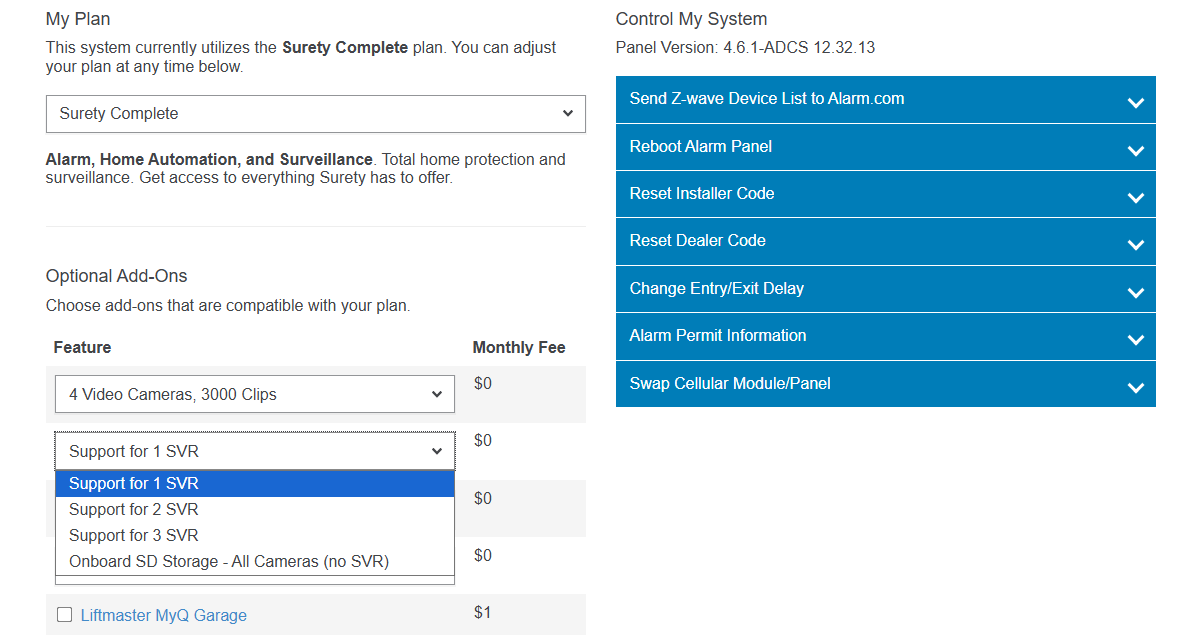
The SVR LED light has to be solid green when learning it into your account and cannot be learned into multiple accounts at the same time.
If it is not learned into a previous account, the process of adding it to your account will include setting up a password so you could get local access of the SVR.