Is the panel connected to Wi-Fi? Please make sure you connect to Wi-Fi before proceeding to the steps below.
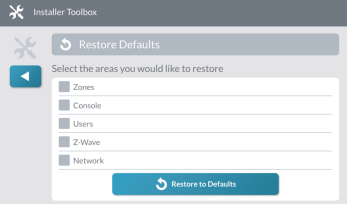
Can you try defaulting your console settings? Doing this will default settings set up in programming. This will not affect zone programming. This will affect your entry and exit delay if it has been modified.
To do this:
Press the Surety Logo on the top right
Enter Installer Code
Select Restore Defaults
Select only Console
Select restore to default
This should clear the troubles that look that have been stuck on the system. Test the system after defaulting console to make sure everything is still working as it should. Be sure to place the account on test.
Hi Vidail. I did connect it to my wifi earlier today, and it does show connected. I will default the console sometime this evening to see if it clears the old alarms. If it doesn’t affect anything but entry and exit delays, I’m OK with that.
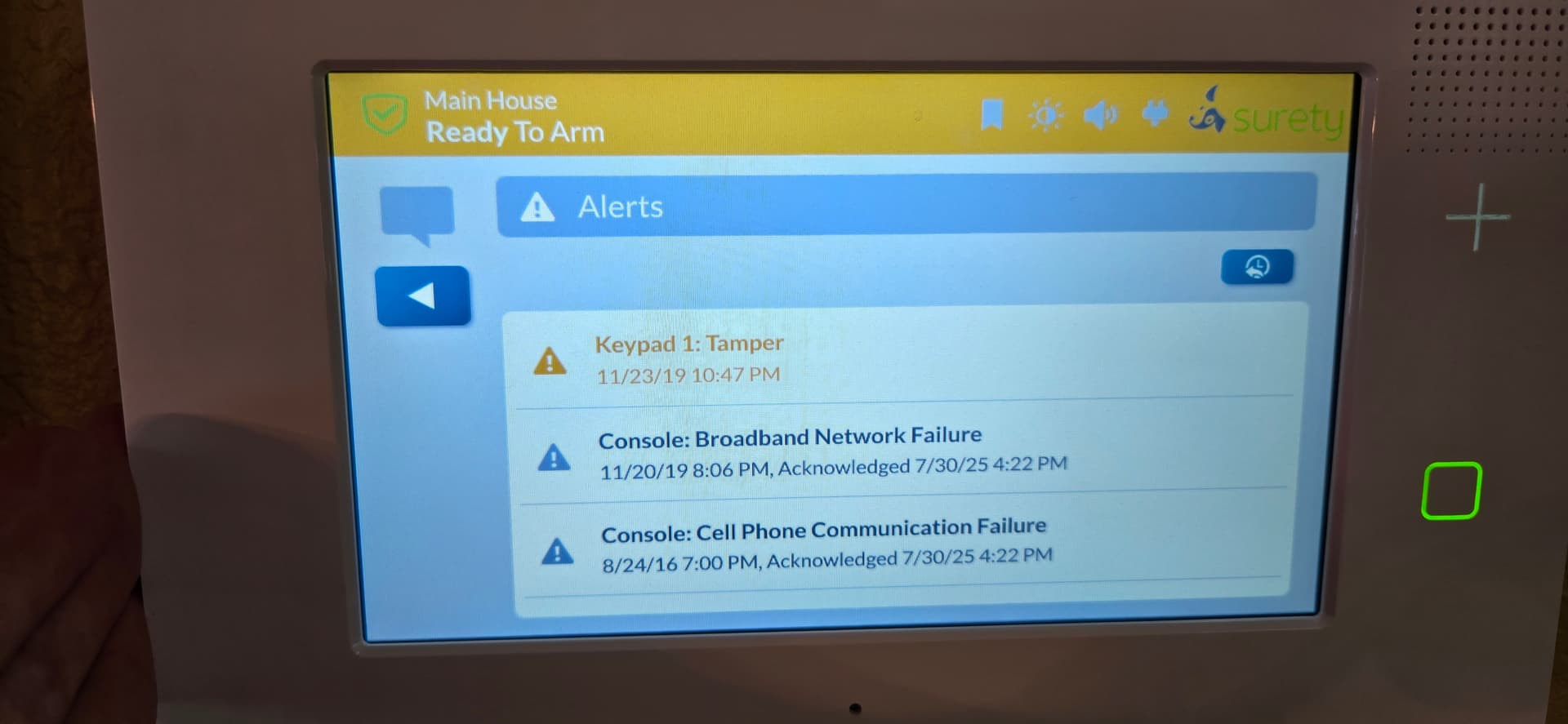
Also, the trouble alarm did return as expected after 4 hours. Apparently the tamper alarm is the cause…
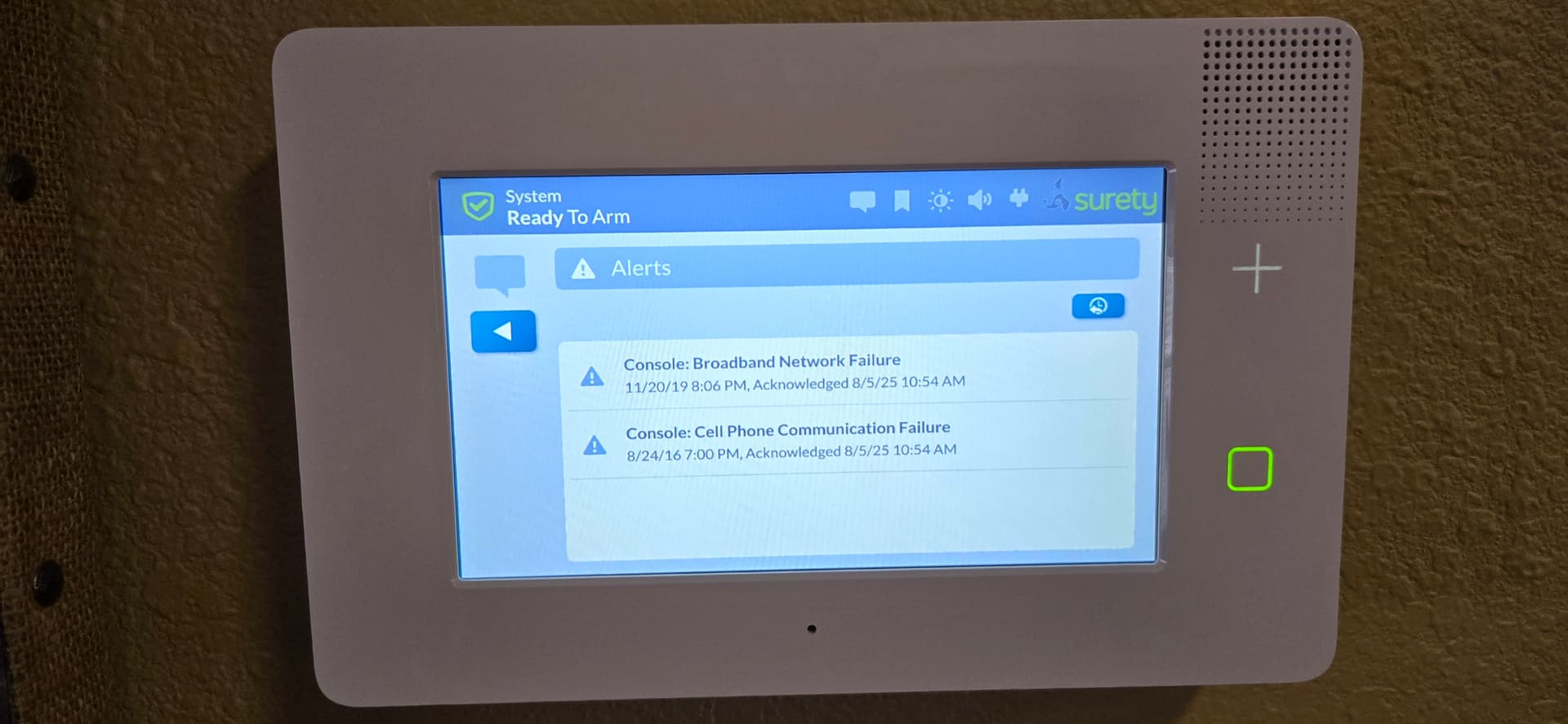
Vidail, I defaulted the console as instructed. Didn’t help at all. As a matter of fact, it did disable my smart areas, and a number of reports to CS was different than what I had programmed. So the console default didn’t help with the old long standing alarms.
As far as the tamper switch, I checked it, and it appears to be working fine. That’s when I noticed the tamper alarm coming on every 4 hours is from keypad 1, not the console. Oddly enough, I don’t have a keypad 1. I did check in the configuration, all keypads are disabled.
Go figure, I guess I should have left well enough alone. Keypad 1 tamper started after upgrading firmware from 3.2.5 to 3.2.6. Just upgraded on last Thursday…thinking the latest would be better than the older…didn’t work out for me. Maybe that’s why 2gig discontinued the GC3.
At a minimum, I’d like to solve the keypad 1 issue, it’s a nuisance every 4 hours. Fortunately it doesn’t alarm after hours (10pm - 9am). Would sure be nice to get rid of the older/standing alarms as well, but I’m not holding my breath.
Just for kicks, I tried disabling Q31, 32, 34, 35, and 64 (broadband, cell comm, and tamper to cause trouble alarm). Rebooted via system manager. Same. Powered down for a few minutes. Same.
I know the above was tried unsuccessfully with earlier firmware, was hoping latest firmware would be different. Wishful thinking…
The final option we have is defaulting the entire panel. There was an automatic backup made on 5/28/2025. We would be able to restore the Panel settings, sensor list and user codes after the default. Would this be something you’re willing to try?
Steps would be:
Default all the options in the installer toolbox
Power it down for about 5-10 minutes.
Power the panel on and let us know when it is powered on. Do not program any options or zones.
I will send the restore settings for the panel.
Wait approximately 20 minutes and then test.
If this still doesn’t clear the troubles, then it is an issue with the panel.
Vidail, pretty much the same thing, although the keypad 1 tamper seems to be gone. However, none of my passcodes are working. Can’t get to smart areas or anything else.
If panel was defaulted and codes did not send, Master User would be 1111 and Installer would be 1561.
Existing User codes can be edited, then saved, through Alarm.com to send them down to the panel. New user codes can be created in Alarm.com and sent to the panel.
Installer Code can be changed via System Manager of your Surety login if necessary.