Use the following steps to turn on AVM for Two Way Voice after installation:
Make sure the system is disarmed before turning AVM on at the panel.
Enter System Programming
Scroll to Audio Verification
Press ‘#’ twice to go to Audio Verify for Partition 1
Turn Audio Verify ‘On’ by pressing ‘2’ and then ‘#’
Exit System Programming
All other values may be left at default, including mode.
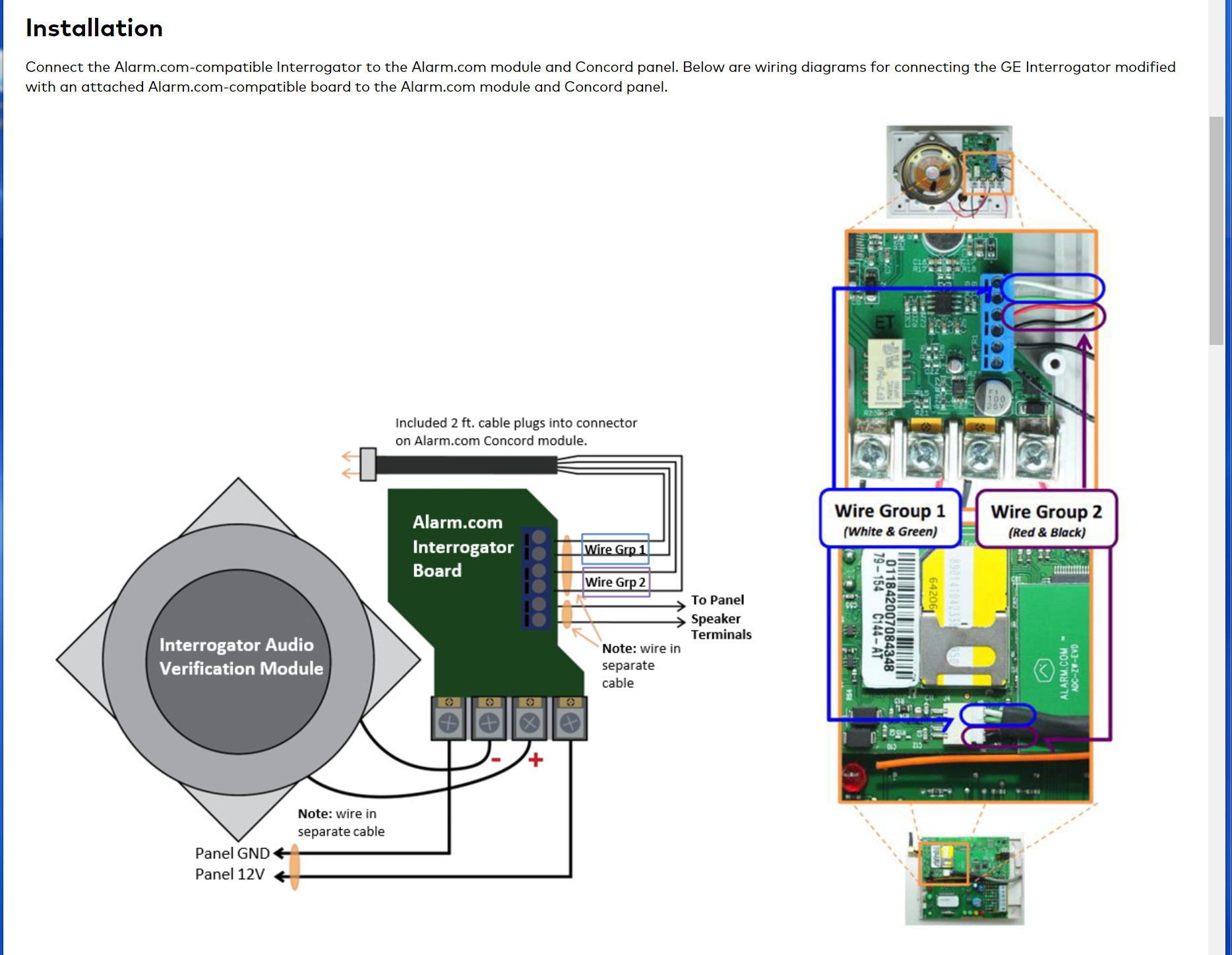
Note that the installation is a bit different when it comes to Alarm.com Cellular 2-way Voice. See the attached file for wiring diagram.